

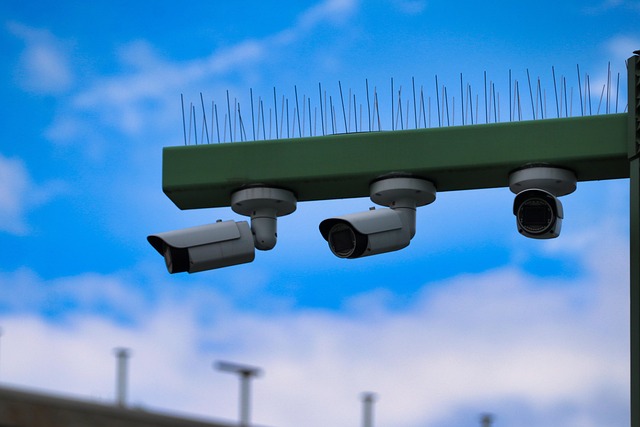
Wireless 4K security cameras stream 3840×2160 video over Wi-Fi to phones or cloud storage. Leading US brands such as Arlo, Ring, and Eufy offer battery versions that can be installed in a matter of minutes with no drilling.
Night vision reaches 25 feet and cloud plans begin at $3 monthly. Local micro-SD slots reduce costs.
The following chapters demonstrate how to select distance, energy, and memory for urban flats or rural plots.
What Defines Wireless 4K Security Cameras?
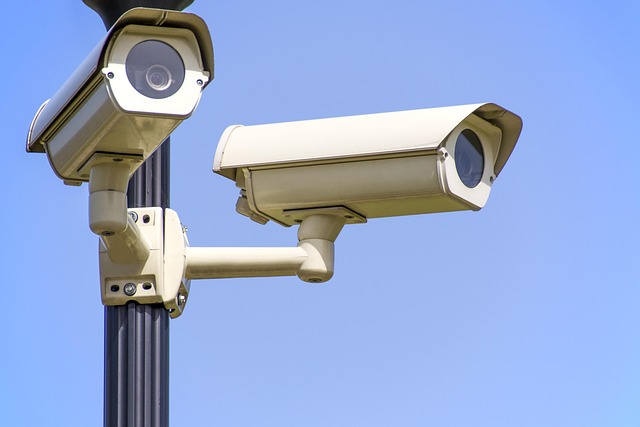
A real 4K security camera begins with an 8 MP image sensor. Anything below, and you’re viewing downscale 1440p, not 3840×2160. Wireless drops only the data cable; power still comes from a wall wart, solar panel, or swap-and-charge battery pack. An hour of 4K footage devours approximately 24 GB — four times a 1080p clip — so plan for a spacious drive or cloud storage options. Smart motion detection, person alerts, and a free phone app are table stakes these days, not extravagances.
The 4K Resolution
Four times the pixels means you can read ‘California’ on a license plate at fifty feet, instead of squinting at a blur. When considering home security cameras, night shots remain crisp only if the lens receives enough illumination. Seek out cameras featuring large sensors or color night vision so 2 a.m. footage doesn’t resemble sand art. One security camera will fill a 1 TB hard disk in ten days of constant recording—do the storage calculator before you buy.
The Wireless Connection
Dual-band Wi-Fi 6 maintains the 25 Mbps upload feed solid even when the kids are gaming upstairs. Mount the cam within 30 feet of the router or toss a mesh node on the patio wall – drywall and stucco consume signal quickly. Lock the feed with WPA3 and a unique password– nobody wants the neighbor hopping onboard your video.
Test bandwidth first: four cams need 100 Mbps up, so upgrade that internet plan before the install.
The Power Source
Indoor cameras require a 5V plug, while outdoor security camera options include solar kits in Phoenix or quick-swap batteries for wet Seattle. Cold temperatures can halve lithium battery run time, so it’s wise to place the camera under the eave or use an affordable foam shroud. Four cameras with three battery changes a year at $40 each equals $480, nearly the price of a wired PoE kit.
The Data Storage
Cloud plans for home security cameras range from $3 to $10 per month per cam; using local microSD or a 2 TB NVR can sidestep that tab and store clips when Wi-Fi is down. One minute of 4K video footage takes about 400 MB – calculate how to fill a 2 TB drive for a four-camera system. Choose providers that secure uploads and include smart motion detection complimentary so you don’t pay extra to see if the postman dropped by.
The Smart Features
Person, vehicle, and package filters block push notifications whenever a stray cat strolls past. With features like live view, two-way talk, and voice control via Alexa or Google, these home security cameras fit most lifestyles. Geofencing arms the system when you hit Sunset Blvd, saving battery while you’re home.
Why You Actually Need 4K Clarity
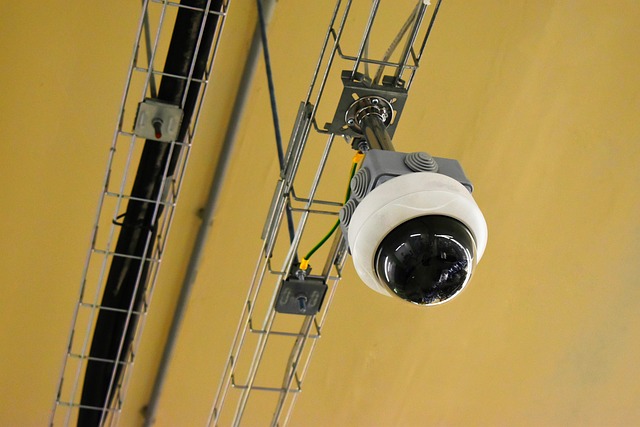
4K takes guesswork to proof. At 75 ft you can still see read a plate. A 1080p clip of the same car at 25 ft is already a smear. Cops clear hit-and-runs earlier when the tag’s crisp, insurers write checks sooner when the tape reveals who backed into who.
One 4K view occupies the footprint of two erstwhile fixed cams. Zoom in and you still have 2 MP of proof. Add color night vision and you get hoodie logos and skin tone, not gray ghosts.
Beyond Blurry Blobs
Face detail at … | 720p | 1080p | 4K |
|---|---|---|---|
10 ft | OK | Good | Razor |
30 ft | Blob | OK | Good |
50 ft | Nothing | Blob | Readable |
To get the best detail, mount the camera 9 ft high, tilted 15° down, so pixels land on cheeks instead of hats. Choose an f/1.6 lens and a large sensor; light falls on more photosites so that the blob becomes a face.
Digital zoom on a low-res feed simply makes the squares bigger—no additional information, merely bigger blur.
Evidence That Counts
Courts don’t argue over time-stamped 4K clips; they still argue over grainy 1080p. Have the NVR run in full-time record so you get those five easy seconds before the punch. You want watermarks and tamper seals.
Defense lawyers will look for any opening to throw the file. Export at native 3840×2160—down-sampling to 1080p wipes out the very pixels that show that it was him.
Digital Zoom Without Loss
Zoom in 2× on a 4K feed and you still maintain 1080p detail, sufficient to take down the gate-crasher at the back of the driveway. Begin with a varifocal lens for optical zoom, then augment with digital crop.
Pixels hold tight rather than chunky. After you zoom, redraw the motion zones so swaying branches outside the crop don’t spam your phone. Lorex and Reolink NVRs let you save zoom presets per channel—tap once and you’re back on the sweet spot.
Superior Night Vision
Color night cams with built-in spotlights or Starvis sensors outsell basic IR models every time. The same 8-MP sensor captures four times the photons, so noise and streaking fall even if someone sprints.
Set porch bulbs at half strength; you have color without blown-out whites. Select IP67 housings and anti-fog coating so rain, snow or summer heat don’t fog the glass.
Choosing Your DIY Wireless Security System
Take a pencil and rough out your floor plan, tagging every door and window, every driveway edge, and that dark side alley where the trash cans are. Count the marks – each is a place that demands a home security camera! Observe where your Wi-Fi bar dips on your phone; those weak pockets determine whether you’ll install a mesh node or run a PoE cable to support your security camera system.
Assess Your Property
Pace the exterior after dark. Your phone flashlight will reveal hidden alleys and dark pockets that daylight conceals, if you can’t see the spot, the camera must. So count entry points — front door, back slider, garage man-door, first floor windows — to determine the minimum number of cams you’ll purchase.
Fire up a free Wi-Fi analyzer app at every location. If the signal registers less than –70 dBm, schedule a mesh node, or go with a PoE bullet. Think ahead: if you might add a pool or shed next year, grab an eight-channel NVR now so you still have open ports later.
Evaluate Connectivity
Test speed on your porch, your garage beam, your back fence post — record upload speed at each. 30 Mbps per 4K cam keeps remote viewing smooth, so 4 cams require approximately 120 Mbps up. Dual-band versions hop to 5 GHz when the 2.4 GHz band gets clogged with neighbor routers and baby monitors.
For locations outside Wi-Fi reach, one PoE cable pushes data and 48 V power up to 300 ft—no additional outlet required. Hide your camera SSID, couch guests on a different network, and put a phone reminder to update firmware every quarter – most compromises begin with legacy code.
Consider The Climate
Los Angeles sun warps cheap plastic, select UV-stable housings and slip-on sun shields so the lens stays straight. IP65 keeps out rain and dust in mild years, but if you make a Big Bear run each winter, IP67 stops blowing snow and slush.
Battery cams drain fast under 14°F–swap in a lithium pack or run a $50 solar panel along the roof edge. Pop a teeny silica gel pack inside bullet cases to prevent fog when day temp kicks around 30 degrees.
Plan Your Budget
Build a quick sheet: gear cost, install cost, ongoing cost (cloud plan, spare batteries). A quality 4K wireless cam is $100–$200. Tack on $50 for a solar panel or extended battery pack as live time can dip to days in high traffic areas.
For example, 1 TB NVR with four ports costs $200–$400 up front but houses ten rolling days from four cams. Cloud plans cost $3–$10 month lense ever. Limit overall expenditure to just under 1% of the home value. That keeps the project sane and leaves money for sensors or alarms down the road.
The Unspoken Truth About Wi-Fi

One 4K stream from a home security camera consumes a terabyte a month. New Apple announces iPads, Macs, watches, and AirPods. Run four security cameras, and you’ve reached the limit prior to the 3rd week. Know the fine print before you buy.
Bandwidth Demands
One 4K feed at 30 fps needs 25 Mbps up. Four cameras require 100 mbps clean upload—run a test at speedtest.net from the router, not the couch. Reduce the frame rate to 15 fps or switch on H.265+ compression and you halve that load. The image still appears crisp on a mobile display.
Devious bonus-schedule hoarders such as colour-night spotlight or 24-hour cloud save for 2 a.m.-5 a.m. When no one’s on Zoom. A few NVR boxes will stream full 4K inside the house but auto-throttle remote viewers to 1080p so it loads on LTE.
Signal Strength
If the Wi-Fi meter reads –50 dBm or higher at the camera position, clips upload clean; dip to -70 dBm and you’ll be watching the spinner more than the porch. One mesh node or outdoor AP within 30 ft line-of-sight cures most dropouts—mount it under the eave, not behind the stucco.
Height is helpful. Signal fans down from the antenna, so dangle the camera eight feet but the router ten. The lawn chairs and metal grill won’t bounce the waves back.
Quick list of silent killers: microwave ovens, baby monitors, Bluetooth speakers, and every neighbor’s router camped on channel 6.
Network Security
Never reuse the default “admin123.” Assign each cam and the NVR its individual 16-character passphrase — brute-force bots stop after three strikes. Flip on WPA3 or at least WPA2-AES and kill the old WPS push-button–one thumb-press can open the door for good.
BYpass UPnP port forwarding, open a VPN tunnel instead so the camera never sees the open web. Choose the first Monday of every month for firmware night—most hacks pwn boxes still on 2021 code.
Mastering Camera Placement
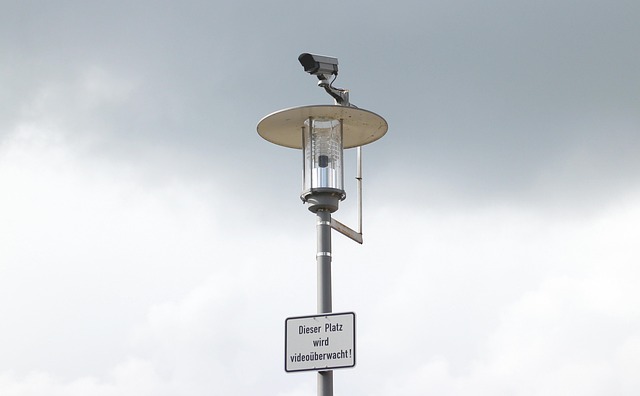
Imagine your lot as three rings. The outer ring monitors the sidewalk and driveway, the mid ring guards doors and first-floor windows, and the inner ring lurks in the main hall. Keep every camera 9–10 ft high. That height stops a kid with a stick but still provides clear shots of faces. Aim lenses away from sunrise or street lamps in order to keep color night vision crisp.
Cut a scrap of box, tape it where you want the cam, open live view on your phone, and pan around. No new holes until the picture feels right.
Entry Points
A 4K bullet over each door, angled 45° down toward the walk, snags a pristine mug shot before the bell rings. Pair it with an inexpensive motion lantern—the quick flash of light keeps colormode on and scares most porch pirates.
Draw a square in the app that terminates at your property line—no notifications whenever the neighbor goes for a jog. Some folks run two doorbells: one at hand height for packages, one at eye level for faces; both clips sync to the same file.
High-Traffic Areas
From this porch dome, I witness boxes dropping and hear every mumbled word of that driver. Position a cam aimed one straight down the front hall; anyone who enters has to walk that plank, so you always capture the exit as well.
A 2.8 mm lens turns a huge living room into one scene, not 3 separate feeds. Activate smart detection so the dog doesn’t bomb your phone. The algorithm figures tail vs. Shoeprint in a day.
Vulnerable Zones
Side windows hidden behind bushes are jackpot locations—pop an indoor cube on a bookshelf and point it glass-ward. No outlet near the gate? A solar wireless cam bridges that divide; a single panel keeps the 4K stream alive even January gloom.
Mount a floodlight cam over the patio; it shoots 2,000 lumens and begins recording two seconds prior to motion impact, so you capture color film rather than blurry grayscale. Don’t forget the basement bulkhead or upstairs balcony slider—both fly open in less than ten seconds and hardly pass a thought until things walk off.
The Hidden Costs of “Wireless”
Wire-free” still means power. 4K lens slurps watts, so each cam comes with a six-foot wall wart, a $60 solar panel, or a $20 cell you swap like a smoke alarm. Price three years of cells for four cams: roughly $240.
Throw in the panel kit if your eaves are sunless – LA shade goes down to 60% in winter and the pack still croaks. Plan ahead or pay the price!
Subscription Fees
Nest Aware charges $8 a month for 30-day event history. Arlo Secure – $9.99 for 4K. Ring Protect hounds $20 for unlimited cams.
No plan most units become live only viewers—no clip saves, no smart pet v car tag, no web download. Four-cam Arlo stack costs $479 in gear but beats $720 in fees after six years.
Hybrid escape: keep a $180 local NVR for 24/7 video and park one cam on the cheapest cloud tier as off-site backup. Read fine print – lots of brands will charge an additional $3 a month just to stream 4K on a desktop.
Battery Replacements
Lithium packs dwindle quick. After 300 full cycles—approximately one year of LA sun—they retain 20% less juice.
Cold snaps and motion alerts drain life even further, anticipate 3-6 months in active driveways. Each brand-name pack costs $40-60, so a four-cam set can charge $240 for every 18 months.
Opt for USB-C recharge models; a $20 power bank from the airport kiosk keeps the cam up while the dead cell charges on the kitchen counter. Set phone reminders: swap at Thanksgiving and again at graduation.
Network Upgrades
Four 4K streams bite 25 Mbps off of it apiece. Your antique Wi-Fi 5 router gags. A Wi-Fi 6 mesh trio with 1 Gbps upload hits $300 but ends stutter.
Add a PoE switch later—wired backhaul liberates airtime for phones. Upload sums can exceed 1 TB per month.
Comcast limits most LA packages at 1.2 TB, so unlimited data costs $30 extra. Don’t forget a $150 UPS for modem and nodes. Blackouts kill streams faster than any burglar.
Conclusion
So now you know what 4K wireless cams can and can’t do. The crisp clips aid cops and insurers. A good home wi-fi plan protects you from lag and drop-outs. Simply mount the cam high, tilt it down, and check your phone for the view. Count the true cost up front: cloud fees, SD cards, and a backup battery. Choose one kit that matches your home size and your budget. Plug it in, test the feed, and secure the app with two-step log-in. You’ll sleep better and your phone will ping only when it counts. Buy the one you trust the most and install it tonight.
Frequently Asked Questions
Do wireless 4K cameras work with L.A.’s thick stucco walls?
Sure, if your home security camera runs on 2.4 GHz and you position the hub within 30 ft of an inside wall, you can ensure optimal performance for your security system.
Can I install these cameras myself in a rented Santa Monica apartment?
You bet. They’ve got removable 3M Command strips for the mount, allowing for easy installation of your home security camera system, and you plug the hub into your own router.
How much data does one 4K camera burn per month in California?
Expect 400 GB upload per security camera with typical motion. That’s roughly a third of a regular Spectrum 1 TB cap, so two home security cameras max if you’re streaming a ton of Netflix.
Will the sun fry outdoor cameras in the San Fernando Valley?
Choose IP66-rated security cameras rated up to 140 °F. Mount them in the eaves’ shade to ensure optimal performance, as bright summer sun fries batteries faster than a home security camera could.
Are these cameras legal on my front porch in L.A.?
Sure — as long as the security camera lens is aimed at your property, not the sidewalk or neighbor’s windows. Adding a tiny “24-hr recording” sticker ensures you are lawsuit-safe.
Do I still need cloud storage if I have fast fiber from AT&T?
Unless you desire off-site backup with a home security camera, a 256 GB microSD stores 7 days of 4K footage. However, if smash-and-grab thieves come, they can take the card—$3/mo cloud storage options are inexpensive insurance.
How long do batteries last in chilly Pacific nights?
Anticipate 2–3 months at 50 °F for your home security camera’s performance. Chills drop lithium life by 20%, so exchange battery packs when daylight savings time rolls around.