


A security cam videos your porch, drive, or shop 24/7 and uploads the clip to cloud or SD card so you can review break-ins, lost boxes, or raccoon raids on your phone.
In LA, police stats find one cam reduces burglary risk by 25%.
We map local install rules and Wi-Fi tricks that keep the feed smooth in SoCal heat and Santa Ana winds.
Foundational Security Camera Types
Dome, bullet and PTZ heads all have their place. Flush mounted to a diner ceiling in Burbank, its tinted hood conceals aim and resists tampering. You still pierce tiles to snake wire.
A bullet mounts under the eave of a Pasadena garage. Its long snout houses a 4 mm lens that pins license plates 40 ft away and shakes off rain with an O-ring.
A PTZ sits on a downtown parking deck, one motor panning 360 degrees, another tilting 90, and guards clicking presets to tail a shopper to her car.
IP vs Analog CCTV
|
Feature |
IP Camera |
HD-over-Coax |
|---|---|---|
|
Cable |
Cat-5e/6 up to 328 ft |
RG-59 siamese, 500 ft |
|
Power |
PoE switch or 12 V brick |
12 V from DVR side |
|
Video |
4K at 30 fps |
4 MP at 15 fps |
|
Audio |
Built-in mic optional |
Separate RCA run |
|
App cost |
Free cloud or NVR app |
Free DVR viewer |
Wireless home security cameras are the fast track to enhanced safety. Low-cost semiconductors, Prime shipping, and L.A. tenants unable to knock down walls expanded the pie 28% last year.
The Wired System
Run one solid-core ethernet line from camera to NVR, no mesh hop = no frame drop when the sprinklers kill WiFi. Staple that cable into EMT conduit along the stucco so a crowbar can’t get at it.
A 48-port PoE switch keeps volts tidy. One cable, one camera, no wall warts under the desk.
The Wireless System
Although they’d like 2Mbps consistent on 2.4 GHz for 1080p, they could increase to 5 Mbps if you enable HDR. Keep the router 30 ft line-of-sight.
Stucco and rebar eat 6 dB, so throw a $39 extender in the hallway. If the patio doesn’t have a plug, toss in a pair of 5,200 mAh-rated 18650 cells. Four weeks of dusk-triggered clips, here we come!
Cloud saves eat your quota quick. Switch motion zones to prune shrubs and tour buses. A single camera then gulps 300 MB a week, not a night.
The Wire-Free System
Stick a magnetic mount on aluminum porch post—no screws, no landlord beef. Turn the app to wake on human form only, six second clips push 4 CR123A cells beyond half a year in Echo Park temps.
When the low-bell rings, switch the spare tray from the kitchen drawer. The bayonet twist requires forty-five seconds and you never scale the ladder twice.
Critical Camera Features
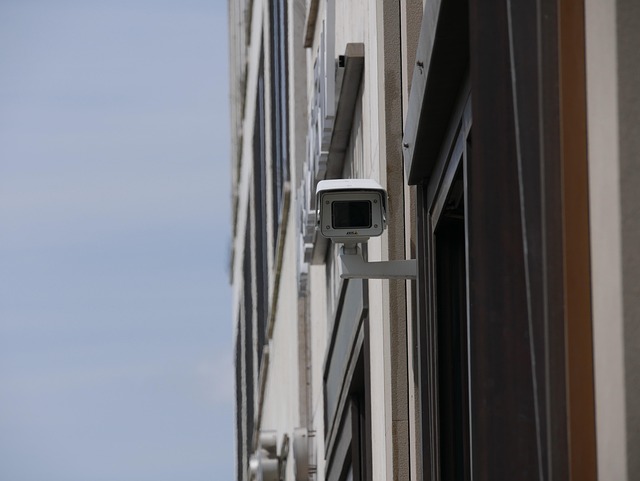
Resolution, night vision, weather rating and FOV determine whether a clip assists the police or just smears a hoodie. Rank them by risk: a rain-proof lens is useless if it films at 480p, and 4K is wasted if night shots look like gray soup.
Start with the checklist: must-have is 1080p, IP66, 100 ft IR, 110° view; nice-to-have is 4K, color night, varifocal glass, two-way talk. Pair every spec to the scene—doorstep pirates require facial detail, alley lurkers need long IR and pool gear demands heat-proof housings.
Resolution
1080p still streams beautifully on most L.A. Cable plans, around 5 Mbps up per cam, so triples fit under a standard 20 Mbps upload cap no problem. If you ever need to read a license plate 20 feet away, jump to 2K or 4K and pores and plate letters pop, but each hop multiplies storage by around 1.5 times.
One customer replaced a single 1080p floodlight cam with a 4K model and saw his monthly cloud bill jump from $6 to $14 since motion clips expanded from 8 MB to 22 MB each. Here’s a tip from our experience: Prior to purchase, do a twilight speed test on your phone with little ones binging Netflix.
If upload falters below 25 Mbps steady, either drop the resolution or install an NVR with local compression.
Night Vision
Standard infrared makes faces into ghostly masks. Color night vision with built-in spotlight keeps shirt color and car paint straight for officers. Verify the IR range on the box.
Budget cams quote 30 ft but provide clear image only at half that distance. Take the longest straight stretch of your driveway and add ten feet for good measure. Turn off the little blue status LED in the app so the housing remains dark. Porch pirates scan for shine.
Starlight sensors draw from street lamps and even moon bounce, providing tinted shots without additional wattage. This is helpful where HOA laws block blaring floods.
Weatherproofing
Los Angeles sun bakes plastic. January chills below 40 °F bang it. IP66 is the floor outdoors: full dust seal plus fire-hose water jets. IP67 brings dunk-proof peace if Santa Ana winds whip rain sideways.
Scan the spec sheet for operating temps—good units list –4 °F to 140 °F. Even with gaskets, slap a pea-sized silicone blob around cable entry so water can’t ride the RJ-45 into the housing. Five minutes with a $4 tube beats swapping a $180 camera.
Field of View
A wide 130° lens captures the entire driveway and sidewalk, but warps edges like a GoPro image. Faces at the periphery minify.
Narrow 60° lenses reach down a side alley and keep license plate numbers flat, but you’ll need two for overlap. Sketch a top-down map on graph paper, each cone at declared angle. Scoot cones till they kiss for about 10% so no bike slips through blind spots.
Varifocal bullets allow you to dial between 30° and 110°. This is great for renters who shift gates or patios.
The Rise of Smart AI Cameras
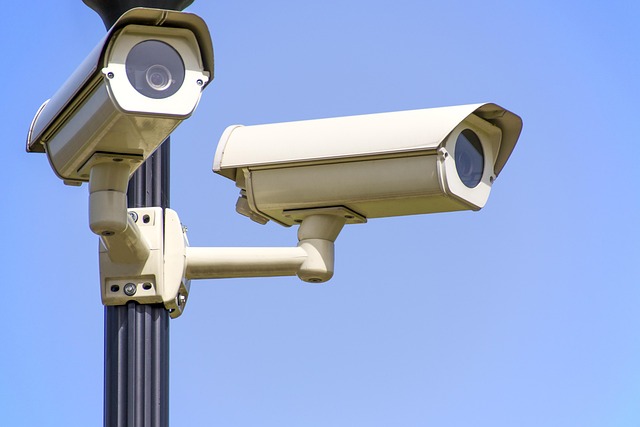
AI in cameras entails a tiny chip embedded within the dome or bullet enclosure, which analyzes the feed and interprets its contents. Old units registered any pixel shift as ‘motion,’ so a shadow or a raccoon pinged your phone at 3 a.m. New units label ‘person,’ ‘pet’ or ‘Honda Civic’ ahead of time then harass you.
The top two pay-offs:
- 90% less push alerts as the code ignores wind-blown trees
- 30-second clip search by typing “blue truck” instead of fast-forwarding for hours.
What is AI?
The software learns by munching millions of labeled images—mailboxes, dogs, hoodies—until it sees the same shapes in your driveway. Edge AI keeps that math on the camera. No snippet dashes to a cloud server, so your data cap stays low and your kid’s mug never leaves the house.
Need a ‘Dad’s home’ message? Snap one enrollment photo on the app. After that, the chip matches every new face to that one shot. No hidden fees, no name tags shipped off to Silicon Valley.
Practical Benefits
Person detection filters random pings 90%, so your phone buzzes for the delivery guy, not for moths. Set a rule: if a person crosses the porch after 10 p.m., turn on the smart bulbs and record in 4K.
One Pasadena homeowner uses that combo – the light fends off porch pirates prior to box swiping. Need last Tuesday’s footage? Type “package” and the timeline jumps to the brown box dropped at 2:14 p.m. Ditto for “gray SUV” or “red bike.
One week of 1080p clips condenses into a 20-second highlight reel.
Privacy Concerns
California’s two-party consent law, where audio can sink a court case. Most apps allow you to kill the mic in two taps, icon turns gray, file has no sound, done and done.
The geo-fence ties the cameras to family phones. When everyone’s home, indoor cams shut off automatically. Once the final phone vacates, they arm up again.
Go for brands that save face prints on SD card or NAS. Local models never ship your kid’s biometric hash to an outside server, so albeit if Uncle Sam comes knocking, there’s little to hand over.
Where Your Footage Lives
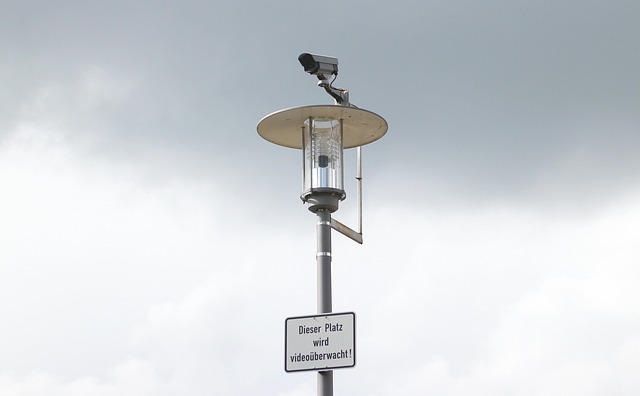
Set a location for your clips prior to lens attachment. This choice determines price, privacy, and how quickly you can deliver proof to the LAPD or your insurer.
|
Local (SD/NVR) |
Cloud |
|
|---|---|---|
|
Up-front |
$30-$250 card/drive |
$0 trial, then $3-$20 cam/mo |
|
Privacy |
Stays in house, no port share if you skip remote |
Encrypted tunnel, but sits on someone else’s rack |
|
Pull time |
Pop card out, plug into laptop, done |
Download links in minutes except net is slow |
Set how long you need the clip to be first. Liquor store by Skid Row stays open 24 hrs. Condo boards in Santa Monica select seven days. Warehouses by the 710 freeway keep 30 days so OSHA can look back. Ninety days is typical when cops or lawyers will come knocking, so size your card or plan accordingly.
Local Storage
Pop a microSD in the cam’s belly slot. Most Hikvision and Reolink cams max out at 256 GB. Consult the small chart in the back of the manual. One card loops itself. When it fills, the oldest hour goes in the trash so you never touch a thing until trouble knocks.
A four-bay NVR in the coat closet supports six PoE cams round the clock. You simply run one Cat6 home run from each cam to the box, no additional energy bricks. If a smash-and-grab goes down at 2 a.m., you pop the drive, drop it into a USB dock and stroll the raw file over to Pacific Division, no relying on some cloud link that’s inevitably going to stall on Spectrum cable at 8 a.m.
Cloud Storage
Ring, Blink, and Eufy all offer a free week when you scan the QR code. Make sure to mark down the expiration on your phone calendar. After that, Amazon auto-bills $3.99 per camera for their home security cameras. If you miss the mail, the footage remains locked until you pay for the subscription. For Google Nest Aware Plus, it’s $12 flat for all cams, providing 60 events and 24/7 recording for 10 days, requiring a Nest cam. Standalone options like Camcloud range from $5 to $9 for 7-30 days of storage.
|
Plan Type |
Monthly Cost Per Cam |
Days Kept |
Notes |
|---|---|---|---|
|
Amazon Ring Basic |
$3.99 |
60 |
Works only with Ring gear |
You can toggle “end-to-end” in your settings, ensuring that even Ring staff can’t access your files. Without this feature, a tech-savvy individual could potentially view your private moments. Uploading consumes about 1 GB per camera daily at 1080p, so factor that into your Cox data cap if you plan to deploy multiple security camera systems.
Hybrid setups allow older analog DVRs to coexist with modern technology: just add one PoE encoder channel and port-forward 554, and the same app can display both an old grainy lobby cam and a new 4K security camera.
Hybrid rigs let old analog DVRs live on: add one PoE encoder channel, port-forward 554, and the same phone app shows both grainy 2005 lobby cam and new 4K doorbell. Simply be aware that free apps such as DMSS or tinyCam might bypass SSL, so activate your VPN prior to reviewing images from LAX Wi-Fi.
Securing Your Security Camera
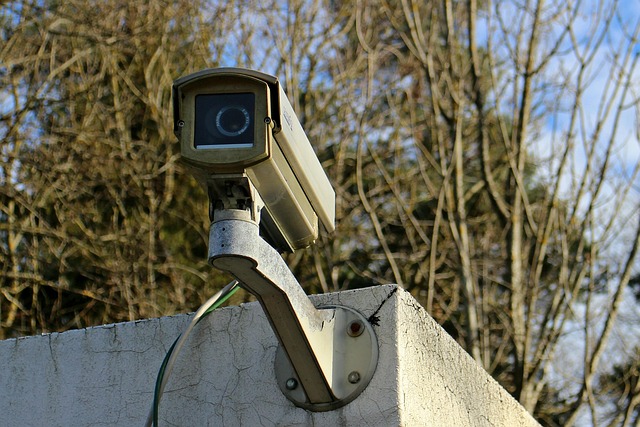
A security camera that watches your porch can also watch you if you leave the lock off. Default ports, reused passwords, and stale firmware can turn a guard dog into a spy. Ensure your home security cameras are secure before another peeks through the lens.
Network Security
Configure a guest SSID named “CAM-ONLY” on your router and park every camera there. Leave phones, laptops, and smart TVs on the main network so a hacked lens can’t leap to your bank app. Go with WPA3 if the router offers it.
Otherwise, WPA2-AES plus a 12-character scrambled mess of caps, lows, numbers, and a symbol such as “@” does the trick. During you’re in the menu, de-register that ancient Fire TV or your ex-roommate’s Chromebook. Every ghost device is a side door.
Password Hygiene
Have a password manager generate a 16-character gobbledegook of the type “vV8$kL2@pR9#mQ5!” and save it. Enable two-factor for the camera app and the email associated with it. An SMS code or authenticator app adds 15 seconds to your day but prevents 99 percent of ‘drive-by’ logins.
When you’re setting up, the wizard will prompt you for a username. Enter anything but ‘admin’, ‘user’, or your last name. Those three top every brute-force list.
Firmware Updates
We highly recommend turning on auto-update so patches come down within 24 hours of release. If the brand doesn’t have that toggle, paste its support page into your calendar for a monthly click-trip.
Post-patch, unplug the camera for 10 seconds and plug it back in. Some units don’t load new code except on reboot. Miss one round and you leave last month’s exploit on the floor.
Quick Checks Each Quarter
- Passwords: rotate any older than 90 days
- Firmware: verify version in app matches latest notes
- Sharing list: yank ex-roommates or old email accounts
Red Flags a Stranger Is Inside
- LED blinks at 2 a.m. when no motion occurs
- Settings page shows new “guest” account you never made
- Data usage soars beyond 50 GB in a week for no apparent reason.
Construct field-of-view overlap so one busted dome still has you covered. IK10-rated fisheye lenses shrug off a hammer swing and continue to record.
RAID-equipped NVRs mirror clips across 2 drives. If one disk dies, footage lives on the other. On a budget? Even two $65 cams overlapping the walk-up beat one $300 unit with a blind corner.
DIY Installation Realities
The reality of DIY installation for security cameras – most arrangements lie somewhere in between a do-it-quick twist-in mount and a full cable run. Wired PoE cameras require a day, while wireless outdoor cameras with a single energy cord can be set up in an hour, and truly wire-free cams are complete within 30 minutes of app pairing.
Power Source
Pre-ladder check, scope out the nearest outlet. If the camera perches beyond 25 feet, grab either a weather-rated extension cord rated 14 AWG or tack on a 10-watt solar panel kit—both run about $35 in big-box stores around Los Angeles.
Battery cams specify length based on trigger time. Three minutes of clips a day lasts around six months on a 5,200 mAh pack. Dial motion sensitivity down from “high” to “medium” and you shave another month off drain.
For those SoCal summers with their pesky rolling blackouts, plug the router and DVR into a small UPS. $60 gets you 150 va that keeps 4 cams alive for 2 hours.
Camera Placement
Install outside units 8-10 feet up–high enough to avoid a grab, but low enough to capture faces, even when hats are worn. TIP: Tilt the lens 15° down. This cuts harsh noon glare off stucco walls and still frames a six-foot person’s head-to-shoe.
Scan the live feed prior to securing screws. In crowded neighborhoods like Culver City, angle away from second story windows across the fence and paint privacy masks inside the app so any movement there never records.
Network Strength
DIY installation realities: run a free Wi-Fi analyzer on your phone. Every possible mounting spot should measure −50 dBm or better.
About those DIY installation realities, when upload dips below 2 Mbps on the far corner of your one-story ranch, replace the ancient single router with a 3-node mesh kit. A $120 Eero or TP-Link Deco blankets 4,500 sq ft and exterminates dead zones.
For any 4K camera within 100 feet of the router, run a single Cat-5e drop instead of relying on Wi-Fi. It frees radio airtime and avoids frame drops during evening Netflix spikes when everyone on the block streams at once.
Conclusion
You now know which cam style suits your pad, what specifications count, and how AI slashes bogus alerts. You chose cloud or local storage and secured the feed. You considered whether scaling a ladder beats calling in a pro. Price, privacy, and picture quality all align. Plug it in, try out the view, stick a “24 hr video” sticker on it — that alone deters half the thieves. If a camera goes offline one night you still locked the doors and turned on the porch light. Be safe, shop smart, and update your firmware.
Prepared to choose your equipment? Hit our best links, check today’s price plunge and capture action before the weekend.
Frequently Asked Questions
What’s the best security camera for a small L.A. apartment?
A plug-in indoor Wi-Fi camera with 2K resolution and night vision is perfect for home security. Simply mount it on a shelf next to your Melrose-facing window, avoiding drilling and HOA battles.
Do I need a permit to put cameras outside my L.A. house?
No city permit is required for standard home security cameras; just aim them at your property. Ensure you avoid the sidewalk or a neighbor’s window, as California privacy law is harsh.
How long does cloud storage keep my clips?
Nearly all U.S. brands of home security cameras keep motion clips for 7-30 days on paid plans, making them essential for monitoring. LAPD frequently requests video recordings up to a week after a break-in.
Will my camera work during an L.A. blackout?
Except it’s got a built-in battery or you throw on a $40 UPS. Solar panels do an excellent job outdoors, but a smoggy day will really drop the output, making it essential to maintain your home security cameras’ power supply.
Can someone hack my camera?
Well, yes, if you still use the default password for your security camera system. Enable 2FA, switch out passwords every 90 days, and place that camera behind your router’s firewall.