

Exterior home security cameras with mobile connectivity enable a homeowner to see live video, receive motion alerts, and speak via two-way audio from a phone.
They typically include 1080p or 2K video, color night vision with a tiny LED, and IP65 or IP66 weather ratings for rain and dust.
In LA, wide-angle lenses cover driveways and gates and geofencing arms when you leave.
The following sections deconstruct features, power options, and location suggestions.
Why Mobile Connectivity Matters

Mobile connectivity connects your outdoor security cameras to your phone, ensuring that video footage and alerts reach you in real time no matter where you are. This feature allows for continuous video recording during trips, blackouts with battery-backed hubs, or when your Wi-Fi falters, leveraging cellular as a backup or main connection.
1. Instant Alerts
Push notifications provide timely alerts when motion or person detection triggers. Door, garage, side yard and driveway set alerts with high priority notices at the front entry and a quieter mode for the alley.
Tweak sensitivity, zones and object filters to eliminate false alarms from trees, pets or traffic. For dense LA neighborhoods, trim your zone to the porch steps and establish a schedule that silences notifications during trash pick-up.
Good mobile signal and sufficient data speed ensure notifications come through without delay. If Wi‑Fi drops, cellular keeps detections flowing, but watch data caps if your cameras record frequently.
2. Remote Control
From your phone, pan, tilt and zoom to guard gates, walkways and alleys, or scan a plate right at your curb. Switch recording modes on the fly—continuous during a vacation week, event-only at night to preserve storage and data.
For active deterrence, activate floodlights or sirens when someone loiters by the carport. Schedule or geofence — Set arming and disarming by schedule or geofence. Arm at 11 p.m., disarm at sunrise, or auto ‑ arm when you leave home.
Cellular control functions even when your home internet is down, as long as the camera has a SIM and service.
3. Evidence Access
Open the app to edit and trim and download clips from cloud or local storage. Share a link with a neighbor or LAPD if a porch theft occurs, and bookmark clips with time, camera name, and tag (e.g., “package 3:14 p.m.”) for quick retrieval.
Use event timelines to navigate to motion or audio triggers. Live streaming and manual recording over mobile are handy during an incident, but they’re data hogs. Match your plan to your usage.
4. Proactive Deterrence
Two‑way talk allows you to welcome a delivery or fend off an intruder. Lights and sirens can a stop a rummage through an unlocked car before it starts.
Deterrent measures like visible cameras and easy‑to‑read signage reduce the risk of a break‑in, particularly on street‑facing lots. Check live views and respond quickly. Cellular notifications and controls work in places with poor Wi‑Fi.
5. Daily Convenience
See if a package reached the porch or a friend the gate. Control multiple properties within a single app — handy if you divide time between your apartment and a rental.
Link cameras to doorbells, smart locks and lights, when the camera detects motion at dusk – illuminate the porch light. Keep an eye on kids in the yard or a dog by the pool–plus set privacy zones for neighbors.
Mobile links may require a SIM-and-plan set up, and signal strength influence video quality. Plans differ in terms of cost and data caps – check the usage caps as switching to live view often uses up data quickly, but can be worth it for peace of mind.
Choosing Your Connected Camera

Pair power, image resolution, and build quality with your room, budget, and privacy requirements — in the US, outdoor security cameras can be affected by heat, cold snaps, and flaky Wi-Fi.
Power Source
Choose a power path that makes sense for where the camera will be located and how you intend to keep it charged. Battery models mount in a flash and shine brilliantly at opportunities like gates or sheds without outlets, but you’ll swap or juice-up cells.
Hardwired models pull constant power from an outdoor GFCI outlet or hardwire, which is dependable for continuous recording. Solar kits match up well with south- or west-facing areas that receive a few hours of sunshine, convenient for extended drives or barns.
Look for rated battery life and read the fine print. A cam boasting six months at “typical use” might survive much less with 2K video, frequent motion or winter temps. Seek out low‑power modes, quick‑release battery packs, and obvious charge indicators to reduce downtime.
Expect outages. Some wired cams have small internal batteries, others can pair with an external UPS to keep Wi‑Fi and the cam live during short blackouts. For backroads, a solar panel + bigger battery bank keeps capturing when the grid goes down.
Video Quality
Shoot for a minimum of 1080p, but bump up to 2K or 4K if you’re capturing plates, faces or package information. Higher resolution does come in handy when you zoom on your phone, though it consumes more bandwidth and storage.
A 120°-155° field of view captures most yards; wider sees more, but edges distort, so position carefully. Night is important. Strong IR or color night vision with a built‑in spotlight produces cleaner clips after dark, and less “ghost” images from noise.
Two‑way audio lets you confirm visitors and deter intruders — test mic crispness near roads. Before purchasing additional units, try one camera at your porch or alley – day and night – then adjust motion zones and bitrate until the video is sharp and stable.
Weatherproofing
Check the IP rating — IP65 takes on rain, IP66 or IP67 up that with stronger jet or even brief submersion. Seal connectors, boot them, and use UV-rated cable so moisture doesn’t creep in.
Verify operational temperature. Most cams operate between 14°F and 113°F, though some cold weather models go lower. In hot US locales such as the Southwest, seek higher upper bounds and sunshades to mitigate heat soak.
Pick housings with metal mounts and tight hinges to hold aim in wind. Mount 8–10 feet high to balance detail and tamper resistance.
Data Storage
Choose cloud, local or hybrid. Cloud plans provide off‑site backup and convenient mobile access. Prices vary based on 24/7 or event‑based recording and retention.
Local storage with microSD or an NVR keeps footage in‑house for better privacy and no monthly fees. Safeguard it from theft or damage. Make sure your app allows you to filter clips by human, vehicle, or package, and download files quickly to your phone.
Retention windows—72 hours is likely too short after a trip. If Wi‑Fi is soggy, opt for models with dual‑band Wi‑Fi or Ethernet for more stable uploads and live view.
Optimizing Your Mobile Connection
Rock‑solid mobile access to your outdoor security cameras requires a reliable Wi‑Fi security camera system or a solid cellular fallback. Position cameras within a good signal range, utilize dual‑band routers for flexible positioning, and modernize weak internet gear to ensure quick live footage and alerts.
Wi‑Fi Strength
Before drilling, test the signal at intended mounts with your phone, aiming for a minimum of 2 bars and < 100 ms ping in the camera app. Weak spots can lead to choppy live view and missed clips, especially with your wifi security camera. To reduce pairing errors, ensure both the camera and your phone are on the same network during setup.
Many exterior installs are far from your router, so consider adding a mesh system for seamless coverage throughout your two-story home or long driveway. Alternatively, you can use a weather-rated extender in the garage to enhance the signal to your outdoor security cameras. Place nodes in the middle of the path rather than on the edges of weak areas.
Avoid placing your outdoor camera near metal siding, stucco with wire lath, or thick masonry. Moving your camera a few feet or mounting it under eaves can help achieve a clear line of sight. While most models favor 2.4 GHz for better range, not all support 5 GHz. Ensure the SSID is set transparently and maintain deterministic band steering.
It’s crucial to secure your router and keep it updated. Regularly update firmware, rotate your Wi-Fi password, and re-authenticate your security cameras within the app. If you continue to experience lag or drops, check for channel congestion, reduce the number of active devices, or elevate your router from the floor.
Cellular Backup
Select cameras with embedded LTE when Wi-Fi is unpredictable, such as detached garages, entry gates, or work zones. Make sure the model is compatible with your carrier’s bands locally, and permits SIM activation out of the box or without hacks. In outages or power cuts, turn on cellular failover so recording and alerts persist.
Data is expensive per carrier and plan size. Monitor time in the app to prevent overage charges, particularly if you stream live view frequently. Motion‑heavy sites with clips can burn data fast.
Battery‑powered LTE units can drain quick when they upload frequently, say ever 12 to 20 events a day. Harness activity zones, reduced clip length and tune sensitivity to conserve both data and battery.
App Usability
Choose a brand that presents a nice clean app that guides you through the installation. Attach your phone to the camera’s Wi‑Fi — preferably 2.4 GHz — then scan the camera’s QR code or manually type in Wi‑Fi credentials. A good Wi‑Fi connection keeps pairing buttery.
Check out live view, quick playback and custom alerts you can tune. Great apps cluster several cameras, display signal strength and connect with Alexa, Google Home or Apple Home to create easy routines.
Review update history & support. Regular app and firmware updates repair glitches, patch security and maintain features as networks evolve.
Beyond Basic Surveillance
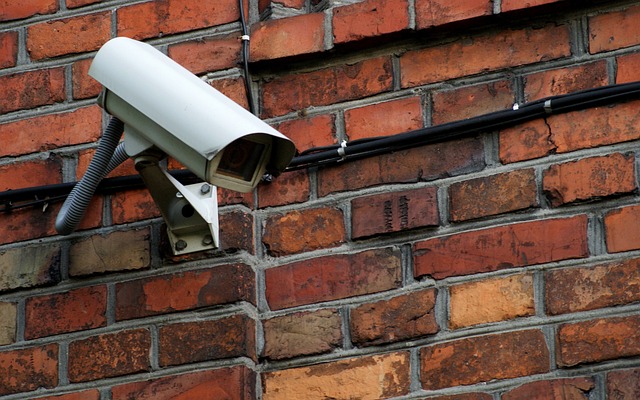
Outdoor security cameras with mobile apps today function as live sensors and control points. They organize activity, impact devices, and provide information you can do something with, not just view in a few.
Smart Home Synergy
Connect cameras to Google Home, Apple Home or Alexa for hands-free checks and quick views on Nest Hub, HomePod or Echo Show. Voice is convenient when your hands are occupied or you’re not standing near the wall panel.
Establish schedules linking cameras with other devices. So when a motion sensor trips at the side gate, a smart floodlight turns on and a pan-tilt camera follows movement. If a door opens after 11 p.m., lock a smart deadbolt, turn on porch lights and send a high-priority alert to your phone.
Others include motion-activated lights on the camera itself, which eliminates dark areas and can frighten off snoopers.
Utilize hubs to aggregate live feeds onto a single screen. A hallway tablet or Fire TV tile can rotate between the driveway, alley, and backyard. Two-way audio includes convenient talk-throughs for delivery drivers or to scare off intruders without cracking the door.
Automations can extend past trespassers. Connect cameras to smoke or CO alarms so a trigger captures a clip, switches on the exterior lights for first responders, and pings your phone with time‑stamped footage.
Package detection can ping you when a box hits down, then capture until it is shifted. Advanced analytics boost signal over noise. Person and vehicle detection eliminated tree shadows.
Others incorporate facial or object recognition to identify known individuals or a forgotten item. With 4K video, plates and faces have more detail, but you’ll require more cloud or microSD storage, and a good Wi‑Fi plan to prevent throttling.
Weather ratings count outside, seek out rugged housings that shrug off heat, sun, wind and rain.
Insurance Benefits
Clear, time-stamped clips assist to evidence loss, demonstrate how damage took place and accelerate claims after theft, hit-and-runs or storm events. Insurers typically accept mobile app exports with metadata preserved.
Certain carriers will even provide tiny premium slices for installing certified systems with 24/7 recording, tamper alerts, or professional monitoring services. Ask your agent what documentation and make/model lists they accept.
Let cameras be the property condition log. Pre-wind, driveway sweep and roof line view saved. After, record fresh harm. Keep clips in redundant places: cloud for access, local microSD for control when service is down.
Show a basic security plan: locked gates, motion lights, person detection, and alerts tied to doors and windows. Better risk posture can help back better terms.
Proper Camera Installation

Utilize the manufacturer’s specs on height, angle, and mounting for your outdoor security cameras. Ensure clear lines of sight, dependable power, and solid network connections for your wifi security camera system.
Ideal Placement
Protect doors, garage doors, side gates and backyard gates initially. Front porches in L.A. Tend to sit under eaves, so mount near the soffit to protect from sun and rain.
Check the camera’s field of view, though —a 110–130° lens will cover most driveways and stoops without warping faces. Maintain Cameras at Approximately 8–10 Feet High to Prevent Reach and Still Capture Facial Detail.
Glare — don’t point to the afternoon sun or shiny stucco. HDR assists in bright So. Cal. Light swings, such as high noon to dusk. If your porch light washes out the image, tilt the camera 5-10 degrees off-center or dim the bulb.
Overlap views so that the driveway camera reads down into the front walk a bit and the porch cam picks up a sliver of the driveway. This minimizes blind spots and assists on playback.
For alleys or long side yards, match night vision range to distance – 30-100 feet is the typical spec, and supplemental a small motion light can pinpoint IR detail.
Mount beyond reach. Utilize an extension ladder and test angles on your phone app prior to drilling. Make sure you’re capturing 15–30 fps for smooth motion and that faces are crisp and clear whether in day or night mode.
Secure Mounting
Utilize weatherproof, metal mounts with tamper‑resistant screws. Select outdoor-rated brackets and weatherproof or IP-rated cameras – the higher the first number, the better the dust protection amid Santa Ana winds.
Mount on solid framing—masonry, studs, or a reinforced fascia—to avoid shimmy. Hollow vinyl or thin stucco requires anchors designed for exterior loads.
Conceal or reinforce the wiring. Run cable through conduit or behind walls, then seal entries with exterior-grade caulk. Where wire-free is not an option, employ junction boxes and paint to match.
Check quarterly. Tighten hardware, clean lenses of dust or pollen and check for water ingress around gaskets and cable glands.
Network Security
Switch all default passwords on cameras and the mobile app immediately. Employ distinctive, extended passphrases.
Enable 2FA on the account and viewer app. This prevents the majority of drive‑by login hacks.
Keep firmware and apps updated – hackers exploit known flaws. Make auto‑updates during low‑traffic times.
Put cameras on their own Wi‑Fi network or VLAN. Shut down unused services, and configure quality settings that your network can support sustaining 15–30 fps.
Test live feeds post-install—make sure night vision distance, HDR at sunset and that no bright light causes glare.
The True Cost of Ownership
Total cost transcends the sticker price when considering a wifi security camera system. Think beyond a typical 3–5 year window that encompasses hardware, subscriptions, accessories, installation, and upkeep. Mobile features such as live view, smart alerts, and off-site backups frequently hide behind monthly fees, so factor those into the budget upfront, particularly if you’re dependent on push alerts and remote playback while traveling.
Upfront costs, subscription fees, and battery replacements are important for any home security camera. Entry cameras like Wyze or Blink frequently cost $40–$120 each, while mid- to premium models from Google Nest, Arlo, Eufy, and Ring clock in between $150–$400. If you go battery-powered, prepare for replacement batteries ($20-$50 a piece) or a solar panel add-on ($40-$120).
In busy lanes, a battery could run a couple of weeks, while in a tranquil yard it could extend months. Weak Wi‑Fi and frequent motion events sap batteries quicker, which can nudge you back into wired power or solar to reduce service calls and swaps, particularly for outdoor security cameras.
Compare affordable cameras with premium models based on your budget. Units provide simple motion clips + app view, but without HDR, wider FoV, or intelligent detection that excludes people/cars/packages. Premium devices deliver better sensors, stronger night vision, higher bit rates, and more rugged housings for enhanced outdoor protection.
In locations with brutal sun, marine air, or Southern California’s infamous Santa Anna winds, a greater IP rating and UV-stable housing earn their premium by helping these devices avoid cracked, fogged lenses or corroded contacts. A $90 camera that gets replaced two or three times in three years can cost you more than a $220 one that lasts the whole stretch.
Include additional expenses such as cloud storage, monitoring, or cellular data. Lots of brands have $3–$15 a month per camera for cloud clips and fancy AI. Multi-camera plans are $10–$25/month per home. Pro monitoring, if available, pushes that up, especially for a comprehensive security camera system.
If your site is without dependable Wi‑Fi, a cellular hub plus data plan tack on an additional $10–$30/mo. Local storage can trim fees–microSD cards ($10-30), a home hub ($100-200), or an NVR–but you assume maintenance, backups and risk of theft if the recorder is not secured.
Think rather about long-term value, instead of short-term cost-savings. Durable cameras with metal mounts, sealed connectors, and proven weather ratings minimize ladder time and slash replacements. Better software support matters: stable apps, fast notifications, and consistent firmware updates mean less time troubleshooting.
For LA homes, you’re looking at sun, dust and occasional rain, so we’ve planned with the appropriate mounts, junction boxes and surge protection where necessary ($10–$50/location). Over 3–5 years, the camera that holds up, stays online, and sidesteps add-on fees frequently comes out ahead on total cost.
Conclusion
To protect the exterior of a home in L.A., a savvy camera with a robust app pays its rent. Mobile alerts reduce delay. Transparent video aids problem resolution. Nice mounts, clean power, steady gear. Robust Wi-Fi or Power over Ethernet keeps the feed live. Local storage and smart zones reduce noise. Night vision and wide fields span yards, driveways, and gates. Verify actual expenses. Account for cloud fees, data usage, and equipment swaps. Test clips in sun, shade, and street light. Secure accounts with robust authentication. Schedule some maintenance.
Ready to select a configuration for your street, your budget and your mobile device? Your short list, your yard map, your must‑haves. I can help you whittle it down.
Frequently Asked Questions
How does mobile connectivity improve exterior camera security?
Mobile connectivity with a wifi security camera system sends you instant alerts and live video to your phone. You can see views, talk back via two-way audio, and take rapid action. In LA, that means you can react to porch pirates, check visitors, and share clips with LAPD from anywhere.
What features should I prioritize for a connected outdoor camera?
When searching for outdoor security cameras, consider options with 2K or 4K video resolution, color night vision, HDR, smart motion detection, and a wide field of view. Look for rugged weatherproofing (IP65+) and a reliable wifi security camera system that offers secure cloud or local video storage.
Will my Wi‑Fi be enough for high-quality streaming?
The majority of homes can easily handle one or two 2K streams with today’s routers, especially when using a smart security camera system. To enhance outdoor security, bring your router closer or add a mesh node near exterior walls. Aim for at least 10–20 Mbps upload per camera for optimal video recording.
Do I need a permit to install outdoor cameras in Los Angeles?
There’s generally no need for a permit for residential outdoor security cameras. Ensure these security cameras are focused on your property while adhering to HOA regulations, and avoid capturing areas where there is a reasonable expectation of privacy.
What’s the best power option: wired, battery, or solar?
Wired security cameras are best for continuous video recording, while battery-powered options are convenient but require regular charging. A solar-powered outdoor security camera + battery setup minimizes maintenance in sun-drenched LA.
How can I reduce false alerts from cars and pets?
Turn on person, vehicle, and package detection with your outdoor security camera. Leverage activity zones to skip sidewalks and streets. Modify motion sensitivity and create schedules for your home security camera system. Place cameras higher (8–10 feet) and tilt down toward your entry or driveway.
What ongoing costs should I expect?
When planning for your home security camera system, consider cloud storage options ($3-$15/month/camera) and cellular data for LTE use, along with periodic battery swaps for your outdoor security cameras.