

Dallas home security camera installation means selecting the best cameras, positioning them strategically and wiring them neatly for dependable, 24/7 monitoring.
Wide lots, alley access and strong sun in North Texas demand weather-rated housings, high dynamic range and night vision that deals with porch glare. Local installations can include front walks, side gates, rear alley driveways and backyard fences.
To map out a sound construction, the guide below addresses camera categories, placement suggestions, local regulations and cost considerations.
Why Dallas Homes Need Cameras
Dallas homeowners face steady property crime pressure and fast-changing weather, making home security cameras essential for discouraging break-ins, documenting events, and providing a reliable monitoring service through your smartphone. Strong light, sudden storms, and long driveways found in North Texas necessitate smart camera placement, high-resolution lenses, and features like motion alerts for dependable results and real peace of mind.
1. Deter Crime
Visible outdoor cameras and strategic cctv housings will make the majority of thieves pass on a house. Install them on the front door, side gates, driveway and any alley-facing fence lines so prevalent in Dallas neighborhoods.
Use motion detection with instant push alerts to catch prowlers, turn on lights, and even sound a warning tone before entry. Easy yard signs and stickers at gates and windows are helpful, particularly in blocks that have experienced recent break-ins.
Angle lenses to get faces at eye level and plates at the curb. For dim alleys or deep lots, supplement with infrared or a small floodlight. On estates or corner lots, thermal imaging bolsters perimeter coverage in total darkness.
2. Monitor Family
Indoor cams and nanny cams allow you to check in on kids after school, a parent recuperating at home, or pets during an extended day. Remote monitoring via a secure app allows you to see live feeds while at the office in Uptown or at DFW.
Two-way audio allows you to communicate with family members, verify package deliveries, or soothe a furry friend during storms. Configure personalized alerts for doors opening between 3–4 p.m. Receive notifications to know when the kids come home.
Peace of mind is important. Just having the ability to peek into rooms and access points on their phone immediately puts many Dallas owners at ease.
3. Provide Evidence
Record HD streams to a DVR or NVR, then tag clips with time stamps for police reports, HOA coordination, or court cases. Video can be stored on SD cards, local NVR or cloud backups for rapid retrieval should a router fail.
WDR assists in plate and face capture in bright Texas sun where harsh shadows conceal details. Leverage analytics, such as person and vehicle detection and activity logs, to cut through the noise and accelerate evidence review.
4. Reduce Insurance
Certified camera systems, particularly when combined with monitored alarms, can play a role in earning lower premiums. Maintain a video inventory of valuables for quick, precise claims.
Enquire with your insurer what camera specs and monitoring tiers get discounts, and ask for their preferred vendor list.
5. Watch Weather
Outdoor cameras reveal hail, high winds or street flooding live. Live stream to peek at the roof, pool, and cars after a storm rolls off I‑35.
Place wind gust motion alerts on grills and furniture. Scan footage for damage timelines and clear insurance records.
Choosing Your Dallas Security Camera
Choose based on Dallas conditions: long, hot summers, sudden storms, and mixed lot sizes from townhomes to larger suburban yards. Begin with the form factor–wired, wireless, cellular–then consider resolution, field of view, night vision, storage and smart integrations.
Go for crisp IDs, reliable uptime, and easy phone access.
Weatherproof Tech
Here in North Texas, sun and storm swing quick. Select outdoor cameras that have an IP66 or higher rating for protection against dust, wind-blown rain and summer downpours. Metal or polycarbonate housings fare better on south- or west-facing walls where heat loads peak in late afternoon.
Seek out wide operating ranges, say, -4°F to 122°F, to tough it out through cold snaps and triple-digit heat. If your eaves catch warm air or your location bakes in direct sun, versions with mini fans or heaters maintain sensors stable and prevent IR fog.
For alley coverage, sealed junction box and UV-rated cable boots mitigate failures. Most Dallas residents opt for weatherproof units initially since heat, humidity and storm grit erodes indoor-rated equipment quickly.
Night Vision
Clear night video matters as many incidents occur after dark. Infrared LEDs provide black-and-white detail, color night vision retains color aided by ambient light. Confirm the rated IR range matches your space: 30–50 feet for porches and driveways, 80–100 feet for side yards or alleys.
Combine 1080p or better with quality low-light sensors and HDR to preserve detail under porch lights and car headlights. Test placement overnight to preclude glare off brick, white siding or glossy gutters.
If a streetlamp floods the lens flop the angle or add a hood.
Mobile Access
Remote viewing is standard now. Go for cameras with best of breed iPhone and Android apps, live streaming, and dependable push alerts. Check platform fit if you already use Google Nest Cams, Ring, or Wyze Cam, so clips, timelines, and routines remain centralized.
Use encrypted connections, unique logins, and robust passwords. Enable two-factor authentication. If you share access with a neighbor for alley coverage, assign individual roles for privacy.
Smart Features
AI tools enhance home security systems by eliminating noise caused by moving trees and cicadas. Features like person and vehicle detection, along with custom zones, minimize false notifications from passing DART buses or roaming dogs. The integration of two-way audio and a built-in siren serves as an effective deterrent against porch theft.
Intelligent recording modes allow for smart recording of clips to cloud or local storage when motion is detected. By connecting security cameras to Alexa, Google Home, or Apple HomeKit, homeowners can easily perform voice checks and set lights to activate with motion.
For Dallas homes, options include wired PoE for consistent power, wireless setups for simple installations in rentals, or cellular connections for distant garages with poor Wi-Fi. Higher resolutions, such as 2K/4K, enhance the effectiveness of security cameras by helping identify faces and license plates.
Just match storage: cloud plans, an NVR/DVR, or SD cards. Local storage keeps costs down, cloud gives off-site backup. Motion detection and live streams provide instant notifications and can prevent crime in neighborhoods with engaged Nextdoor communities.
Dallas Installation Considerations
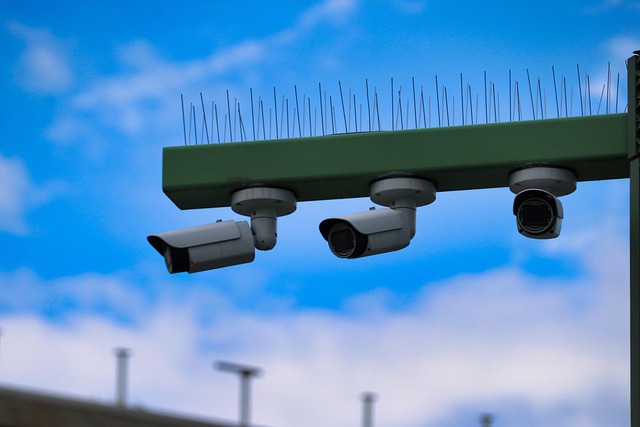
Design with Dallas’ rules, climate, and infrastructure in mind to ensure your home security cameras function effectively year-round. Address legal considerations, site preparation, and system design to stay compliant with local regulations.
HOA Rules
Check your HOA’s CC&Rs for outside cameras. Several North Texas associations do not allow units facing common drives, alleys, greenbelts or the street, and will restrict exposed conduit or bright housings.
If you need approvals, get them in writing prior to mounting anything. Provide a basic map noting camera types, lens angles and height, along with comments on color and wire routing. This minimizes back-and-forth and postponements.
Observe published restrictions on mounting locations, soffit penetrations, and cable runs. Other HOAs demand painted surface‑mount raceways or insist on low‑profile dome cameras at the eaves to maintain curb appeal. Retain lines clean, sealed, and safe.
Talk with neighbors prior to installs near fences or shared side yards. Display sample views and put up privacy masks to screen their windows or yards. Clear communication avoids conflicts and expedites approvals.
Local Permits
Consult Dallas City Code and any alarm ordinances if your cams tie into monitored compounds. Even though stand‑alone cameras frequently require zero permit, watched alarm video or pole mounts in the right‑of‑way can cause paperwork.
If necessary, submit the application, pay the fees and wait for approval prior to work. Save receipts and any stamped plans. Certain neighborhoods within Dallas feature conservation or historic districts with additional oversight.
Put stickers that need to be posted where inspectors will notice them. Record permits, installer licenses, camera models, IP addresses, and install dates for future service calls or insurance claims.
Privacy Laws
Texas and Dallas limit cameras in places with a reasonable expectation of privacy like bathrooms, bedrooms, changing areas and locker rooms. Don’t put cameras that peer into these areas, even through open doors or windows.
Inform family members, visitors and labor that video is turned on. Place a small sign in proximity to doors. For sound, don’t record without consent to remain in Texas wiretap rules unless your solution gives obvious warning & opt‑out.
Use privacy masking and no‑record zones to block neighbor windows, sidewalks, or school grounds. Optimize sightlines at install, then verify again after seasonal tree growth.
Select hardware designed for Dallas heat and storms. Outdoor, 122°F-rated housings, summer lightning surge protection, sealed connectors, and just cleaning them on a regular basis all make a difference.
Arrange for bi‑annual service to combat dust, pollen and wind‑blown debris. Confirm Wi‑Fi coverage with a heatmap, verify power at each site, and pick camera types that fit the spot: domes for wide indoor angles, bullets for long outdoor lines, turrets to cut glare.
Double check your ISP upload speeds if you’re storing in the cloud – most Dallas companies prefer cloud for immediate access, scale and DR. Make certain installers have Texas security contractor licenses, are insured, and display certifications!
Professional vs. DIY Installation

In Dallas, either route can succeed depending on your property size, the ratio of home security cameras to sensors, and the time you can dedicate to installation and maintenance. Consider local needs such as wide Texas lots, alley access behind many homes, heat exposure on south-facing walls, and the necessity for stable connectivity during storms, especially for your security system.
The Pro Path
Certified Dallas installers map sightlines for driveways, side gates, back alleys and front porches, then position cameras to prevent glare from Texas sun and headlight wash on Preston, Greenville or neighborhood streets. They tune motion zones to bypass swaying live oaks and flag human movement at night, and they size storage according to actual risk and municipal lighting.
For more complicated systems — like a 6–8 camera setup, doorbell cams, and motion sensors — pro experience eliminates guesswork and misconfigurations. You benefit from pro-grade equipment and neat wiring. Conduit, weather-proof junction boxes and PoE runs remain neat and tidy in attics and soffits, grounded to withstand summer storms.
Systems integrate with current alarm panels and smart locks, allowing you to arm, monitor activity, and receive push notifications all through a single app. The majority of our full installs complete within 1-2 days, even with attic pulls in older Dallas bungalows.
Training is included. Techs guide you through mobile app configuration, role-based access for relatives or housekeepers and backup protocols for accidents. They typically provide continued maintenance and support — which keeps firmware up to date and uptime stable. Warranties and service agreements make repairs easy–you call one number for replacements and trouble-shooting.
Pricing fluctuates with scope and home layout. That’s probably around $1,000–4,000+ for up to 8 cameras, labor, materials and configuration all included. That spend swaps increased upfront cost for time savings, cleaner results and full support in the long run.
The DIY Route
DIY kits are simple to locate, with explicit guides and bustling forums. A rudimentary two camera system is possible if you’re handy and patient. Wireless and plug‑and‑play units skip almost all drilling.
Battery or plug-in cameras lodge under eaves, with Wi‑Fi extenders by garages or back houses to stabilize the signal in Dallas summer heat and spring storms. For Uptown or Deep Ellum renters, no‑drill mounts keep you out of trouble with your lease.
Configuration occurs via vendor applications. You scan a QR code, name each zone, set motion sensitivity and enable remote access. Test night vision on alleys and customize alerts to distract false pings from stray cats or swaying crepe myrtles.
DIY eliminates labor fees and can eliminate installation, monitoring, and monthly fees. The compromise is time and personal pride. A straightforward weekend can quickly extend into multiple days or even weeks in case Wi‑Fi drops, firmware conflicts, or a router requires VLAN adjustments.
Low technical skill can trip you up and introduce mistakes, particularly on more complex multi-camera layouts, NVR set up, or mixed brand systems.
Beyond Basic Security
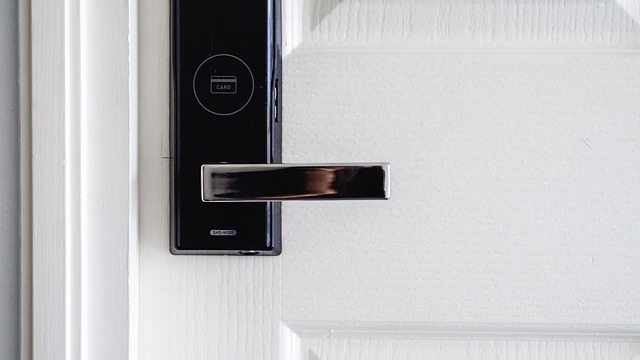
Tech-savvy setups in Dallas integrate smart home devices and video analytics for effective security camera solutions, enhancing home security systems tailored to local lifestyles.
Discreet Monitoring
Concealed equipment assists when you want eyes without a billboard. Mini pinhole cameras, which are effective security camera solutions, can be installed in door trim, bookcases, or a garage workbench, discreetly monitoring entry points without a looming dome on the wall. Hidden cams, such as a functional alarm clock or smoke detector with an integrated lens, protect bedrooms or a separate casita that moonlights as an Airbnb.
When inserted correctly, they will cover a hallway, safe, or supply closet while remaining inconspicuous. Dallas homes tend to have sitters, cleaners, or contractors coming in. Silent cams around the mudroom/tool area record who entered and what they touched, providing a useful video alert for homeowners. For seniors with in-home aides, mini lenses by the meds cabinet provide evidence, not speculation.
Get transparent house rules in writing, and don’t ever install cameras in private places, such as bathrooms or bedrooms occupied by anyone, even guests. Observe Texas one-party consent laws for audio and federal wiretap laws, and preferably, keep audio off on undercover devices. Target shared spaces and your own property lines solely.
Stick 2 1080p or higher, night vision that takes on Texas heat shimmer and cloud clips that keep 7–30 days for homes. Visible cameras still matter: research shows they rank high as a deterrent, so pair a few covert units with a clear front‑door turret. Intelligent capabilities elevate hidden infrastructure.
Video analytics can flag a person vs a pet, license plates on your alley approach, or heat signatures based on basic thermal. Wireless, plug-and-play units eliminate drilling in older M-streets bungalows and accelerate installs in new builds across Frisco or Oak Cliff with the help of smart home devices.
Business Crossover
Home offices and side hustles in Dallas require more than a doorbell. Commercial‑grade NVRs support many cameras, role‑based logins, and 30–90 day retention for records, while homes typically store 7–30 days.
Add access control for a backyard office: a keypad deadbolt, camera‑verified entry, and logs tied to user codes. Cloud platforms transformed monitoring, you can check by time, motion or car label from a phone at Love Field. Video analytics assist in monitoring inventory in a stock room in a garage, scan for packing mistakes, and observe customer areas of engagement during a porch sale.
Others associate video with transaction-level data to identify voids or returns and retrieve the specific snippet. They run $3,000–$15,000 for small‑to‑medium commercial builds, which can accommodate a serious home workspace.
Thermal imaging assists in scanning for heat loss in a warehouse‑style garage, while license plate recognition records repeat visitors in a communal alley. For remote sites—lake houses, rentals, or detached garages—use cellular backups and monitored services for alerts when you’re away on vacation. Mounted external cameras remain a powerful deterrent citywide.
Finding Your Dallas Installer
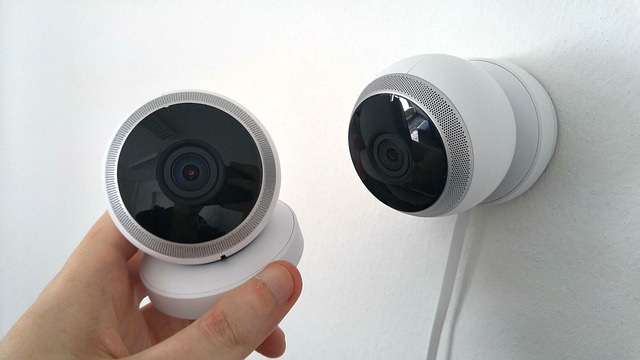
Choosing your Dallas installer involves proof, fit, and follow-up to ensure a comprehensive security system that works from day one and continues functioning through North Texas heat, storms, and busy neighborhood traffic.
Research local Dallas security camera installation companies with strong customer reviews and ratings.
Begin with Google, Yelp and Nextdoor to catch actual comments from people in Lakewood, Oak Cliff and Plano. Look for patterns in feedback: clear communication, clean installs, and fast fix times. Stars count, but pay attention to the comments that cite details like camera positioning, wire quality and app configuration.
Narrow your list to those with 4.5-star averages and a minimum of 50 recent reviews. Prefer installers with an office in Dallas County — local shops can usually schedule quicker and they know typical issues like glare from west-facing lots or Wi‑Fi dead zones in old brick homes.
Request quotes and compare service packages, including equipment, installation, and ongoing monitoring.
Ask for written quotes that break out each line: camera unit price, NVR or cloud storage fees, install labor, activation, and any monthly monitoring. Check to see if free installation and activation apply to your plan — that can move the cost by a couple hundred bucks.
Compare packages by coverage goals — front entry, alley, side yard and garage. For instance, a four-camera 4K set with night color and a 2 TB NVR applies to most 2,000–2,500 sq ft homes, whereas townhomes may rely on two wide-angle cams and a doorbell cam.
Consider extras such as floodlight cams, license plate capture on the alley and doorbell chimes. Inquire about 24/7 alarm monitoring and tech support — a trusted installer will provide both along with transparent response times.
Verify installer credentials, certifications, and experience with Dallas-area homes and regulations.
Verify TX state license, liability insurance, and manufacturer certs (Axis, Hikvision, Ubiquiti). Know-how with Dallas permits and HOA rules prevents rework on exposed exterior lines.
Request photos from similar homes in Preston Hollow or Far North Dallas and ask for two recent references. A quality installer will walk you through the entire process—site walk, cable paths, power needs, and app training—in simple terms.
See if their installers do background checks and wear branded trucks. Call your insurance company – proven security installs can reduce premiums by as much as 20% based on your coverage.
Schedule an onsite assessment to discuss your specific security needs and receive a tailored proposal.
Schedule your appointment during hours of normal lighting–late afternoon sun in Dallas makes everything glare. Walk the installer through choke points: front porch, side gate, alley, and detached garage.
Request lens types, mounting heights (typically 8–10 feet) and coverage maps. Test Wi‑Fi strength in every location or account for wired runs and PoE switches.
Request two options: a baseline package and a higher-tier plan with better low-light and storage. Verify maintenance charges, firmware update policy, and service call fees.
It’s a location thing; a Dallas installer located close to home can get to you faster after a storm.
Conclusion
In summary, a smart camera plan keeps Dallas homes secure and serene. Heat, dust and late storms challenge equipment year-round. Good picks stand. Clear views of doors, alleys and yards eliminate blind spots. Neat cable runs and snug mounts keep feeds crisp.
DIY might be ok for a small condo near uptown. A pro is logical for a two-story in Lakewood with wide yards and an alley. Include lights, doorbell cams, and a siren for quick signal. Back up clips in cloud. Verify regulations on street views and consult with your HOA if applicable.
Prepped to relocate? Contact us for a quick conversation. Tell us about your block and home layout and budget. Secure a plan that suits Texas living.
Frequently Asked Questions
What security camera features work best for Dallas homes?
Ditch the standard definition and opt for 2K or 4K with wide dynamic range and color night vision for bright Texas nights. Look for smart cameras that offer motion alerts, smart detection, and weatherproof (IP65+). For big lots, consider adding outdoor security cameras with varifocal lenses to your home security system.
Where should I place cameras around a Dallas house?
To enhance your home security system, protect the front door, driveway, backyard, side gates, and first-floor windows with outdoor security cameras. Mount them 9–10 feet high to discourage tampering and ensure clear video surveillance, capturing faces and license plates effectively.
Do I need a permit to install cameras in Dallas?
No permit is required for ordinary home security cameras. Keep Texas recording laws in mind when using smart cameras. Don’t record private spaces, and if you do audio too, put up a sign! If you’re integrating with a monitoring service, verify any City of Dallas alarm permits.
Is professional installation worth it in Dallas?
Yes, if you want neat wiring, best angles, and a dependable network configuration for your home security system, experts understand local building styles and exposure to the sun. They wire PoE for uptime in heat and storms, ensuring effective security camera solutions.
How do Dallas weather and heat affect camera choice?
Choose outdoor security cameras rated for 100°F+ and full sun, utilizing UV-resistant housings and shielded cabling. We prefer PoE over Wi-Fi for stability in summer heat, and it’s essential to include surge protection for storm season.
What internet speed do I need for remote viewing and cloud storage?
For 4–6 outdoor security cameras, target 25–50 Mbps upload. How does it achieve this? Utilizing H.265 compression and smart recording features, consider a local NVR to minimize bandwidth and capture video during an outage.
How do I choose a Dallas installer I can trust?
Seek licensed, insured pros with Texas security credentials who provide excellent customer service. Request local references in your area and sample footage from their home security cameras. Verify warranty and support response times, and ensure they optimize for Dallas sun and lot lines.