

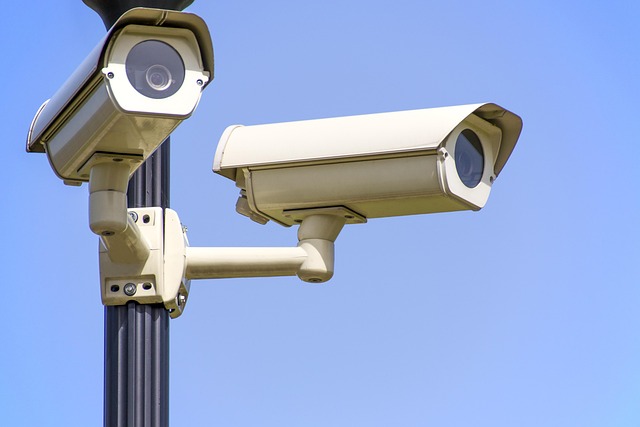
DIY home security systems allow you to protect your Los Angeles house without monthly fees or tech teams. A $200 Wyze or Ring kit, adhered to stucco with 3M strips, connects to your phone and LADWP Wi-Fi.
You select the doors, adjust the siren volume within earshot of neighbors and bypass the municipal alarm permit to a maximum of two zones. Below, we track down budget-friendly diy home security systems that outsmart porch pirates and heat-wave false alarms.
Assess Your Home’s Vulnerabilities
Walk around the exterior of your house at sunset and take stock of your home’s weak points. List every outside door, window, and garage door a burglar could open in less than 30 seconds. Evaluate each entry 1-5 in terms of exposure to neighbors and passing cars – anything in the 1-2 range is a priority for cameras or motion lights.
Take snap phone photos of each door frame and window latch; zoom in to catch warped trim, loose hinges, or pry bar gaps. Plot local crime reports on a free police website and identify the specific break-in techniques employed in your vicinity—align those strategies with your vulnerabilities.
Entry Points
Test the gap between your front door and frame — if a credit card slides in, install door armor hardware or a deadlock protection device tonight. Place collapsible emergency ladders on all 2nd floor windows—1 per bedroom, so in case of fire you can escape safely.
Swap the short ½-inch screws in strike plates for 3-inch hardened screws that bite the wall stud and resist kick-ins. Install a digital door viewer so you know who’s out there before you open up. Combine it with a doorbell camera, and you have recorded evidence of every visitor.
Blind Spots
Stand at every corner of your yard and observe where two fences adjoin or shrubs enclose a dark alley–those are burglar staging grounds. Position a wireless outdoor camera high on the soffit over your eeriest blind spot, and opt for colored night vision to identify clothing and faces.
Cut back bushes to below window level and plant thorny roses under ground-floor windows–natural protection that still looks warm and welcoming. Install a low-cost motion-activated LED strip underneath your back-door overhang. Unexpected light frightens 60% of opportunist thieves immediately.
High-Value Areas
That is, write down every room that has valuables >£200—home office with laptops, master with jewelry, living room with console—and prioritize them. Conceal a fireproof safe in a closet floor, bolt it to joists, keep spare keys, cash, and passports; never leave them laying around.
Aim a peephole cam at the gun safe or jewelry drawer, choose local storage cameras so footage remains off cloud if Wi-Fi fails. If you have smart plugs, schedule lamps on random timers in any high-value rooms so they look like they’re occupied even when you’re on vacation.
Outdoor Perimeters
Walk your perimeter after rain; if there are any prints that aren’t yours, that’s the intruder’s route–set a trail cam there in camo housing. Byrd shed shackle plates and a sold-secure padlock on garden sheds – burglars nick tools first, then use them to break into the house.
Install solar driveway alarms 100 ft from the house. The outdoor siren provides early warning ahead of crooks entering your wifi camera radius. Swap out weak gate bolts for duty-security hooks and hinge bolts on French doors so gates and doors can’t be lifted off their pins.
How to Choose DIY Security System Components
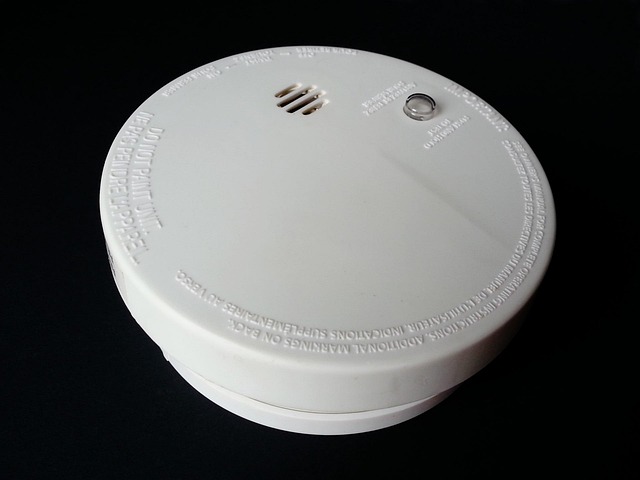
Establish a hard budget cap upfront — account for all the sensors, cameras, and monthly plans so you don’t go overboard on flashy add-ons you never utilize. A starter kit with six door sensors, one motion detector and a hub goes for around $200 on sale, add $10 a month if you want cellular backup in rural areas where broadband drops.
List what you truly need:
- Contact sensors for each ground-floor door and window
- One motion detector per main hallway
- Glass-break sensor for sliding patio door
- IP66 outdoor cam with color night vision
- Hub with 24-hour battery and slots for up to 24 zones
- Optional: $3 pack of warning decals and a dummy cam for the porch
Check compatibility charts before you buy, for example, to make sure the control hub connects to both Z-Wave door sensors and your current Google Nest cams. Others all-in-one boxes trap you into one brand — a quick check of the specs sheet saves a weekend of returns.
Step 1: Select your security components. Buy a customizable DIY security system base kit that allows you to add door/window sensors later.
Hello, starter packs save 30 % versus separate parts. Big-box stores run door-buster deals every July—set a calendar alert.
1. The Control Hub
Pick a hub with dual-path alarm: Wi-Fi plus cellular SIM card so alerts still reach the monitoring center if the router dies. Figure the number of zones you require — each door, window and motion detector represents one — then snag a panel that provides 20% additional slots for the garage or that second-story window you always overlook.
Search for in-built battery backup of no less than 24 hours; power-reduction safety maintains the alarm live right up until the grid comes back. Test the siren loudness: stand outside and trigger the panel—aim for 110 dB so neighbors hear it through walls and wake up.
2. Detection Sensors
Get door/window contact sensors for every entry point on the ground floor – the slender magnet strips, which hide inside the frame, install within minutes with peel-and-stick tape. Tack on glass-break sensors by patio doors and expansive windows — a single acoustic sensor has a 25 ft radius and intercepts smash-and-grab attacks with no line of sight required.
Select pet-immune motion detectors tuned to 40 kg allowing your dog free rein at night without inadvertent alarms. Add a motion sensor in the hallway to the bedrooms—this gives you a second line of defense so burglars set off the alarm before they get to sleeping victims.
3. Surveillance Cameras
Mount outdoor cams 9 ft high, tilted down 15°—high enough to avoid bolt cutters, low enough to get faces, not just hats. Select IP66-rated and colored night vision cameras, so rain, snow and pitch-black yards will still be generating crisp ID footage.
Mix in local storage cameras (SD card or DVR) and 1 cloud camera – if thieves take the DVR, your cloud clip is safe. Pair video doorbells with existing door sensors, and when that opens, the doorbell auto-records a 30-sec pre roll to catch the hand on the knob!
4. Deterrent Devices
Mount a dummy security camera above the front porch—cheap decoys reduce break-in tries by 25 % when combined with actual ones. Post ‘24-hr video surveillance’ window decals on every ground-floor pane—purchase 10-packs for $3 and slap them on even windows without cams.
Install a smart bulb in an outside fixture and program it to flick on/off randomly between the hours of 10 p.m.–2 a.m. Moving light yells “someone’s awake”. Put a mini alarm on the shed door that screeches at 120 dB. The sudden sound throws burglars and makes them drop tools.
5. Smart Integrations
Integrate your Ring Alarm Pro with Alexa Routines to arm the security system, lock smart deadbolts and dim lights in a single “Goodnight” command. Connect your Google Nest Cams to Google Home and say any speaker “Show me the backyard” for instant live footage with no phone touching.
Set automations so when the door sensor opens after 11 p.m., the hall light flashes red—silent alarm that wakes you but not the burglar. Use IFTTT to turn on all smart bulbs if any motion detector triggers while you’re out — bright lights broadcast occupancy to the street.
What Monitoring Option Is Right?
Toss them out – first. If you fly more than 30 a year, professional monitoring bridges the gap when your phone occupies airplane mode. Check your city’s ordinances—LAPD won’t dispatch a unit to an unverified alarm, so a plan that involves video clip vetting keeps dispatch viable.
About what monitoring option is right? Ask your insurer. State Farm, for example, cuts 10% off renters plans when you show a monitoring cert. That $9 dip balances out majority of $20 month-to-month fees.
Consider the following factors:
- Nights you travel
- Local police policy
- Insurance discount math
- Cell service at home
Self-Monitoring
Download the free app from your hub maker, turn on push, text and email so one ajar door slaps you three ways. Add a short list: neighbor Mrs. Lee, your brother, yourself—tap once and it rings them.
Set quiet hours so the living-room cam dismisses the dog from 7-8 a.m., but wails if the slider shifts past midnight. Drop 911 in favorites; at 3 a.m. You mash once, no scroll.
Professional Monitoring
Choose a UL-listed center with six campuses. If the Riverside site floods, Fresno still has your file. Ensuring that the plan includes guard dispatch—a private patrol gets to canyon homes quicker than LAPD 20 miles away.
Demand month-to-month; you retain the option to quit if you relocate to a condo with a front-desk guard. Test monthly: hold the panic button, wait for the operator to call in under 30 seconds.
Hybrid Models
Flip to ‘self’ while you make dinner, have the app auto-arm ‘pro’ at 11 p.m. When you go to bed. Abode’s $6.25 plan lets you tap on for a week in Cabo then tap off when you hit LAX—pay by days used.
Store to SD in base + cloud—if crooks yank hub, clips still live online. One tap shifts alerts from your phone to a dispatcher when wildfire smoke takes out Wi-Fi and LTE back up kicks in.
Offline and Off-Grid Security
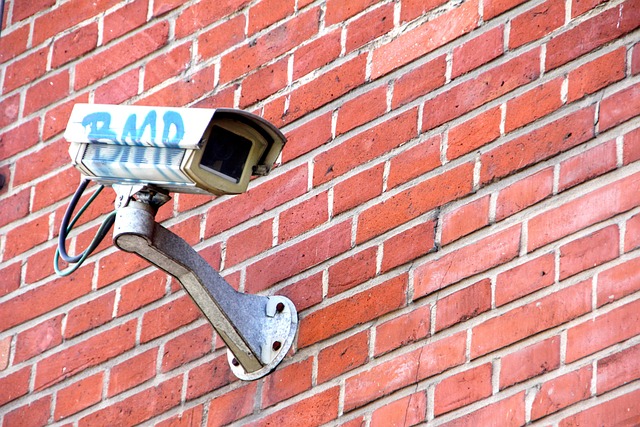
A cellular LTE hub, prepaid SIM, and 12 V battery box hold the fort when Wi-Fi quits, making it an essential part of any security system. Footage remains on a spinning drive in the hall closet, not in someone else’s cloud, ensuring your home security system is safe and secure. A 120 dB siren that devours AA batteries still screams loud enough for the neighbors to hear, while a 20 w solar panel keeps the cameras operational even during power outages.
Internet-Free Systems
Deer hunter trail cams are perfect for a L.A. Hillside driveway. Strap one to a stake, drop in eight lithium AAs, and it records every car that passes at 1080p to a 128 GB SD card you yank on Saturday morning. Within the house, a hardwired alarm system from the 1980s hangs under the eaves; if a door magnet trips, the bells clang at 118 dB and don’t give a hoot that the router is down. For enhanced home protection, consider integrating security cameras for a comprehensive view of your property.
RF door sensors–think Dakota Alert or Chamberlain–transmit a 433 MHz chirp directly to a palm-sized receiver on your bedstand. There’s no pairing app, no password, just an instant beep when the kitchen slider opens. All that video streams back to a four-channel DVR secured in a $40 steel job-box from Harbor Freight. Once a month you exchange the USB backup drive and leave the old one in the desk drawer at work, ensuring your security system remains efficient and reliable.
Some cameras sense forms without ever communicating with the web. Reolink Argus 3 Pro and Eufy SoloCam flag ‘person’ or ‘vehicle’ at the edge of the lens, then locally save the clip. You give up remote peeking, but you avoid monthly service charges and hacker headlines, making these DIY security systems an appealing choice for budget-conscious homeowners.
Power Outage Protection
Blackouts lash through L.A. Every summer now. A 7 Ah sealed battery hidden behind each keypad nurtures the contact loop and sustains for an entire day. Plug the DVR and mesh router into a 150 W UPS from CyberPower. You get four hours of record time and still enough juice to text alerts through the LTE dongle.
Want eternal juice? Snag a Reolink Go-Plus camera with a 10 W panel set to the stucco. The sun charges the 6,000 mAh battery to full by noon, and midnight clips last till sunrise.
Tuck a couple of 26,800 mAh Anker packs in the gun safe. When Edison cuts power for fire-risk winds, those bricks can spin an indoor cam for three nights and keep phones alive so you can still call 911. Burglars know the block is dark; don’t let them know your gear is as well.
Fortify Your Digital Defenses

Yes, your security cameras and sensors can be installed in less than an hour, but the wireless path they use to communicate with your home security system remains a vulnerability. A half hour setup can lead to a month of grief if the network serving the app is compromised.
Secure Your Network
Begin by changing the router’s SSID from, say, “SmithFamily_WiFi.” Pick something boring like “Unit5” so a drive-by scanner learns zip. Then, fire up a guest network on 2.4 GHz—most entry cams only detect that band—and just park every camera, hub and door sensor there.
Bank laptops remain on the primary network, even if a burglar hijacks a cam, the leap to your docs crashes. Open the router app and list all connected devices. Rename each camera to “Porch-2024” or “Back-Yard” so a random “IP-Cam-8899” is all the more obvious.
Enable MAC-address filtering and copy-paste the precise codes from your phone, tablet, and security base. Any new phone loitering outside the curb is stopped before it can even sniff a packet. Turn off remote management unless you VPN tunnel in.
Port 8080 left alive is a welcome mat for scripts that brute force factory logins in seconds. Lastly, schedule an auto-reboot at 3 a.m. Every Wednesday. A fresh reboot kicks off latch-on malware and keeps streams silky.
Update Firmware
Auto-update sounds dull until you discover that zero-day code for cameras sells on-line for $20. Flip that switch on every lens, hub and smart lock so patches roll in while you sleep.
At least once a month, cruise the vendor site anyway – some brands push firmware on the web a full WEEK before the phone app buzzes you. DVRs need love too—old school recorders succumb to ransomware that can erase the snippet displaying a break-in at your side door.
Record every update date in your phone notes–if Tuesday’s patch kills motion alerts, you know exactly which file to roll back.
Use Strong Passwords
Sixteen random letters/numbers/symbols-let a password manager puke them out and save them. Don’t reuse your Netflix login, never reuse your Netflix login. Credential-stuffing bots go there first because humans still do it.
Enable 2FA within the alarm app so a purloined password by itself can’t silence the siren. Switch out the default “admin/admin” combo on SD-card cams – that combo is active on Shodan for anyone to tap and view.
Installation and Maintenance Tips
Unpack all, spreading each sensor, keypad and camera out on the living-room rug first. Plug each one in, open the app and see those Wi-Fi bars drop as you walk toward your kitchen or down the hall. A doorbell cam that shows three bars by the couch may drop to one by the back door — mark that spot with painter’s tape so you know where a $30 range extender will live before you pick up a drill.
That quick two-minute test run saves you from drilling four holes over the guest-bathroom window just to find out the signal dies right behind that tile. Once the map feels robust, adhere each contact sensor or motion eye with a 3M VHB strip instead of screws. Give the dog and the cat free rein for 48 hours.
If the mastiff triggers the living-room motion a dozen times, scoot the sensor up two inches or tilt it five degrees and test once more. Then, because no bogus push alerts appear on your phone at 2 a.m., take those included screws and anchor ’em in for good. The tape doesn’t leave dust circles, so touch-up paint is one less chore.
Pop open your phone’s calendar and set a repeating ‘security day’ every three months. Walk the house with a microfiber cloth, wipe every camera lens, pop nine-volts out of smoke detectors, and hit the test button on each motion node. If a bedroom sensor beeps too late, change its battery RIGHT THEN—$2 beats a service call later.
While you’re up there, make sure each detector is positioned between six and eight feet high—lower and a dog can set it off, higher and it won’t detect stair movement. Print a one-page wiring map after every final install. Sketch walls, document each cable route, record which closet houses the covert patio cam transformer and slide the sheet into the fire safe.
When you sell in five years, the next owner can replace a dead DVR without stabbing arbitrary holes in new drywall. Update firmware when app nags and most patches do block the known holes that burglars scan for. Test sirens monthly, tweak motion zones so passing cars don’t light up your phone all night.
Conclusion
You surveyed the vulnerabilities, selected equipment tailored to your door jambs and wifi range, and programmed alarms that notify your smart phone or a local friend. You password locked down and wire clipped so wind, heat, or antsy kid, can’t tear then out. Test the siren once a month. Change the camera batteries when the app pesters you. Deploy a sensor every time you construct a new shed. A peaceful home lives on tiny rituals, not huge budgets.
Snag a motion bulb for the porch this evening. Twist it in, launch the boxes app, label the zone ‘front steps.’ You literally just took the first bite out of break-ins!
Frequently Asked Questions
Are DIY home security systems legal in California?
Yes, LA and the state allow DIY security systems installation, but you must skip hidden cameras in private areas, register any paid monitoring with LAPD if it dispatches, and keep sirens under five minutes. Verify HOA policies.
How much does a basic DIY setup cost in Los Angeles?
Budget $200–$400 for a starter kit that includes door-window sensors, one security camera, and a hub at Harbor Freight or Best Buy in LA. Add $10/month for a professional monitoring plan with cell backup afterward.
Will my system work during LADWP power cuts?
Choose security equipment with battery backup and local storage, ensuring up to 8 or 10 hours on a single charge, complemented by a $90 UPS to keep the router online.
Do I need permits for cameras around my LA house?
Aim your security cameras exclusively at your yard and not at the sidewalk or neighbor’s windows to remain compliant with California’s privacy code and ensure home protection.
Is monthly cloud storage required?
Not even close. Just insert a $35 micro-SD or plug a USB drive into numerous security cameras for free local clips. Cloud storage is optional—only use it if you want off-site backup.
Can renters install DIY security here?
Yes. Go wireless with DIY security systems: peel-and-stick sensors and removable doorbell cams like the Google Nest Doorbell leave no holes for your landlord to worry about.