

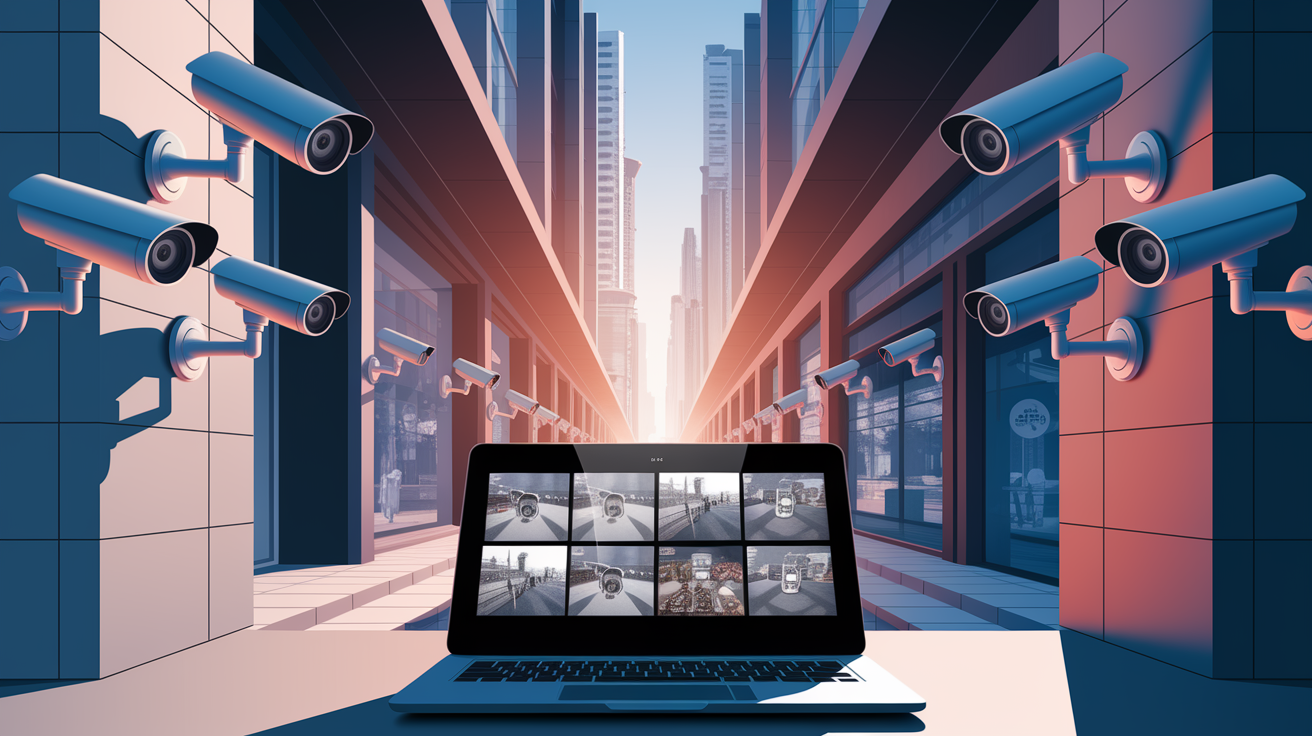
An 8-camera CCTV surveillance system provides comprehensive security coverage for medium to large properties through multiple strategically placed cameras connected to a central recording unit.
These systems generally consist of eight weatherproof cameras, a DVR or NVR, cables and monitoring equipment.
New 8-camera systems include night vision, motion detection and the ability to view remotely from a smartphone.
They’re popular for residential, small business, warehouse and retail applications requiring 360-degree perimeter surveillance.
The 8-Camera Advantage
The 8-camera security system transforms simple surveillance into comprehensive property-wide protection. This advanced security camera system monitors eight distinct locations from a single dashboard, ensuring key zones like your driveway, front door, backyard, and garage are safeguarded simultaneously. Mid-sized homes and small businesses greatly benefit from this setup, especially those with multiple access points or outbuildings.
1. Total Coverage
To ensure comprehensive coverage, place your cameras with overlapping fields of view, eliminating blind spots around your property. Start with access points and then extend to the outer boundaries. For maximum advantage, consider a mix of camera types; dome cameras excel indoors while bullet cameras are ideal for outdoor settings. Your security camera system can be enhanced significantly by using a variety of camera models.
Your 8-channel DVR or NVR will display all feeds on a single monitor, offering total situational awareness at a glance. Set up remote viewing through security apps to access your live camera view from your phone, allowing you to monitor your property whether you’re at work, on vacation, or relaxing at home.
2. Deterrence Power
Install weatherproof cameras, positioned at eye level so any burglars can’t ignore them. The presence of surveillance gear nips crime in the bud – crooks steer clear of homes with conspicuous security equipment.
Set motion zones on all eight cameras to send immediate notifications if someone crosses a forbidden zone. The system will be able to stream push alerts directly to your phone, so that you can respond immediately to suspicious behavior. Place security system signs by entrance locations to cement the idea that your property never leaves your eye.
3. Evidence Quality
The latest 8-camera systems record in 1080p or 4k, so you don’t just get vague shapes — you get faces and license plates. Set your DVR to record 30-60 days of rolling coverage from all cameras – most systems support this with 2TB to 8TB drives.
Night vision cameras with infrared LEDs keep the footage crisp in total darkness, up to 100 feet away in certain cameras. When you require footage for police reports or insurance claims, export video right to USB or cloud storage within minutes.
4. Future-Proofing
Some hybrid DVRs support BOTH legacy BNC cameras AND newer IP cameras. This flexibility allows you to upgrade cameras individually rather than having to replace everything all at once. PoE simplifies future expansions – just run a single CAT5 cable for power and data.
Purchase NVRs with more than eight channels for expansion. Most 16-channel models are just a little more expensive than their 8-channel counterparts. Seek out systems that work with AI features such as facial recognition and vehicle detection to keep your security technology up to date.
5. Property Value
A professionally installed 8-camera system adds value to your property. Catalog all the pieces–camera makes/models, cable runs, etc–for the next owner. Sleek new-age monitoring merges with smart home gadgets, forming an ecosystem that attracts the tech-educated buyer.
Keep warranties and maintenance records handy – they show you’ve invested in quality security infrastructure. Realtors say full security systems get houses sold quicker and sometimes for more than equivalent houses that don’t have them.
Choosing Your System
Knowing your system means knowing what counts. From the installation headache to the long-term cost, you only want to make this decision once.
Feature | IP Camera Systems | Analog CCTV Systems |
|---|---|---|
Video Quality | 4MP to 4K resolution | 720p to 1080p max |
Price Range | $800-$3,000 for 8 cameras | $400-$1,200 for 8 cameras |
Installation | Network cables, PoE support | Coaxial cables, separate power |
Storage | NVR with hard drives or cloud | DVR with hard drives only |
Remote Access | Built-in app support | Limited or requires add-ons |
Pros | Superior image quality, easy expansion, advanced features | Lower upfront cost, simple setup, reliable |
Cons | Higher initial investment, network dependent | Lower resolution, limited features |
Full packages usually have cameras, recorder, cables and power supplies. Plan on $1200-$2500 for nice 8-channel systems with 4MP cameras, 2TB of storage and 100′ cables.
Check out the manufacturers’ reviews such as Hikvision, Dahua and Reolink – they provide robust technical support and firmware updates. Add mounting and wiring costs, plus junction boxes ($15), surge protectors ($50) and even optional cloud storage ($10-30 per month).
Resolution
Position 4MP or greater cameras at front doors, POS and stock rooms where you want to capture people’s faces or license plates. These places require ice-cold video for proof.
Standard 1080p cameras are sufficient for hallways, open office spaces, and other low-traffic areas. You’ll still capture action and general information without going broke.
For parking lots or warehouse floors, 4K cameras allow you to zoom in digitally during playback without losing definition, key when you’re looking into an incident that happened weeks ago. Just be sure your NVR supports the resolution you’re recording. It’s like pairing a 4K camera with a 1080p-only recorder — a terrible waste of money and space.
Lens Type
Varifocal lenses provide freedom post-mounting. Mount these at doors where you may need to flip between viewing the entrances or the sidewalk approach. A 2.8-12mm varifocal covers the majority of situations.
Fisheye cameras really excel in room corners – just one camera supersedes four standard ones. Ideal for corner stores or office lunch rooms.
Wide 2.8mm fixed lenses apply amenably to storage closets or elevator cabs, while 12mm lenses zoom in on precise targets like ATMs or distant gates. PTZ cameras excel in big warehouses or parking lots where you require active surveillance, with the ability to track suspicious behavior.
Weatherproofing
For outdoor cameras, these should be IP66 or IP67 at a minimum. These ratings ensure your cameras survive rain, snow and dust storms without dying.
For northern states, seek models that are equipped with heaters that don’t allow the lenses to fog below 14 degrees Fahrenheit. Mount cameras under roof overhangs where possible, or utilize weatherproof junction boxes for neat cable management and additional protection.
Busy areas close to the floor require IK10 rated vandal domes – they’ll receive a hammer strike and continue recording.
Night Vision
Most break-ins occur after dark, so night vision counts. Standard IR cameras see 100-130 feet in complete pitch black, sufficient for most perimeter residential and small business applications.
Color night vision cameras are more expensive, but they record vehicle colors and clothing details around areas with a bit of ambient light such as a parking lot with street lights in the vicinity.
Beware of IR reflection from walls/signs/windows next to your cameras – it creates bright spots that blind the lens. Motion-activated LED floodlights perform much better than camera IR alone in high-risk areas.
They frighten off prowlers while providing your cameras ideal illumination for color film.
Strategic Camera Placement
Having your cameras in the ‘right’ spots is crucial for a complete security camera system; it makes the difference between capturing it all and missing the good stuff. You need to consider angles, heights, and coverage before drilling holes. Weather, wi-fi strength, and even pollen can affect your ip security camera systems, so placement really matters for keeping things running smoothly.
Entry Points
Every door requires peep holes. Dome cameras are most effective when placed above outer doors as they record clear faces as people enter or exit. Your outdoor cameras ought to observe driveways and walkways approaching the house.
Doorbell cameras up front – those allow you to speak with delivery guys and capture package drop offs. Just be sure to angle cameras away from windows and bright doors. If the sun hits you from behind, all you’re going to capture are dark silhouettes rather than beautiful faces.
Blind Spots
Walk around your property and scout out areas that cameras or the eye cannot see – corners, large planters, small nook where someone can hide. They need to fix these dead zones.
Once you discover blind spots, you’ve got choices. Adjust your current cameras to improved angles or insert additional ones. Wide-angle and fisheye lenses cover odd-shaped spaces without requiring loads of gear.
What’s the best way to check? Do a full walk-through while viewing the live feed on your phone. Have somebody else pacing the perimeter while you observe. If they vanish anywhere, you’ve located a trouble point in need of coverage.
High-Traffic Areas
Hallways, lobbies and break rooms experience constant traffic, so they require good coverage. Vandal-proof dome cameras do better in crowded locations where people can’t just poke a finger in them.
Define motion zones to follow where individuals walk – this reduces alerts from shadows or driving vehicles. For these high-traffic zones, have cameras roll at all times rather than waiting for motion. You don’t want scrapes when you’re watching footage later.
Valuables
Aim your top cameras straight at safes and registers and pricey equipment. Put cameras at different angles so no one can obstruct them all at once. Hidden cameras make excellent backups for your most prized possessions – if someone takes out the obvious camera, you still have video.
Enable tamper alerts on these cameras. If anybody’s finger shifts them, you’ll be the first to find out. Others argue that publicly visible cameras discourage theft more than hidden ones, but with both, you get the best UV protection.
The System’s Brain
The recorder is the heart of your 8-camera CCTV system, it’s where all the magic happens – video captures and storage. Modern recorders come in two main types: Network Video Recorders (NVRs) for IP cameras and Digital Video Recorders (DVRs) for analog cameras. Both multiplex multiple camera feeds and support 4K.
When choosing a recorder, opt for one with a minimum of 8 channels for your immediate needs, but think 16 channels or more for the future. Ensure it has HDMI and VGA outputs for monitors and TVs, and that it supports your cameras’ resolution and frame rate. Systems with integrated PoE switches take the complexity out of IP camera installations by providing power and data in a single cable.
NVR
Network Video Recorders operate solely with IP cameras, and provide the easiest installation. Simply plug each camera into the NVR’s PoE ports with regular ethernet cables – no other power supplies necessary. Many NVRs have the ability to automatically identify and configure new cameras on your network, which saves time during setup.
For example, plug in a new 4K camera and the NVR identifies it and begins recording in minutes. Professional-grade NVRs support RAID storage configurations, which safeguards your footage if a hard drive goes down. RAID 1 mirrors data across two drives, and RAID 5 distributes it over several drives with redundancy.
Most newer NVRs include support for H.265 compression, which halves storage requirements versus older H.264 with no quality loss. This translates into a 4TB drive that held two week’s worth of footage now holding an entire month’s.
DVR
DVRs utilize existing analog cameras that connect via coaxial cables, with each camera needing to be powered independently. This appears antiquated, they’re digital businesses that still use analog systems that work just great. Hybrid DVR’s give you the best of both worlds – they take BNC input from analog cameras and network input from IP cameras.
Say, for instance, you have 4 analog cameras and want to add 4 IP cameras without swapping it all out. Recording schedules keep storage under control. Have it record constantly for hot zones like entrances, but motion activated for storage or back rooms.
Prior to purchase, try out the manufacturer’s mobile app to make sure it plays nice for remote viewing on your phone or tablet.
Cloud Storage
Cloud storage offers critical backup when local storage dies or is stolen. Most services offer tiered pricing based on storage needs and retention periods:
Storage Plan | Monthly Cost | Video Days | Cameras Supported |
|---|---|---|---|
Basic | $9.99 | 7 days | Up to 4 |
Standard | $19.99 | 14 days | Up to 8 |
Premium | $39.99 | 30 days | Up to 16 |
Enterprise | $79.99 | 60 days | Unlimited |
Set your system to upload only motion-triggered clips and keep continuous local. This saves bandwidth and storage expenses. A standard residential 10 Mbps upload connection easily supports 8 cameras uploading motion events without impacting your Netflix or Facetime calls.
Select intelligent cloud services, such as facial and object recognition that alerts you only when certain conditions occur. This cuts down on false alarms by as much as 90% over rudimentary motion sensing.
Installation and Maintenance
Installing an 8-camera CCTV security camera system requires thorough planning to ensure that everything connects and functions correctly. Whether you choose to DIY or enlist CCTV security pros, the right approach saves time and headaches down the road.
DIY vs. Pro
Before you go get a drill and start mounting cameras, be honest about your tech skills. Installing eight cameras entails pulling wires through walls, establishing networks and installing recording software. If words like IP addresses and port forwarding make your head spin, you’ll want to bring in the pros.
DIY installation can run $500 to $800 in tools and materials such as cable pullers, drill bits and weatherproof connectors. Throw in 20-30 hours of your time, and all of a sudden that $1,200 professional quote doesn’t seem so bad. Certified installers have been through hundreds of jobs — they know tricks for fishing cables through tight spaces and can identify potential issues before they occur.
Receive quotes from a minimum of three local security companies. Inquire about their certifications, warranty terms and if they’ll connect your new system with existing smart home devices. Some installers provide package deals with the cameras as well, which saves money versus purchasing equipment separately.
Cable Management
Running siamese cables cuts your work in half, since it combines video and power in one jacket. Such cables run around $0.30 per foot and remove the requirement of having separate power outlets in proximity to every camera. For an average size home, you’ll want 400 to 600 feet of total.
Map your runs before you drill any holes – outline runs that dodge plumbing and electrical lines and have cables disappear behind soffits or inside walls. Grab a stud finder and mark it all well. If you’re running cables outdoors, put them inside pvc conduit to protect against sun damage and inquisitive squirrels.
Mark both ends of each cable with easy tags such as ‘Front Door’ or ‘Garage Side’ – your future self will thank you when troubleshooting. Weatherproof RJ45 connectors are a few dollars apiece but keep moisture from killing your connections in storms.
Regular Checks
Dust, pollen, spider webs – they love camera lenses. Establish a monthly appointment to clear them off with a microfiber cloth and lens cleaner.
Verify cameras didn’t move after storms or from house settling. Even a slight angle change can create blind spots.
Test your system’s features quarterly. Stroll through detection areas to confirm motion alerts function. Manually toggle day/night modes. Download a test clip to ensure recording quality fits your settings.
Stay on top of firmware updates but read the release notes first. Updates typically introduce enhancements such as enhanced motion detection algorithms or enhanced low-light performance.
Navigating US Surveillance Laws
Installing an 8-camera security camera system means navigating a patchwork of federal and state privacy laws. The Fourth Amendment protects Americans from unwarranted searches, establishing the basis for surveillance laws nationwide. Video surveillance laws vary widely from state to state, particularly affecting the use of IP security camera systems.
Certain states require explicit notification if cameras are present in private locations, whereas some are more permissive. California, Pennsylvania, Massachusetts and Washington have particularly stringent regulations regarding the use of surveillance systems. Meanwhile, states such as Delaware and Connecticut specify that you must inform employees and customers about cameras in sensitive locations such as restrooms, locker rooms, or private offices.
One big issue is audio recording. The U.S. splits into two camps: one-party consent states and all-party consent states. In one-party states, such as Texas and New York, you can record if one party agrees (and that party can be you). In all-party states, all parties being recorded must consent, which is crucial for those using modern camera surveillance systems equipped with audio functionality.
This distinction is important, as numerous contemporary CCTV systems are equipped with audio functionality. If you are in California or Pennsylvania, switching on audio recording without notification means you could be busted. For homes, keep cameras on your property. Don’t shoot into your neighbor’s backyard, windows, etc.
It’s not just being neighborly—it’s the law. They have said that people have a reasonable expectation of privacy in their homes and yards. If your cameras capture crime on another’s property, that evidence may be inadmissible in court and could land you in a civil suit.
Commercial properties have other regulations. Employee break rooms, offices, and other workplaces often need special attention. Most states require posting of visible signs that people are being video surveilled. These signs must be conspicuous and legible and placed in locations people are likely to notice before entering surveilled spaces.
A little door tag won’t do – want to go with big, eye-level signs near entrances. Law enforcement must adhere to strict procedures. When it comes to police who want to use video surveillance to collect evidence, they generally require a search warrant.
This warrant has to demonstrate probable cause that the surveillance will collect evidence of a federal crime. Otherwise, any footage captured could be tossed in court.
Conclusion
An 8-camera cctv surveillance system You’ve know now how to choose the cameras, where to locate them and what drives the system. You know the legalese as well – that’s half the fight right there.
Here’s the thing: security isn’t just about catching bad guys after the fact. It’s about being able to sleep better at night. Your household is more secure. Your business flows more seamlessly. Yes, your insurer might even give you a break on rates.
So, ready to beef up your security? Begin by mapping out your property. Miss your blind spots. Determine what is most important to you. Then shoot for a system that meets your needs and budget. Your future self will appreciate it.
Frequently Asked Questions
What’s the typical coverage area for an 8-camera CCTV system?
Generally, a complete security camera system with 8 cameras covers 2,000-4,000 square feet with ease, effectively monitoring hotspots such as entrances, parking lots, hallways, and blind spots through strategic camera placement and lens choice.
How much storage do I need for 8 cameras recording 24/7?
For 1080p continuous recording, a security camera system typically requires 4-8TB for 30 days, while 4K resolutions may need 12-16TB. Many IP security camera systems offer motion-activated recording for efficient space-saving.
Can I install an 8-camera system myself?
Yes, quite a few camera surveillance systems are DIY with plug-and-play configurations. Professional installation of a security camera system guarantees optimal placement, proper wiring, and maximum coverage.
What’s the average cost of an 8-camera CCTV system?
Basic security camera systems begin at $800-$1,500, while professional setups can range from $2,000-$5,000. Additionally, installation costs add $500 to $1,500, and you should consider recurring expenses like cloud storage and upkeep.
Do I need permits for home surveillance cameras in the US?
Most home security camera systems don’t even need permits. Cameras can’t record audio without consent or point toward neighbors’ bedrooms. Consult your local ordinances for exact limitations.
How long do CCTV cameras typically last?
Good security cameras can last 5 – 10 years with proper care. Indoor camera models tend to have a longer lifespan than outdoor ones. Regular maintenance and yearly check-ups significantly contribute to extending their longevity.