

Linking lights, locks, thermostats and more to one app or voice hub, a smart home means you can tap or talk to run the house from anywhere.
In most U.S. Metros, simple kits begin at $200 and operate on your standard 120 V outlets and 2.4 GHz Wi-Fi.
The following pages detail the equipment, expenses, and fast installation pointers that suit a standard apartment or single-family construction.
What is a Smart Home?
A smart home system connects bulbs, locks, and thermostats to a single network, allowing smart devices to communicate and operate on your behalf. This integration cuts wasted watts, enhances home security, and reduces daily chores.
1. Centralized Control
One app or a small hub on the shelf is the brain. From there you can dim the kitchen cans, check the front cam, or pause the sprinkler without jumping between remotes. Most L.A. Condos opt for SmartThings, Hubitat, or an Echo Show, all of which display tiles for each device on a single scroll.
Voice counts as central: “Alexa, movie night” drops the shades, dims the Hue strips to 20 percent, and wakes the sound bar. Even vintage 1950s wiring joins in on the fun via plug-in relays, so renters don’t have to crack open walls.
2. Automation & Routines
Automation is just a rule: if this, then that. A motion puck in the hallway instructs the switch to shine at 10% after sundown so you aren’t blinded on your way to the fridge.
Wake-up runs its own script: the thermostat climbs to 72 °F at 6:30 a.m., Sonos plays local KCRW, and the coffee maker clicks on when the bedroom sensor sees you stand.
Heading off to work? A geofence two miles shuts down everything noncritical, arms SimpliSafe, and puts the Nest on Eco.
Holiday mode flashes lights on random nights to spoof someone being home, all without a single line of code.
3. Remote Access
Remote access implies your phone is a mobile keypad. Trapped on the 405? Tap once and open the garage to the dog walker.
DoorDash at the gate when you’re in Fresno? Press and hold a button, the gate whips open, drop delivery, and the lock clicks closed. Most brands tunnel through US-based cloud servers with AES-128 keys.
Yet experts recommend a dedicated guest network and two-factor codes. If cell towers go down, most hubs maintain vital rules locally, so lights still switch and sprinklers still operate.
4. Data Insights
Each plug and sensor records energy consumption or activity time stamps. The app plots kilowatt-hours by day. Last July, you discovered the antique pool pump gobbled $48, so swapping to a variable-speed unit paid off in half a year.
Others, like some thermostats, pit your curve against similar zip codes. If you beat the block average, you get a green leaf icon and $5 Nest credit. Over weeks, these crumbs add up.
Shorter showers follow seeing water graphs, and fewer air conditioning spikes occur once you notice 78 °F feels fine with ceiling fans. Export logs as CSV and hand it to an energy auditor for large-rebate paperwork.
Core Smart Home Components
There are five components in a smart home system that communicate with each other to create a connected home gadget setup. Thermostats, lights, locks, speakers, and the hub share data, enabling smart home automation.
Climate Control
Like the Wi-Fi thermostat that learns your habits and slashes your bill. You can schedule the furnace to rest while you’re at work, then wake up thirty minutes before you hit the driveway. If that Fourth of July cookout runs long, your phone app lowers the temperature before you even leave the park.
Most LA utilities offer a $75 rebate for EnergyStar units, bringing that initial investment down to around $125. Monthly checks maintain the wall unit clean. A mere speck of dust on the sensor can throw the reading two degrees and cost you an additional twenty bucks a season.
Smart Lighting
Smart bulbs screw in like any old bulb. They dim, shift color, and follow rules. A ‘movie night’ scene can drop the living-room cans to thirty percent and turn the LEDs behind the TV blue as the kitchen stays bright for popcorn runs.
Dusk-to-dawn sensors turn off outdoor fixtures at sunrise, conserving approximately eight cents per bulb daily or twenty-four dollars annually for a six-light porch arrangement. Voice control works even with wet hands as you’re digging through groceries.
Choose Zigbee or Thread bulbs if the home is already hubbed. Wi-Fi bulbs are okay to begin with on a room-by-room basis but can swamp the router past twenty or so nodes.
Security Systems
1080p-eyed doorbells, glass-break sensors, and deadbolt motors make up the outer ring. When the courier drops a box, the camera clips to the cloud and pings your watch. You can buzz him in, tell him to hide it behind the planter, and lock up again before the next meeting.
Local storage on a micro-SD card keeps rolling although the net drops, a bonus during Santa Ana wind outages. Test batteries regularly. Lithium cells deplete quicker when the temperature shifts from fifty at dawn to ninety by lunch.
Entertainment Hubs
Whole-home audio streams tracks from Spotify or Apple and tracks you from room to room. A $199 hub hidden in the media cabinet connects ceiling speakers, soundbars and even the patio rock speakers so the jams continue as you grill burgers.
Make rules such as “pause when the doorbell rings” or “turn down after 10pm” so the neighbors remain mellow. HDMI matrix switches allow a single Apple TV to stream to four different screens, so no more stacking boxes or remote controls hidden in couch cushions.
Choosing Your Smart Ecosystem

Select a camp initially. According to Statista, Amazon Alexa, Apple HomeKit, and Google Home account for 90% of U.S. Sales. Each talks a different dialect, so mixing them converts simple voice cues into “Sorry, I didn’t get that.
Pick your smart ecosystem based on your goal—lights on at sunset, door unlocked for dog walker, energy report under $3 a day—then catalog the gear that actually accomplishes it. A $30 Alexa plug bundle can nail the first goal, whereas a $249 Starling Hub plus Apple TV unlocks the second, and Google’s Nest router with Thread radio the third.
Bundles save about 15% over à-la-carte, but single purchases allow you to switch brands when firmware drops support.
The Big Three
Amazon’s edge is sheer headcount: over 300,000 Skills and sub-$50 Echo Dots in every Best Buy bin. If you rent and relocate every year, Alexa’s app saves your habits in the cloud. Pack the puck, plug it in a new ZIP code, and lights still flash at 7 am.
Apple HomeKit executes the majority of its logic on an iPad or Apple TV secured to your living room shelf. Data lives locally, so cops require a warrant to access your unlock times. The catch is you front more cash up front, and every new bulb must ship with the white HomeKit sticker.
Google Home sits in the middle. It has a tight Nest cam tie-in and free voice match for six housemates, but ad revenue DNA means usage stats live on Google servers except if you click “delete today” every night. Pick the one whose voice you already yell at every day. Switching later involves renaming every “bedroom light” so the new brain knows.
Open Standards
Matter tags began appearing at Home Depot last spring, marking a significant advancement in smart home devices. Matter bulbs can communicate via Thread mesh, Wi-Fi, or straight-up ethernet — your choice — allowing an Alexa display to command it today while a Google hub can take over tomorrow without requiring a factory reset. This flexibility enhances the overall functionality of a smart home system.
Zigbee gear still packs the clearance rack. It meshes great but requires a $35 bridge to talk IP. Z-Wave has 900 MHz and slices through those infamous 1950s L.A. Bungalow brick walls, but confines you to U.S.-only frequencies and a one-brand stick.
When in doubt, look for “Matter 1.2” and a QR code on the box. If it’s absent, you may need to invest in an additional $25 dongle and dedicate a Saturday to a firmware flash to ensure your smart home products are fully compatible.
Your First Platform
Begin at the bottom, and don’t forget to aim high. Pick up one smart switch, one voice puck, and one sensor. Fire up the maker’s app, craft a test routine—“if motion at door after 10 p.m., turn porch light on for five minutes.
Observe it for a fortnight. If logs show gaps, check the mesh map: one more plug midway may fix the drop. Pay attention to update cadence. Brands that send out fixes every quarter tend to stick around.
Prefer local control? Flash open-source firmware like ESPHome and snip the cloud cord. Prefer hands-off? Stay with cloud hubs that auto-update at 3 a.m. Cost adds up: $8 per month for Nest Aware for 30-day video history, zero for local DVR.
Measure spend on a sheet and quit when the math outperforms your old dumb bills.
The Real-World Smart Home
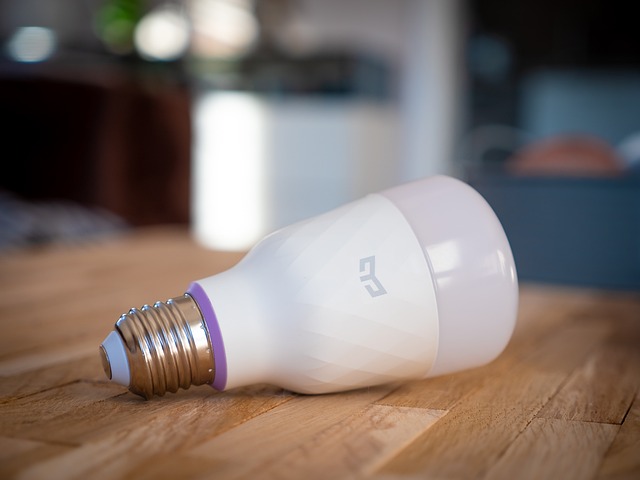
Smart lights that dim on cue, smart home devices like thermostats that drop the temp when LADWP hits peak rates, and smart doorbells that ping your smartphone at 2 a.m. The pitch sounds smooth until the smart home system arrives in a 1950s LA bungalow with plaster walls and no neutral wires.
Convenience vs. Privacy
A $129 voice speaker can energize your entire living room. It simultaneously maintains a cloud record of every ‘turn off the AC’ yip. Fifty-four percent of millennial owners, 25-34, do flip off voice recording, change default passwords, or toss the unit on a guest network.
Yet, 19% of Wifi roller shades and 16% of connected medical gadgets have experienced a minimum of one hack by new scans. The fix is dull but works: pick hubs that run Zigbee or Z-Wave instead of open Wi-Fi, set a 20-character passphrase, and kill data sharing for ads.
Skip over those steps, and that very same gizmo that preheats the oven as you’re stuck in 405 traffic can choreograph when the house is unoccupied.
The Learning Curve
Plug-and-play is a lie. First-timers often end up with three apps just to turn off one lamp: LIFX, SmartThings, and Alexa each claim control. The hub is supposed to glue it all together, but most Angelenos buy one brand at a time—perhaps a discounted Ecobee off a utility rebate—and then wonder why their routines break after an iOS update.
A quick rule: choose either Google Home, Apple HomeKit, or Samsung SmartThings first, then buy only devices that list that badge. The certified Z-Wave switch is eight dollars more, but it saves an hour of forum mining.
When Automation Fails
Electricity blinks when the Santa Ana winds hit and the “smart” locks kick to keyed-only. If your phone dies when you’re hiking Runyon Canyon, you’re out of luck. Have one old-school key taped inside a magnetic box under the Prius bumper.
Routers crash, too. Rebooting the Netgear at 3 p.m. Can flip every thermostat offline and reset them to 68 °F, which sends the bill soaring. An uninterruptible energy supply ($65) keeps the hub alive for two hours, long enough for you to flick switches or at least find out that one camera is still on.
Balance the cool factor with spare keys and backups.
Retrofitting Your Current Home
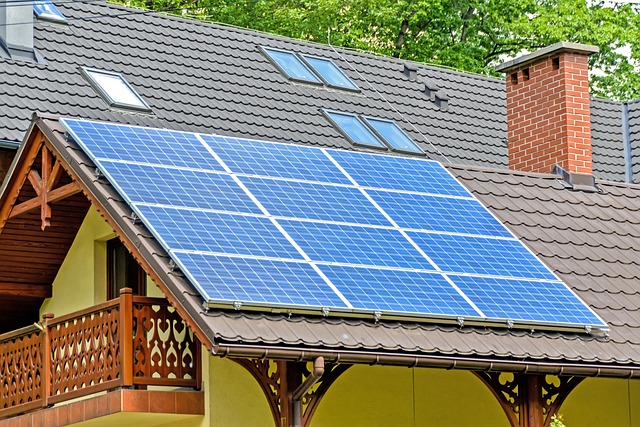
Smart tech, including smart home devices, can seamlessly integrate into an older house without the need to tear out drywall. The key is to customize the smart home systems to what you already have and to the unique characteristics of a 1950s L.A. Stucco or a 1970s Valley ranch.
Wireless Solutions
Switch to a $25 Wyze bulb and the living-room lamp obeys Alexa by dinner. No neutrals in the switch box? No sweat. Lutron’s Aurora dimmer twists over your existing toggle and chatters loud and proud across 2.4 GHz.
A $40 Kasa smart plug lurks behind the floor lamp, records TV standby watts and shaves approximately 8 kWh a month off the SCE bill. Doorbell without wire? Battery Ring 4 installs where the old button sat, through the same two screw holes and downloads at 6 mbps from the porch wifi mesh.
One app, one ecosystem—choose Alexa, Google, or HomeKit upfront so your bulbs, plugs, and camera all live on one dashboard rather than three struggling against one another. If your garage door opener still jams to a clicker from 1998, the $99 MyQ hub clings to your ceiling with 3 M strips and shuts the door from a phone 3 miles over at The Grove.
Wireless does have limits. Every new device is another IP lease, so reboot the router before Black Friday traffic clogs the 2.4 band and the lights start ghost-switching.
Hardwired Upgrades
Toilet leaks with magical unicorn rainbows adore the Ecobee SmartThermostat. Kill the 30-amp breaker, pop two screws, and that $249 unit has paid for itself in thirteen months after shaving an 84 °F setback to 78 °F when no one’s home in August.
Whole-house surge protectors, roughly $300 installed, protect those new boards from Pico Rivera line spikes that reached 240 V last year. Need smart switches in a 1960s metal box? Measure first: some dimmers need 2 inches of depth, and a crowded box can force an electrician to cut old plaster.
Plan $150 a switch if there are drywall patches after. If coax lines already lace the attic, MoCA 2.5 adapters convert them into 1 Gbps backhaul so four Nest cams cease cramming Wi-Fi. Permit fees are $60 at LADBS if new 14-2 Romex goes across walls, so pull low-voltage together to save on trip charges.
Phased Integration
Month one: bulbs and plugs under $100, watch the SCE app drop nightly use by 5%. Month two: add a $179 Nest Learning Thermostat before summer peak rates kick in. Set it to pre-cool at 10 p.m. When Tier 2 pricing ends.
Month three: install a $129 August Wi-Fi lock on the side door. It rekeys itself to the old Schlage cylinder so no new holes show. Month four: roll out two Echo Shows. Grandma in Reseda drops in on grandkids without learning Zoom.
Monitor each phase in a communal Google Sheet so device IPs, login passwords, and firmware versions remain organized. When Matter boards finally hit shelves next spring, every already-chosen gadget sports the logo. No second retrofit required.
Designing for Everyone
Smart homes cease to be cool toys when they exclude entire populations; a well-designed smart home system considers age, voice, and body limits from day one.
Aging in Place
A 78-year-old in Phoenix can stay home in the house she loves if lights dim gently, doors open on voice command, and the medication dispenser reminds her via phone. Motion paths carve night falls and the kettle turns off if forgotten.
On one long wall panel are temperature, lock, and camera feed in 18-point type with no swipe maze. Medicare doesn’t cover these add-ons, so a starter kit that includes a hub, two bulbs, and one smart plug costs about $180 at Home Depot. That trumps $4,000 a month for assisted living.
Physical Disabilities
Voice is wonderful until the mic drops the drawl. A 2022 Georgia Tech test discovered Southern and Midwest accents lower Alexa’s success rate to 73%, whereas Western voices score 93%.
Workarounds matter: hard buttons on the nightstand, mats that sense wheelchair weight, and routines that activate at sunset without a word. For example, a $35 Broadlink button can trigger six scenes—lights, fan, TV, lock—so a user with limited reach taps once. Outlets are 15 inches off the floor, not ankle-high.
Cognitive Support
Early dementia cormorants require cues, not tasks. A smart speaker could play that same morning playlist. If the motion sensor observes no kitchen traffic by 9 a.m., it dispatches a serene reminder to a caregiver in Denver.
They have labels with large icons rather than words. Geofence shrinks the stove; the burner dies if the phone leaves 100 ft. Cost still stings. A complete rig runs $1,200, but their co-op group buys in St. Louis has slashed the per-house cost to $740.
Conclusion
A smart home suits your life, not vice versa. Begin with one bulb or one plug. See it light up before you get to the porch. Add a lock, a cam, a thermostat as you go. Every toy redeems itself in minutes saved and reduced bills. Kids, grads, grandmas hit the same app. No need to gut the walls; virtually all gear adheres in ten minutes. Choose the brand that speaks to your phone and your budget. Construct at a slow pace, experiment swiftly, delight in the wow. Prepared to turn on the lights? Snag a starter kit this week and let your pad say hi.
Frequently Asked Questions
Do smart homes raise my LADWP bill?
Just a few watts per smart home device. Smart plugs and LED bulbs typically conserve more juice than they consume, allowing homeowners to find their DWP bill a little smaller.
Can I install smart gadgets in a 1950s LA bungalow without rewiring?
Yep. Wi-Fi bulbs, smart home devices like battery sensors, and plug-in switches retrofit quickly. A licensed expert can switch out your smart home system thermostat in less than 30 minutes, with no drywall tear-out.
Which voice helper works best for SoCal Spanish-English households?
Alexa, enciende las luces and dim the lights – using smart home devices like Amazon Echo and Google Nest makes home automation easier for homeowners.
Will my gadgets fry during the next Sylmar surge?
Use $10 UL-listed surge strips and a whole-house protector to safeguard your smart home devices. Cloud gear auto-reboots with no data loss during last year’s quake outages.
Do HOAs block doorbells in LA condos?
West-side boards mostly approve smart home devices like Ring, but not exterior cameras; check your CC&Rs before conflicts arise.
One thought on “Designing a Smart Home: Integrating Voice-Control & Automation”