

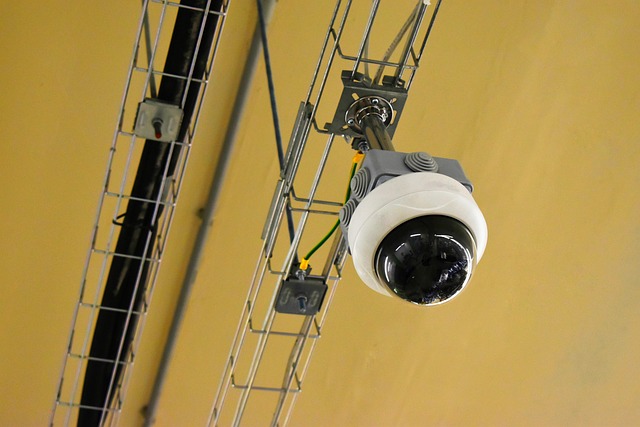
Using Wi-Fi, a wireless home video surveillance camera can send live footage to your phone, no drilling or cable runs required.
In L.A. Apartments, a 1080p unit with night vision and storage in the cloud runs you roughly $99 at Best Buy on Pico Blvd.
The following sections discuss how to select one that can survive LADWP power dips and 90-degree garage heat without losing signal.
Why Invest in a Wireless Camera?

According to manufacturers, a wireless home camera reduces theft chances by as much as 60% when you place one at the entrance and one at the back. The set-up requires a quarter of an hour and one screwdriver. Ditch the installer, save the $200–$600 he would’ve charged and still monitor 2K live feed from the grocery line or a beach chair.
The free app pings you the moment motion initiates, flips on a siren, lights up the yard, and can even call 911 faster than that old wired alarm panel.
1. Crime Deterrence
Mount the lens at eye level so the prowler sees glass instead of a blind spot, then spice it up with the cheap “24-hour recording” yard sign for added dramatic effect. Point a pair of cameras at one another and you eliminate blind spots.
Anybody sneaking around the side gate now appears on both streams. At night, activate the motion strobe on a eufy floodlight e340—one flash and the majority of teens bail prior to reaching the door.
2. Evidence Collection
Record 4K and plates read crisp from forty feet away. Turn on audio to catch that break sound + voices, courts like synced sound.
Have the clip auto-save both to micro SD and cloud—if a thief yanks the cam, your evidence still lives online. Each file is time-stamped in sync with your smart-door log, so cops create a timeline in minutes.
3. Remote Monitoring
Pop open Arlo at lunch and catch your sixth grader throw down her bike in the hallway. Twist a Google Nest Indoor 360° to track the dog from sofa to stove.
While away on vacation, Wyze Outdoor V2 pings when the UPS dude walks into frame. Tap share link and the neighbor holds box secure until you land.
4. Emergency Response
Eufy’s AI can distinguish a raccoon from a human. If it’s human, it calls 911 while you’re still snoozing.
Connect Ring to each smart bulb so movement saturates the street with illumination and catches attention your direction. A SimpliSafe outdoor cam sounds a 105 dB siren that makes burglars drop the hammer and flee.
Lorex hooked into ADT lets guard view LIVE before dispatch, slashing false alarms.
5. Peace of Mind
Sneak a peek at the home security camera in between Zoom calls to watch macaroni remain on the high-chair tray. The good lithium cells last seven years—much longer than the budget security cameras that croak after one scorching Valley summer.
What Are Your Options?
Choose indoor cameras for rooms, outdoor security cameras for yards, and doorbell cameras for porches. Opt for battery-powered Arlo cameras for a quick 5-minute install or wired options for 24/7 juice. Snag 2K video quality if you want faces to be clear, 4K for reading plates, or 1080p for just watching.
Indoor Cameras
Place a Nest Cam Indoor on a living-room shelf, and it streams 1080p HD down the main hall via a 130° lens. Best of all, it’s wireless and has a magnetic base so you can pop it off and stick it over the crib when the baby naps, no tools required.
If you want to keep a lower profile, go with a mini cam tucked inside an actual working digital clock–just turn off the night-vision LEDs so the red glow doesn’t blow its cover. In the TV room, box out the screen on the Wyze Cam v4 app – real motion trips the alert, not every Netflix explosion.
Outdoor Cameras
Bolt a weather-rated cam under the eaves so rain never hits the case and the entire yard fills the frame. A solar panel cam with a 10,000 mAh battery lives all year long. No ladder, in the rain, in January.
Mount it seven feet high and tilt it down fifteen degrees–you capture faces, not clouds. Switch on color night vision and the spotlight blazes; you’ll spot that the hoodie is red, not a gray smudge.
Doorbell Cameras
Trade the ancient buzzer for a Ring Outdoor Cam Plus – you get 1536p video, two-way talk and a ping when the box hits down. If your house already has low-voltage wires, put them to use for the Ring Floodlight Cam Wired Pro so the battery never sleeps while you’re in Cabo.
Leave a quick note—‘leave packages behind planter’—on the Google Nest Doorbell, drivers hear it and you avoid repeat calls. Pair the bell with a motion sensor light and the porch glows before fingers reach the button.
Hidden Cameras
Or clip a 1080p pen cam in your shirt pocket – one click captures the meeting and no one even blinks. Replace the smoke detector above the register with a dummy one with a 120° lens, the cash drawer remains in full view.
A working USB charger concealing a wireless spy cam monitors the hotel room as you work downstairs. If your cabin has no Wi-Fi, snatch a non-Wi-Fi spy cam that saves to microSD – no router, no problem.
What Features Truly Matter?
Begin with razor video from your favorite security cameras, crystal-clear night eyes, rock-solid storage, and notifications that can identify a person from a raccoon. Skip the spinning circus head if a fixed lens from outdoor security cameras sees the entire stoop—you save around a hundred bucks and lose nothing.
Video Resolution
2K is the floor, not the ceiling. From twenty feet you can still make out the plate on the silver Prius that hijacked your FedEx package.
4K is useful only if you crop in later, instead it just consumes your SD card and stutters on DSL stuck at 15 Mbps. Stream at 1080p for live view, reserve the huge files for clips you might give to LAPD.
Night Vision
Color night vision transforms shadow blobs into red hoodie, silver sedan. Check the IR spec: twenty-five feet covers a Echo-Park porch, one hundred feet lights up a San Fernando Valley driveway.
Kill the blue status LED in settings so the cam stays dark. Combine an IR unit with a mini floodlight and you have full color even when the gorge goes black as pitch.
Field of View
One 160° lens above the door replaces two old 90° cams. PTZ, for wide backyards – one sweep does the work of three fixed.
Install a skinny 90° above your side gate to see the trail, not every leaf. Hold up your phone in live mode prior to you drill–ensure the trash cans don’t obstruct the corner.
Two-Way Audio
Yell 0ff my porch! Through the speaker and most porch pirates run away. Have the Amazon driver conceal the box behind the giant succulent.
That’s one less trip for you to make home at lunch. Low-end mics sound like drive-thru headsets–try before you buy. Record on mute if Cali two party, stay legal, stay cool.
Motion Detection
Old pixel technology freaks out at palm fronds. Switch to on-camera AI and alerts drop by 2/3.
Enclose only your driveway — bypass the sidewalk so the dog-walkers don’t ding you at 6 a.m. Eufy and Wyze tag clips ‘person, pet, vehicle,’ so you hop straight to what counts, instead of scrolling through 12 hours of nada.
Understanding Wireless Limitations
Position the camera within 30 ft of the router for a stable connection. If the phone indicates 2 bars or less, slap on a $30 extender before you scale the ladder. Anticipate 2-6 months per charge on a 10,000 mAh pack, but realize that heavy streaming, cold snaps under 32° or brick walls can reduce that to weeks.
When frost hits, you bring the battery inside. A 5-watt solar panel can extend the task to an annual event if the mount catches four hours of sun.
Wi-Fi Signal
Know your wireless limitations, test speed at the spot first, under 2 mbps = choppy. A mesh node or outdoor access point pushed to the patio wall frequently cures backyard dead zones – no new cables required.
Flip the cam to the 2.4GHz band—slower, sure, but the stuff penetrates stucco and furniture like a champ compared to 5 GHz. Install the unit up high, just beneath the gutter line so fridges and sofas don’t absorb the signal.
Battery vs. Wired
Renters love battery models, as there’s no drill hitting the siding. A bustling entryway requires wired cam 24/7 clips—batteries pause to save juice and create holes.
Snap-on solar panels keep the pack full in L.A. Sun, but foggy weeks still demand a USB-C plug-in indoors. Do the math: a $90 battery cam plus three $40 spare packs costs more after year two than one $150 wired kit that never blinks.
Environmental Factors
IP65 is the floor for outdoor cams; anything less allows Valley dust or Santa Ana rain to seep in. A $10 silicone sleeve provides a buffer when nights drop to -4F, a temp that cuts run time in half.
Tip the lens 5° down so water beads roll off rather than clouding night vision. Wipe the glass every month – spring pollen or fire-season ash can reduce IR range by 50% and turn faces to ghosts.
How to Protect Your Privacy

Your camera is only as secure as the least secure link you leave open. Hackers literally crawl the web looking for devices still on “admin / 123456”—change that duo the moment the app requests a 1st login.
Put the cameras on their own guest wi-fi so a break-in there stays far from laptops, phones, or the smart tv! Toggle two-factor on in the Arlo, Eufy, or Ring menu—text codes stop strangers even if your password slips out in a breach.
Inside the house, kill the lens when family is around: unplug or slide a cheap plastic cover so nothing streams by mistake.
Secure Passwords
Choose a 12-character tangle like “t7!mY9$qZ2@x” and forget your pooch’s moniker or “Sunset2020.” Let a password manager keep it—punching the same keystroke into your bank and your cam provokes a chain-reaction hack.
Phone a reminder for June and December to swap in a fresh code, and turn off remote admin if you only check video on the couch—that one toggle kills a huge hole.
Network Security
Flash the router firmware on that first rainy Saturday each month—manufacturers post patches that plug the side doors bots crawl through. Disable UPnP so the camera can’t punch its own hole to the internet.
If the box has WPA3 on it, use it. Older gear still gets WPA2 with a 20-character key. Last, hide the SSID you carve out for cams. Neighbors won’t spot ‘HomeSecurity-CAM’ when they scan for Wi-Fi.
Data Encryption
Get one that flaunts AES-256 end-to-end. If clips get intercepted, they remain garbage sans the private key. Read the cloud footnote—videos must be encrypted in transit and at rest, not just on the SD card.
If you don’t trust servers, simply pop the card out every Sunday and hide it in a desk drawer. Disable any auto-upload to Dropbox or Google. One errant check-box can dispatch your living-room stream to some third-party folder.
Physical Placement
Mount outdoor units nine feet up, over reach of a folding chair, and tilt them so they catch your porch, not the neighbor’s bedroom window. Tamper screws add five minutes of hassle any burglar would prefer to avoid.
Inside, put a little cam on a hallway bookcase—choke points like stairs or the front hall capture most motion while the lens disappears among paperbacks.
Choosing Your Ideal System

Stroll the yard at 11 p.m. With the porch light out. The areas where you lose track of the recycling bins or the side gate are precisely where a 2K camera with color night vision pays for itself. Map those shadow areas, first, then tally how many you really require–most L.A. Bungalows make do with three, not six.
Cross off the whole list anything that desires a monthly fee–five years of a $6 cloud plan turns a $99 cam into a $459 cam. Buy one test unit, run it for a week and box it up if the app stalls on an iPhone 12 or the plate of a passing Prius at 25 ft is just a beige blur!
Assess Your Home
Sketch a quick rectangle on the back of an envelope: front door, back slider, two ground-floor windows, driveway stub. Mark a dot where your phone displays two wifi bars; if it falls to one, budget for a $25 extender or relocate your router.
Outlets? One located by the front door, none by the garage peak–that location will get a battery-solar combo. Secure the three portals of entry prior to installing a high-tech 360-degree cam to monitor the koi pond. Panoramic views are cool, but they don’t prevent front door break-ins.
Define Your Budget
Hard ceiling: $300 for a two-cam starter kit, $600 if you want 4K and solar panels from a name you can pronounce. Stack the silent components—128 GB micro SD at $20 a pop, $50 per panel and three years of cloud if you fold at $3 a month.
Save $40, that’s tomorrow’s doorbell cam or the tariff on an unexpected “flash sale.
Compare Storage Plans
Local storage wins the marathon: a 1 TB drive in your closet costs zero after today. Arlo Secure charges $120 per year for 30-day history. Wyze slashes that to $60 but it still adds up.
Times five–$600 vs. $0–and the numbers scream louder than any commercial. SD card backup continues to record when Charter is down. Cloud only assists if someone pulls the cam out all the way.
Check Smart Home Fit
Inquire with the kitchen display, ‘Hey Google, show front door,’ prior to your checkout. If the feed pops up in less than three seconds, you’re golden. Cheap cams that require their own app consume time and storage.
Select ones that fold into Alexa Routines so movement can flip on Hue lights and lock the Yale bolt in one fell swoop. One app, one tile, zero cuss words later.
Conclusion
You’ve seen the perks, the specs, the catches and privacy hacks. A wireless cam can reduce install time to less than an hour and slash the bill by avoiding professional wiring. Choose one with night vision that reaches at least 25 feet, activate the app to “armed” when you pick up your morning coffee, and you’re essentially complete. Test your upload speed first – less than 2 Mbps per camera stutters like a rainday wifi. If you need a little push, start with one cam over the front door this weekend, try it for a week, then add if it feels right. So, ready to lock down your porch? Snag the one that fits your budget, hit buy, and plug it in tonight.
Frequently Asked Questions
Do wireless cameras work if the power goes out in Los Angeles?
Well, only if the security camera has an internal battery or you connect it to a UPS. Most plug-in models, like Arlo cameras, go offline the second the outlet dies.
Will my camera eat up my monthly LA data cap?
1080p streams from home security cameras consume around 140 GB of data per month, per camera. Verify your Spectrum/ATT/COX plan locally; most folks max out the 1 TB limit with three security cameras.
Can I install one outdoors in Inglewood’s rainy season?
Choose an IP65 or better housing for your outdoor security cameras. Even our mild winter sprinkles can cause condensation that damages bargain basement indoor camera units.
Do I need a city permit for a doorbell cam?
Not even if you’re swapping out doorbells. If you affix a security camera to a public-facing pole, or record audio outside your property line, check out L.A. Municipal Code 52.04; fines begin at $500.
How do I stop hackers from seeing inside my house?
Change the default password day one, enable two-factor auth, and schedule firmware updates for your home security cameras. Turn off UPnP on your router—most L.A. break-ins happen through that open door.
4 GHz or 5 GHz Wi-Fi for a two-story Pasadena home?
5 GHz offers quicker speeds but has a shorter range, while 2.4 GHz can penetrate through stucco and clay-tile walls, making it ideal for wireless security cameras throughout your home.
One thought on “Wireless Home Video Surveillance Cameras & Systems”