

A home security camera system captures footage throughout your home and notifies your phone when motion arises. Most LA kits are Wi-Fi-based, store clips in the cloud for 30 days, and cover a 1,200-square-foot lot with no additional wires.
Night vision extends 30 feet, sufficient for a standard 40 x 100 foot city lot. Below, we’ll break down pick, price and install steps that slice through false alerts and keep footage crisp.
Why You Need a Home Security Camera

A porch camera, such as a Lorex security camera, does a lot more than blink red. It replaces conjecture with reality, transforms shadowy nooks into illuminated perspectives, and empowers you to jet set without abandoning your intuition.
1. Deter Crime
A UCLA research wired up 50 homes in South L.A. Those with conspicuous cams experienced break-ins fall nearly 50%. Criminals want a slick snatch and dash, not a mug shot on Nextdoor.
Put the lens at eye level, point it at the walk-up, and forget fake blinking LEDs—crooks can tell. A single real camera above the garage sent three would-be porch pirates back to their car last month in Pasadena, footage time-stamped 2:14 p.m. No siren, no chase, just a pivot on the sidewalk.
2. Monitor Packages
FedEx drops a box, you’re gridlocked on the 405. Phone buzzes, there’s the driver, there’s the drop, all saved to cloud. If some runner snatches it, you’ve got a clip for the LAPD online report and the Amazon refund form.
Some people affix a budget indoor cam on the front hall table pointed through glass, others go full doorbell with two-way talk and instruct the courier to stash the swag behind the planter.
3. Check Family
Kids walk home from Baldwin Hills Elementary at 3:05. The camera pings when the door opens, backpacks hitting the floor, they made it before snack time.
Same feed sees Grandma’s aide show up for her 11 a.m. Meds and verifies the dog walker actually did take Rufus around the block at four—time-stamped paws on sidewalk.
4. Verify Alarms
Your phone goes off – smoke alarm upstairs! Instead of racing home, you pull live video: burnt toast, not fire. One look prevents the entire evac and fire truck roll.
Same for those 1 a.m. Motion alerts — if it’s a raccoon on the alley fence, you stay in bed rather than side-stepping cops in your pajamas.
5. Gather Evidence
When a stranger sideswiped three parked cars on Hyperion last year, four neighbors provided overnight clips. License plates were clean, court dates brief, deductibles cheap.
Even audio counts: one resident’s mic picked up the crash thud and the driver’s shouted phone call admitting fault. Store clips in two places—cloud and local drive—since SD cards walk off when laptops get swiped as well.
Choose Your Ideal System

A system featuring great security cameras like Lorex security cameras can look impressive on paper, but may feel off once installed. Begin by imagining where each security camera will be positioned, how to supply power, and monitor the video footage for optimal home security.
Wired vs. Wireless
Wired kits run video and power over a single siamese cable, so you never go up a ladder to change a battery. A four-camera DVR bundle begins near $387, and image lag is virtually nil. The compromise is bringing cable through sizzling LA attics and stucco walls – most crews are $100-$150 a drop.
Wireless cams install in 10 minutes, but each and every one still requires power. Some suck 2.4 GHz Wi-Fi and three-month battery on a pack; others nibble 5 GHz and require a solar panel upsell. If your street is fighting 50 other routers, be prepared for the sporadic crash. Test the app pre-drill—if the live view stalls by the router, it’ll stall outside, as well.
Indoor vs. Outdoor
Indoor units forgo weather sealing, so they’re less expensive—about $30 for 1080p with two-way talk. Put one on a high book shelf to snag the entryway mirror; glass can set off bogus signals if IR ricochets.
Outdoor cams require an IP65 shell to shake off Santa Ana dust and January rain. Seek a 180 ° lens if you’re mounting below a shallow eave — any less leaves a blind stripe large enough for a package bandit to crouch. A metal enclosure interferes with 2.4 GHz signals – check Wi-Fi signal at the precise location prior to installing the mount!
Local vs. Cloud
With a DVR in the closet, video is stored locally on a 1 TB hard drive with no additional fee—great for owners who despise subscriptions. If the house burns, the proof burns.
Cloud plans begin at $14.99 a month, and store thirty days of 4K clips off-site. A few brands even allow you to download overnight to a NAS drive, blending both worlds. Read the small print: geofencing and voice arming often vanish if you skip the plan.
Power Source
Plug-in cameras offer 24/7 recording and typically include person detection at no additional charge. No porch outlet? One $43 battery version with 2K video endures four months, but those frosty Valley nights can even halven that.
Combine it with a $25 solar strip facing south, and even winter sun maintains the pack north of twenty percent. For renters, a USB-C camera that pops off its magnetic base for indoor charging keeps landlords happy and deposits intact.
Smart Home Integration

Most new security cameras fit right into the larger smart home ecosystem. With the right camera, one app can now display the front porch, lock the side door, and lower the thermostat a few degrees when no one’s home. The trick is choosing equipment, like Lorex security cameras, that communicates in the same language as the remainder of the home.
Voice Assistants
Alexa, show me the garage’ and a Fire TV or Echo Show pops the feed on screen in under two seconds. Google Home does the same with Nest or any camera that has the Works-with-Google badge. Apple folks can query Siri on a HomePod or Apple TV, but only if the cam streams via HomeKit Secure Video.
Tick the box for that little Alexa/Google/HomeKit stamp prior to purchase — missing it, and you’ll be reaching for your phone every time! Voice cues work for routines: “Hey Google, good night” can arm all cameras, lock doors, and dim lights in one breath.
No hub is required if the camera comes with Wi-Fi and cloud skills; if it runs on Zigbee or Z-Wave you’re adding a $30 smart hub in the closet initially.
Automated Routines
Free automations live inside most apps. In the Ring app you configure ‘When doorbell detects motion, activate porch and driveway lights.’ Wyze allows you to associate any sensor to initiate recording and send a phone notification.
No monthly plan for those local rules, the clip simply lands on an SD card or your phone. SmartThings and Hubitat take it further: a single rule can arm interior cams, shut HVAC vents, and blast a siren if glass breaks after 11 p.m.
Some users bypass hubs and operate everything via Shortcuts on an iPhone. Others prefer Samsung’s free cloud since it remains operational even if the house experiences a power outage.
Centralized Control
One dashboard trumps ten different apps. Google Home’s Feed tab displays all your Nest, Arlo or generic ONVIF streams in a sideways swipe. Amazon’s Alexa Guard tile combines cameras, alarm status, and smart lock state on a single screen.
For tinkerers, Home Assistant on a $60 Raspberry Pi aggregates 2,000 brands and stores clips locally. Setup requires an evening but you escape vendor lock-in.
Renters love SimpleSafe since its keypad remote-arms cams and sensors without drilling holes or bugging the landlord. Whichever path you choose, test each link before you rely on it: open a live view, trip a motion zone, and check that the alert lands on every phone in the house.
Strategic Camera Placement
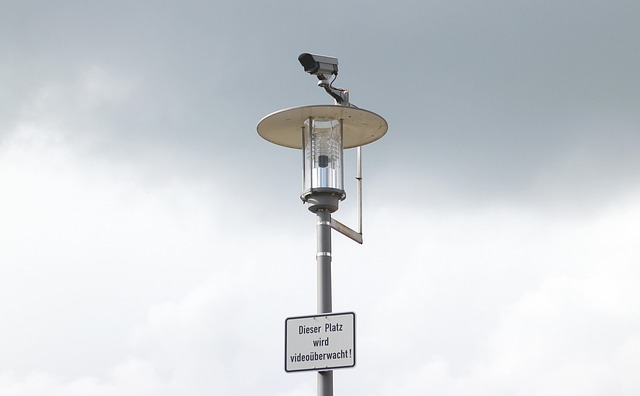
1st camera – put it where a break-in would begin. The front door rushes 34 % of US home invasions, so point a device 8–10 ft higher, slanted 15° down. That elevation keeps faces clear and puts the lens out of quick grab.
A Los Angeles porch in April will glaze glass with pollen–swipe it every week or the vista goes fuzzy. If stucco blocks Wi-Fi, test speed at the location before you drill—two bars typically signifies choppy night clips.
Entry Points
Back doors, side gates, they’re next. Place a cam six inches above the trim so the frame doesn’t clip heads. Flat is best—steep shots stretch noses and shrink chins, destroying ID worth.
Night glow from a Long Beach street lamp will white-out half the frame, so face the lens east or west of the bulb. If Pacific winds drive rain sideways, slap on a $5 drip edge; water beads roll right off instead of drying into smudges that blur motion alerts.
High-Traffic Areas
Hallways and living rooms require wide lenses. A 2.8 mm focal length captures a 12-ft Pasadena hallway wall-to-wall from one corner. Fire up the live view on your phone, stroll slow, and note where kicks disappear from the frame – that informs you whether 1 cam will suffice.
Ceiling fans cast strobing shadows at 60 fps – set shutter to 1/30 and shadows are calm. Kitchens get grimy. A cam near the stove captures a film that blurs detail. Wipe with microfiber bi-weekly or pic fogs up!
If toddlers run through, tilt down 30° to capture height lines on your door frame—handy when the cops ask how tall the intruder was.
Vulnerable Spots
There’s a reason thieves love ground-floor windows behind shrubs. Installed a cam inside, peering out glass. Outdoor units get bougainvillea-blocked in July bloom!
Turn off IR LED’s to prevent window glare and instead rely on a little yard light on a dusk sensor. Garages count as well. An over the motor camera looks down your driveway and can still read plates at 20 ft if you set bitrate to 2048 kbps.
Pool areas require special attention. Point cams at gates, not water, so bathers maintain privacy and you still see who hops the fence.
If HOA rules prohibit outward-facing lenses, utilize wedge mounts to point gently downward, avoiding neighbor windows out of frame.
: plan first, drill once, sleep better.
Beyond the Burglar
Pet Monitoring
A camera pointed at the sofa can avoid a $200 vet bill. When the pup swallows a sock at 2 pm, you spot it on the phone and race home in time for pre-surgery blockage. Night-vision clips reveal which cat continues to kick the water bowl — replacing it with a heavier bowl puts a stop to the daily deluge.
Two-way talk lets you soothe a yapping dog so neighbors don’t report noise to LA Animal Services. Cloud clips convince the rover sitter that the 4 p.m. Walk really took place. A few cams throw chow. One brand catapults a kibble 6 ft, sufficient to coax a bashful rescue from his hiding place behind the TV.
Others couple with a smart door, so the dog walker receives one-time access and you receive a 30-second clip of the leash hand-off.
Elderly Care
Dad won’t wear the panic button, but he’ll wave at the hall cam. There are ceiling mounts in the kitchen that catch if the kettle is left on, you get an alert and call him ahead of the smoke alarm going off. One Pasadena woman has hers record only when motion halts for 90 minutes or more—potentially signaling a fall, without preserving hours of regular wandering.
Two-way voice trumps yelling at the door when Mom forgets her keys again. You buzz her in from work and verify she’s secure in less than 30 seconds. Some insurers discount 5% of the premium if cameras monitor key living spaces, since quick interventions reduce emergency calls.
Night clips reveal if Dad’s sleep meds fade at 3 a.m. You share the timestamp with his doctor and tweak the dose. One son edits weekly highlight reels for the geriatrician—real-life gait speed preferable to any orienteering test in clinic.
Neighborhood Watch
A porch cam capturing the license plate of a package pirate helps THREE houses on the same block recoup $1,200 in total loot! Nextdoor allows you to upload that plate; LAPD’s website uploads MP4s under 50 MB, so no station visit. Shared cloud folders–everyone watches the same clip, no more interminable group texts that ask “did it happen at 4 or 5?
Geofence alerts ping when a stranger’s phone loiters more than five minutes near parked vehicles. One resident couples that with an outside siren, half the gang on Woodlawn Ave now has the same brand, so sirens bounce and loiterers scatter.
Time-lapse of last week’s alley dump demonstrates graffiti taggers strike after 1 a.m. Neighbors settle to light and reduce way by 30%.
Protect Your Privacy

A porch-watching camera, like a lorex security camera, can watch you. Lock it down before someone else gets the feed!
Secure Passwords
Pass on “12345″ or the dog’s name. Choose a string such as “Oak!7Plum$99” and save it in a free password manager.
Every camera brand has its own code, recycle one and a hole in an outdated gaming app can pry open the lens above your kitchen sink.
Enable two-factor auth so a text or an authenticator app is required in addition to the password — even if a courier scam does leak the code, the intruder still needs your phone.
Firmware pops up every few months — click ‘update’ the same night you swap out the smoke alarm batteries. Those patches seal up the holes that allow hackers to peer through two-way audio and interrogate your children about who’s home.
Network Security
Run the cams on a guest wifi lane that can’t reach the laptop with tax on it. Call the SSID “CameraOnly” and hide your main network from the list.
WPA3 is on most new routers, if the box is older at least turn on WPA2 and ditch WPS. It’s a good idea to glance at your router log every Monday and note any foreign IPs – Los Angeles crews frequently get hit with Russia at 3 a.m.
If the feed leaves the house, choose a company that uses end-to-end encryption, not the less expensive plan that saves video to open AWS buckets anyone can crawl.
Local Laws
California Penal Code § 632 makes it a crime to eavesdrop on or record voices without consent. Aim the lens at your own staircase, not the neighbor’s den, or the footage cannot be admitted in court and you’re subject to a $2,500 fine per occurrence.
Leave a two-inch sticker that reads “Audio recording in use” by the door, it constitutes notice and prevents delivery guys from filing privacy invasion reports.
For example, cities such as Beverly Hills require a permit for any camera pointed at a public alley. Mark the city clerk site before you poke your holes.
Night vision still counts as recording, so infrared beams setting across the fence line require the same caution as daylight shots.
Conclusion
You installed the cameras, you chose the locations, you secured the network. Now you can monitor the front porch from your desk, or present the cops crisp footage if someone snatches a box. The equipment pays for itself the moment you prevent a burglary or nab the dog walker dumping your junk mail. Stay firmware fresh, clean the lens monthly and throw up a cam whenever you put in another door. Plug and play? Snag a starter kit tonight and sleep better tomorrow.
Frequently Asked Questions
Do I need a permit to install outdoor security cameras in Los Angeles?
Most single family homes don’t require a city permit for installing home security cameras. If the security camera faces a public sidewalk or street, disable audio or post an ‘audio recording’ sign to comply with California’s two-party consent law.
Will my cameras still record during an L.A. power outage?
Plug each of your security cameras into an inexpensive UPS battery backup. One 600 VA unit powers a 10 watt lorex camera for 2–3 hours—enough to ride out the brief blackouts typical during Santa Ana wind events.
Can I use Ring or Nest cams in a beach-zone condo?
Salt air rusts metal mounts quickly, so opt for outdoor security cameras with IP66 plastic housings. Additionally, give them a fresh water rinse every few months. Wi-Fi mesh nodes help enhance the signal for security cameras through stucco and steel beach-side construction.
How many cameras do I really need for a 2,000 sq ft SoCal home?
Three covers 90% of break-ins: one doorbell camera at the front, one floodlight camera over the driveway, and one Lorex security camera aimed at the back slider. Include a fourth only if you have a side gate or ADU.
Do security cameras lower home-insurance prices in California?
Most major carriers (State Farm, Farmers, AAA) provide 5–10% discounts for UL-listed home security systems equipped with 7-day cloud storage, like Lorex security cameras. Email your insurer the installer’s certificate to secure the savings at your next renewal.
2 thoughts on “Home Security Camera Systems for Complete Protection”