

PoE home security camera systems utilize one Ethernet cable to transmit power and data, providing reliable network video and neat installations.
In Los Angeles homes they eliminate Wi‑Fi dropouts, enable 24/7 NVR recording and manage 4K streams with less lag. Popular choices are Reolink, Amcrest and Hikvision, with Cat6 runs as far as 300 feet and easy PoE switch setups.
To organize expenses, storage, and local regulations, the following sections outline choices and actions.
What Are PoE Home Security Cameras?
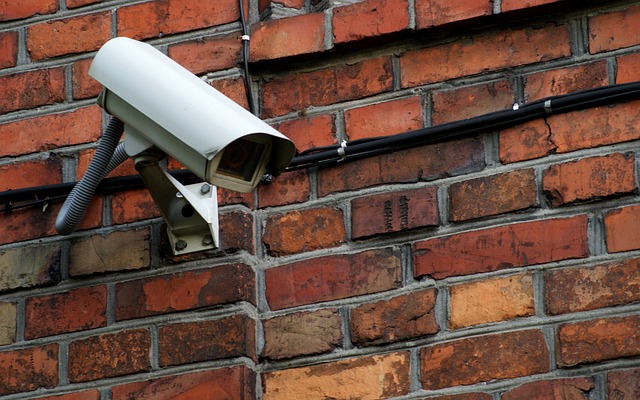
PoE security camera systems are advanced IP cameras that utilize a single Ethernet cable for both power and video transmission, significantly reducing cabling and installation time. These cameras capture and encode video in-camera, then send it to an NVR camera system for storage, allowing for viewing on mobile devices or PCs. For homes in U.S. cities and suburbs, PoE technology helps maintain neat installations while delivering reliable HD video with remote access.
1. The Technology
Power over Ethernet (PoE) technology transmits both DC power and network data over the same Cat5e or Cat6 cable, making it ideal for a PoE security camera system. This setup requires only a single run back to a PoE switch or injector, which reduces failure points and maintains neat runs along eaves, in attics, and through structured wiring panels.
Standards are crucial for ensuring compatibility. IEEE 802.3af (PoE) and 802.3at (PoE+) cover most home cameras, while 802.3bt (PoE++) addresses higher-draw devices like PTZs with heaters. These standards help ensure that various camera styles can be integrated into a comprehensive security system.
One Ethernet run can extend up to 328 feet, making it possible for larger properties to utilize PoE extenders or additional PoE systems. Wired links offer more reliable surveillance than Wi-Fi, especially through dense walls or RF-congested areas.
2. The Components
Basic components are PoE cameras, a PoE switch or injector for power, an NVR for recording, Ethernet cables, and something to monitor from (TV, desktop, phone app).
Camera styles fill different niches. Bullet units span driveways and side yards with longer lenses. Domes match soffits and entryways with a low‑profile aesthetic. Turrets balance night vision and clean images without the glare issues domes can experience.
An NVR controls streams from dozens of cameras, defines motion rules, records to hard disks and allows for remote viewing via a VPN. On larger homes, the NVR can remain in a network closet with a UPS for backup.
Component comparison:
- PoE camera: captures and encodes video; delivers power/data via single cable
- PoE switch/injector: supplies power and network per port
- NVR: records, manages, and serves live/playback
- Ethernet cable: Cat5e/Cat6 link up to 328 feet
- Monitor/app: local HDMI display or mobile/desktop client
3. The Difference
Analog CCTV has coax and separate power, lower resolution and fewer smart features. PoE IP cameras offer 4MP to 4K video, wide dynamic range, and enhanced night vision. Wireless cameras depend on wall adapters and Wi‑Fi, which introduces interference hazards from routers, neighbors and appliances.
PoE centralizes power at the switch, makes UPS backup simpler, and resists signal drop. For reliability and image quality, wired PoE wins.
4. The Value
With one cable per camera, you reduce labor, conduit and outlets at every mount. It’s simpler to scale from 4 to 8 or more channels, add ports or another switch, and maintain the same NVR.
While privacy and on‑prem storage are secure, remote viewing, motion zones, and smart alerts help provide fast access to clips while at work or traveling. Maintenance stays low: no battery swaps, fewer disconnects, and predictable uptime with a UPS.
Cost/feature highlights:
- Fewer materials and faster installs
- Central power with surge/UPS protection
- Stable bandwidth for 24/7 recording
- Higher resolution, WDR, IR, audio, and PTZ options
Why Choose PoE Surveillance?
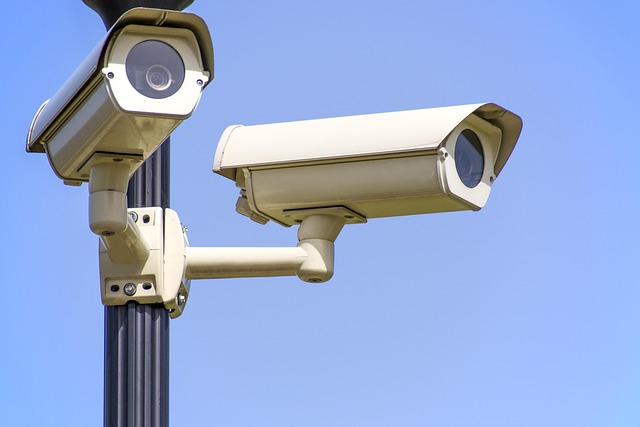
PoE home security camera systems utilize a single ethernet cable for data transmission and power supply, ensuring reliable surveillance. This efficient setup accelerates installation and maintains uptime for 24/7 coverage in homes and small businesses.
Streamlined installation on your existing network
PoE security camera systems utilize the existing network infrastructure, eliminating the need for separate power cords or outlets near each camera. By simply running cat5e or cat6 cables from a PoE switch to each camera, you can easily set up a reliable surveillance system. This single-cable approach not only reduces clutter but also minimizes labor costs and potential points of failure.
In a typical LA home, you can run one cable in the attic and drop it near the eaves, avoiding the electrician’s fee for outdoor power installation. If you’re replacing unreliable Wi-Fi cameras, a PoE camera system offers a hardwired connection that ensures consistent performance, even through thick walls and multi-level layouts, making it ideal for renters or multi-family units.
By leveraging existing low-voltage paths and closets, you can maintain a neat and compliant installation while enjoying the benefits of a robust security system. With PoE technology, you can enhance your home’s security without the hassle of complicated wiring.
Robust, uninterrupted coverage for 24/7 monitoring
PoE provides both constant power and a consistent network route, perfect for continuous recording and live alerts. Connect the PoE switch to an uninterruptible power supply and your entire camera network withstands brief power surges.
With HD and 4K choices, footage captures faces, license plates and fine details that count in a claim or police report. Since data and power share one cable, there’s less to break, fewer loose adapters, and lower heat at the camera.
Smart alert-enabled NVRs can highlight motion zones, line crosses or human detection, so you receive prompt pings sans clutter. For garages, driveways, and yards, outdoor-rated PoE cams weather it while maintaining bandwidth and power stability.
Flexible to scale as needs grow
Expansion is straightforward: add another camera to an open PoE port on your switch or add another switch if you run out. This plays well for phased installs—start with entry points, then add side yards, back alleys or lobby coverage later.
In small retail, one 16-port PoE switch can cover front door, POS, aisles, stock room and parking. If you are multi-family property, you can stretch uplinks between IDF closets and place cameras on each floor without new electric runs.
Obvious labeling and patch panels make maintenance a breeze when employees come and go.
Built to integrate with smart home and automation
PoE plays well with today’s platforms and third party devices. Numerous NVRs and cameras support ONVIF, RTSP, or vendor apps that link with voice assistants, smart locks, and illumination.
Trigger lights when someone is there, lock doors on an alarm, or push clips to your phone for quick review. In city or campus installations, PoE connections integrate with access control and intercoms for a safer, more well-organized setting.
The outcome is a rugged, affordable and easy-to-use system that scales without hassle.
Installing PoE Cameras
PoE security camera systems utilize a single Ethernet cable for data transmission and power, simplifying installation both indoors and outdoors. A little planning upfront helps prevent blind spots and tangled wires.
Make a checklist: PoE camera(s) (dome for soffits, bullet for long views, turret for reduced glare, PTZ for large yards), NVR or PoE switch, Cat5e/Cat6 cables, drill, bits, fish tape, cable clips, weatherproof junction boxes, ladder, PoE extenders if needed, and a labeler.
Map coverage: note entry doors, driveway, yard gates, side alleys, and street view, aiming to reduce backlight and avoid neighbor windows.
Place mounts: 8–10 feet high for doors, 12–16 feet for wide views, under eaves when possible, away from direct sun and sprinklers.
Run cable: pick short, protected paths; label each end; maintain low-voltage runs a minimum of 12″ from AC lines.
Terminate and connect: crimp ends or use premade patch cables. Just plug cameras into PoE switch or NVR PoE ports.
Power up and discover: compatible gear often auto-pairs and records in minutes.
Tune: set motion zones, night mode, and retention, then test clips from phones and desktops.
Network Needs
Begin with bandwidth math. A 4MP camera at mainstream settings can consume 4–8 Mbps. 8 of them might require 32–64 Mbps sustained on your LAN and consistent upstream if you watch remotely.
If you combine high frame rates or 4K, budget higher headroom. Verify your router throughput and your PoE switch power budget. A 120W switch can supply, say, six 20W PTZs or more low-draw domes, spare ports for expansion.
Isolate traffic. A dedicated camera VLAN prevents video from clogging your WFH calls or gaming. A lot of consumer routers and managed switches here in the US support simple VLANs and QoS.
Verify standards: 802.3af/at/bt across cameras, NVR, and switch. Mixed brands are okay if they have the same PoE and ONVIF profiles.
Cable Runs
Route them under eaves, through the attic or inside walls to protect cables from UV and heat. Attic spaces in LA can run hot—steer away from sharp bends and metal edges.
Count runs. Ethernet works up to 328 feet end-to-end; beyond that, use PoE extenders or a mini intermediate switch. Employ cable trays, adequately spaced staples, and drip loops at exterior drops.
Mark each cable on both ends. For long driveways or detached garages, install a weather-rated PoE repeater mid-run, or install a secondary PoE switch with surge protection.
System Setup
Wire cameras to PoE switch or directly into NVR PoE ports with Cat5e/Cat6. One cable translates into quicker installs and one central power source to manage.
Fire up the NVR/camera software, search for devices and give them static IPs or DHCP reservations. If supported, cameras will power on and record automatically.
Set up admin and viewer accounts, turn on 2-step sign-in, and limit remote access. Consult the app for quick inspections.
See each scene, adjust angles, define motion zones, confirm IR night range and complete a quick walk-test. Save settings and back up config to USB.
Securing Your PoE Network
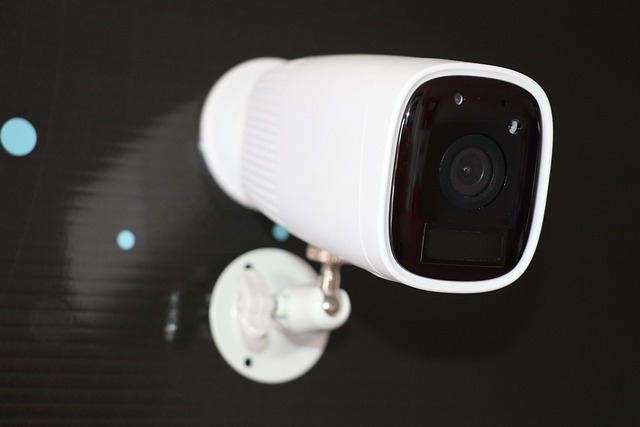
Security begins with a solid construction. A PoE security camera system installation requires the right power, neat cabling, and strict access control to maintain uptime and minimize risk. Think power budgets, cable runs, and network layout before you buy gear — then lock down traffic paths and update devices on a schedule.
Take device power standards as the foundation. Verify each camera’s draw against your switch budget and the appropriate PoE class. IEEE 802.3af-2003 (aka PoE) is good up to 15.4W per port and 802.3at-2009 (PoE+) goes up to 30W. Pair cameras, injectors, and switches so they communicate the same protocol and back up the load. A good PoE camera system eliminates the risk of a power surge, shock, or brownout.
Design the network map considering reach and signal. Ethernet over copper maxes out at 328 feet per run. For longer drives to a gate cam or garage, deploy PoE extenders or position a PoE switch closer to the far end. Go Cat6 or better for cleaner signals and less crosstalk, and avoid tight bends, coil loops and runs near AC lines, HVAC motors or even fluorescent ballasts.
If a driveway cam exhibits dropouts in night IR mode, test for cable loss and exchange to shielded cable or shorter run. Secure the security lane. Put cameras and NVRs on their own VLAN or subnet so smart TVs, tablets and work laptops never touch the camera feeds. On a home router with VLAN support, build an isolated VLAN for PoE ports, lock inter-VLAN routing and only allow the NVR or a management PC to cross via specific rules.
This limits lateral movement if a home device acquires malware. Routine update. Firmware patches seal known holes in cameras, NVRs, PoE switches and routers. Plan quarterly checks, or turn on safe auto-updates if your vendor offers. Examine release notes for security patches and apply first to a test camera prior to the rollout.
Harden the edge, and monitor watch traffic. Turn on the router or firewall, disable unused services (UPnP, plug-and-play discovery) and demand strong, unique passwords. Use HTTPS and RTSP over TLS if your vendor provides it, and turn off default admin accounts. Log access attempts on the NVR and switch and alert on repeated failed logins or strange outbound traffic spikes.
Remote view is useful for 24/7 property checks, but expose it with care: prefer a VPN from your phone into the home network rather than open port forwards. Physical maintenance remains easy. Keep cameras, cables, and switches up to date, and monitor software with SNMP for uptime, temperature, and link status. A central PoE source provides robustness for short power events, and a UPS on the PoE switch and router keeps video alive during outages.
- Do: use VLANs, apply firmware patches, strong passwords, log and review access, use a VPN for remote access, deploy a UPS for PoE switch and router, check for IEEE standard and power budget, use quality Cat6, stick to the 328 foot rule with extenders if necessary.
- Don’t: mix camera and guest traffic, leave default accounts, open arbitrary ports, daisy-chain cheap injectors, lay cables next to high-voltage lines, forego surge protection, forget SNMP traps, stall security patches.
Integrating Smart Home Tech

PoE home security camera systems complement smart home devices nicely since power and data share a single Ethernet cable. This configuration reduces cable clutter, decreases failure points, and maintains installations neat in Los Angeles condos, single-family homes, and small offices where attic access or conduit space is limited.
Connect PoE security cameras with smart home platforms for unified control and automation.
Integrate cameras with Apple Home, Google Home or Alexa through the manufacturer’s bridge or ONVIF-compatible NVR. A single dashboard lets you arm schedules, group devices, and apply rules in one location. Set up scenes, such as “Away” that activates motion recording, locks doors and adjusts the thermostat.
For a bigger estate, get VLANs on your router to separate camera traffic while retaining platform control. Be aware that not all gear will be on the same standards, so check compatibility lists and firmware notes prior to your purchase.
Enable alerts and notifications on mobile devices for real-time monitoring and event response.
Employ motion zones, person and vehicle detection, as well as line-crossing rules, to minimize noise. Push alerts can include thumbnails or clips so you can quickly triage on your phone. For travel days, activate remote access with strong passwords and two-factor authentication.
If you notice jitter, switch your bitrate or substream to LTE speeds. Make sure to keep your apps and camera firmware updated – they fix bugs and improve detection.
Integrate PoE cameras with smart lighting or alarm systems for enhanced security measures.
Connect cameras with smart lights to increase views at night. Motion could trigger a porch light or flood light scene, enhancing image quality and scaring off intruders. Alarms can arm cameras in high-sensitivity mode and dispatch clips to cloud storage when a sensor trips.
In dim alleys or garages, combine cameras with infrared-capable units and configure lights to warm white for sharp face detail. Others fret over network strain — a single-cable PoE run tends to be more stable than Wi‑Fi and scales easily from a cozy apartment to a multi-building lot.
Use voice assistants or smart displays to view live feeds from PoE cameras throughout your home.
Have a smart display ‘show driveway’ for rapid glances at deliveries or gate buzzers. In the kitchen or home office, a live tile lets you catch sight of packages or confirm yard crews. For privacy, program schedules to turn off screens during certain times and restrict which spaces can access feeds.
If streams do not load, check port configuration on your NVR and compatibility of skill or action with your camera brand and stream type.
Evaluating PoE Camera Models
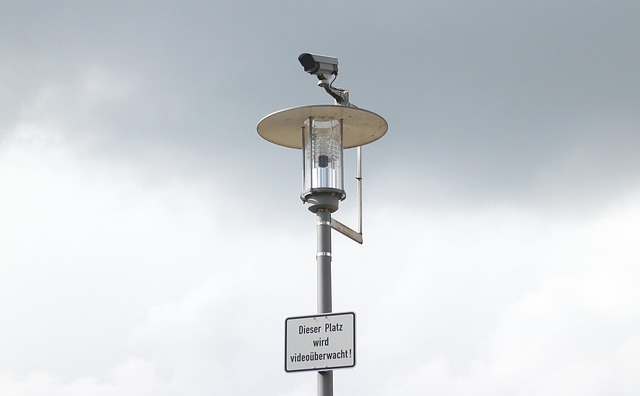
Prioritize build, optics and smart software first, then see if it fits your NVR and home platform. PoE cameras deliver power and data over a single ethernet cable, keeping installations clean and secure.
Just plan camera locations, run your Cat5e/Cat6, install at 7–10 feet high, then connect to a PoE NVR or switch and configure.
Model example | Resolution | Lens type/FOV | Night vision | Analytics | Operating range | IP rating | NVR channels | Standout |
|---|---|---|---|---|---|---|---|---|
A (budget) | 1080p (≈2M px) | Fixed, 90° | IR 130 ft | Motion zones | 14°F–122°F | IP66 | 8 | Low cost, easy setup |
B (mid) | 5MP (≈5M px) | Varifocal, 93°–120° | IR 200 ft | Line cross, intrusion | -4°F–131°F | IP67 | 8–16 | Wider view, longer IR |
C (pro) | 4K (8M+ px) | Motorized, 80°–120° | IR 200 ft + Smart IR | Person/vehicle, faces (subscript) | -22°F–140°F | IP67/IK10 | 16 | AI suite, strong build |
Make sure to support your NVR’s ONVIF profile & PoE standard (802.3af/at). For smart homes, verify native integrations (Apple Home, Google Home, Alexa) or RTSP.
Focus on models with consistent firmware updates, transparent warranties, and positive user feedback. Local storage should suit your usage; 2-4 TB is typical and should correspond with NVR max channels (8-16).
Resolution
Budget starting at minimum 1080p for main resolution. It’s perfect for those little yards and porches.
Go up to 4MP, 5MP, or 4K (more than 8 million pixels) if you require digital zoom or wide area coverage. Higher resolution assists with faces and plates, but it consumes more storage and bandwidth.
Balance bitrate with retention days. For driveway license plates, 4K or a specialized LPR camera with a narrow view works better.
Lenses
Choose fixed, varifocal or motorized lenses according to sight lines. A wide field of view close to 120 degrees captures large spaces.
80–93 degrees hugs tight areas such as gates. Test IR pairing and night focus. Better glass and a wider aperture enhance low light.
For extended driveways, a narrow lens minimizes motion clutter and maximizes detail. Motorized lenses accelerate fine-tuning from the NVR.
For porches or side yards, a 2.8 mm fixed lens is usually sufficient.
Weatherproofing
Search for IP66 or above for rain and dust. IK10 domes and metal housings take care of dings on sidewalk bumps.
Make sure operating temps line up with your climate; desert heat + cold nights are hardcore on gear. Sunshields, sealed RJ45 connectors, and anti-fog windows maintain clear images over the long term.
Analytics
Predefined motion, line crossing, and intrusion alerts reduce noise when tuned properly. AI features—person, vehicle, face, even pet detection—can assist, but several require a paid plan.
Combine analytics with the NVR or cloud to get alerts and reports. Ensure firmware upgrades introduce fresh detection modes and patch bugs.
Ethernet links remain stable and interference-free, so alarms trigger promptly.
Conclusion
To sum, PoE home camera systems provide reliable power, neat installs, and crisp video. One cable per cam keeps setup neat 🙂 Local storage on an NVR keeps clips nearby. Remote view on phone keeps eyes on your joint quick. For LA homes, PoE aids larger lots, long runs and vintage walls. Just one switch in a hall closet can serve cam after cam across these long Cat6 runs to a yard, a garage, a back alley, and beyond. Include plenty of strong passwords, VLANs and updates for tight security. Match lens, night range and weather rating to each location. Go small with two cams. Scale with needs. Need assistance selecting equipment? All you do is share your layout and budget, and receive a concise plan.
Frequently Asked Questions
What is a PoE home security camera system?
PoE security camera systems utilize a single Ethernet cable for both power and data, ensuring cleaner installations and reliable network connections. This technology is ideal for whole-home coverage in LA homes, including single-family houses and townhomes.
Why choose PoE over Wi-Fi cameras?
PoE security camera systems are dependable and safe due to their hardwired nature, ensuring signals don’t drop like Wi-Fi. With a PoE camera system, you enjoy consistent 4K streams, improved night vision assistance, and centralized recording with an NVR, making it ideal for larger estates.
Do I need a professional to install PoE cameras?
Not necessarily. If you can do Ethernet, you can set up a PoE security camera system yourself. All you’ll need is Cat5e or Cat6 cable, a PoE switch or NVR camera system, and some rudimentary tools. For multi-floor homes or outdoor conduit in LA, a licensed installer can save time and satisfy local codes.
How many PoE cameras can I run on one switch?
That depends on the switch’s PoE budget (watts) and each camera’s draw, especially when considering a PoE security camera system. The majority of 4K bullet cameras draw 8–13W, so it’s essential to calculate camera watts and allow for 20% headroom.
Are PoE cameras secure from hacking?
They CAN be extremely secure IF configured properly, especially when using a reliable security camera system. Change default passwords, use WPA3 or VLANs, enable HTTPS, and patch firmware to enhance your IP security camera system.
Will PoE cameras work during a power outage?
Unless your PoE security camera system or NVR is on a UPS, it wouldn’t be a bad idea to add a properly-sized UPS to keep your security systems powered, especially during heat wave outages and rolling blackouts in LA.
Can PoE cameras integrate with smart home platforms?
Yes. Most support RTSP/ONVIF and work with Apple Home (HomeKit Secure Video with supported bridges), Google Home, and Alexa routines. Verify model compatibility and leverage your IP security camera system or hub for automations and alerts.