

Smart home tech connects lights, locks, and thermostats to a single phone app, so a Denver loft or a Phoenix ranch uses up to 30% less energy.
Voice hubs talk English and Spanish, local utilities offer $200 rebates, and fire codes allow owners to add devices without rewiring.
Below are smart home technology gear prices, installation times, and market leaders.
How Smart Home Technology Works
A smart bulb turns on when three things align: 120 V from the wall, 2.4 GHz Wi-Fi from the router, and a tiny ARM chip that reads the phone’s “on” bit. This bit exits the smart home app, travels to the home router, surfs fiber to an AWS server in Oregon, and bounces back in 300 ms, quick enough to seem instantaneous. No magic, just strength, smart technologies, and a common language.
1. The Core Components
You already own two pieces of the puzzle: the 120 V wires in the wall and the Wi-Fi name that shows up on your phone. Add a $9 smart plug and the free Kasa app and you’ve got a four-part chain: smart device, home network, router, phone.
Tick the box for ‘2.4 GHz only’ since a lot of the cheap plugs ditch 5 GHz and won’t pair if your mesh router auto-steers.
2. The Communication Protocols
Wi-Fi pushes 1080p doorbell video across the house but saps coin-cell batteries in weeks. Zigbee sips energy so a motion sensor lasts two years on one CR2032 but requires a $35 Echo to interpret.
Bluetooth goes ten feet, which is great for opening an August deadbolt when you pull the handle. Mixing all three without a multi-radio hub fragments the setup into islands.
If you already have an Echo 4th gen, keep an eye out for “Zigbee compatible” on shelf tags.
3. The Central Hub
The hub is the polyglot box that allows a Wi-Fi bulb to respond to a Zigbee motion sensor. Amazon Echo, Google Nest Hub, Apple TV, or Samsung SmartThings each have local automations.
If Comcast dies, your ‘on at sunset’ rule still fires due to the schedule resides on 8 MB of flash inside the puck. Purchase the hub initially, then pair lamp or lock boxes to that same oval logo to prevent returns later.
4. The Cloud Connection
Your thermostat pings a data center so you can slide the temp from a Denver hotel. The round trip keeps voice snappy: “Alexa, what’s the living room temp?” hits Amazon’s servers, grabs the reading, and replies in under a second.
Cut the cord and you lose all remote viewing except the device implemented rule caching. Skim the privacy sheet to find out if raw video leaves your zip code.
5. The User Interface
Apps, voice, touch screen or old toggle — four lanes to the same lights. Grouped by room so “kitchen” is a swipe, not six taps.
An Alexa routine “Goodnight” that dims bulbs, locks Yale, arms Ring, and texts you confirmation. Place widgets on the phone’s home screen — one tap trumps opening three apps at 11 p.m.
- Bulbs
- Plugs
- Switches
- Locks
- Cameras
- Thermostats
- Blinds
- Sprinklers
- Garage openers
- Leak sensors
The Cincinnati Smart Home Ecosystem
Cincinnati’s sticky July heat and January freeze cycles drive HVAC costs to the top of any utility bill, so a $199 ecobee Smart Thermostat Premium can pay itself off in two seasons. Duke Energy mails a $50 rebate check six weeks after install. Snag the form at duke-energy.com/smarthome before the annual pool runs dry.
Older Queen City frames, mostly built pre-1970, tend to omit neutral wires in switch boxes. Screw-in smart bulbs such as Philips Hue or Sengled cost more per unit; nevertheless, they save the nightmare of re-wiring plaster and lath. Before you order outdoor cameras, haul a phone down to the basement. If the router sits behind a 1900s brick wall, signal to the backyard drops 30 dBm and clips video feeds every night.
Local Climate Impact
Smart irrigation tied to the National Weather Service station at Lunken Airport skips watering when local rainfall tops 0.2 inches, keeping Kentucky bluegrass alive without angering the water department.
A quick Duke Energy chat sets thermostats to 78 degrees Fahrenheit for cooling and 68 degrees Fahrenheit for heating; those two numbers trim 8 percent off annual kilowatts. Indoor cameras with built-in humidity sensors ping phones when attic moisture climbs past 60 percent, a heads-up that mold loves Ohio River valley air.
Garage door openers with temperature alerts activate at 35 °F, giving you time to drip faucets before a polar vortex snaps pipes.
Housing Stock Considerations
Victorian doubles in Clifton still often have 15 A lighting circuits. Cramming a 20 A smart dimmer behind the plate might just blow the original fuse. Renters trapped in beautiful brick façades choose battery Ring doorbells—no drill bit means no landlord battle.
In Northside four-plexes, Zigbee bulbs create their own mesh so ten apartments do not fill the 2.4 GHz band with fifty Wi-Fi switches. Measure gang box depth before buying. 1950s shallow boxes need Lutron Caseta that is 1.25 inches thick instead of bulkier GE models.
Utility Provider Integration
Duke’s “Usage Sensors” API streams hourly data directly into Apple Home or SmartThings dashboards so you can see the dehumidifier spike at 6 p.m. GCWW gives $5 a quarter if you attach their leak detector to the smart main valve and share shut-off events.
Washers and dryers queued post 9 p.m. Catch a 30% lower-rate time-of-use price that goes into effect whenever most Reds games conclude. Opt in to the BYT program and Duke nudges your set-point two degrees on peak afternoons. Twelve visits still get a $25 bill credit every December.
When to Repair Your Smart Device
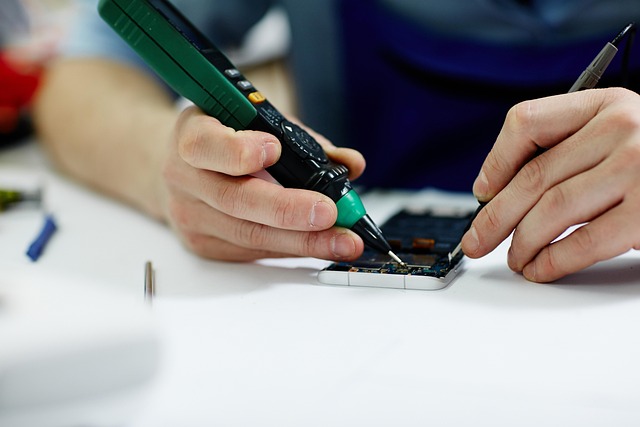
A rapid reload resolves approximately four in ten ‘device offline’ warnings on American networks. Unplug, count to thirty, plug back in. Whilst it restarts, power-cycle the router too.
Most LA apartments still rent the same ISP box that ships with ancient firmware. If the gadget stays dark, switch out the USB brick. A 5 V 1 A cube from 2016 can sag to 4.3 V and knock cameras off 2.4 GHz.
Look at the app first, not Yelp. Hit Settings > Device Info > Update and let the firmware fly. Repair trucks are charging $99 just to do that. It means a tiny paperclip or toothpick in the pin-hole for 10 seconds fixes your smart plug back to day-one code and saves a $20 co-pay.
Software Glitches
Force-close the app, reopen, watch the tile flip from ‘connecting’ to ‘ready’. Still can’t decide? Remove the device, re-add by scanning the QR code on the back.
Schedules return once Alexa re-finds it. After a blackout, flip the automation off and on. Cloud rules reload like a browser refresh.
On Android, long-press the app icon, App Info, then Storage, and Clear Cache. Live feed opens in two seconds, not twelve.
Minor Hardware Failures
Replace that CR2032 in a Yale lock when the app still shows 18 percent. The coin falls quickly once it falls under 2.8 volts.
Flickering porch light? Cut electricity, pull on the wire nuts on the smart switch, and they each get a quarter turn. Half the installs in 1960s era stucco boxes are loose from heat cycles.
Night video appears foggy? Breathe on the lens and wipe with the glasses cloth. This works on Ring, Wyze, or inexpensive Yi cams.
The bent brass antenna pin inside a MyQ opener snaps off if you yank the cover wrong. Straighten with tweezers and gain two bars of signal.
Connectivity Issues
Position router 3 feet away from baby monitor. Even Best Buy Insignia monitors trample on channel 6.
A $30 TP-Link extender halfway down the hall provides 25 Mbps to the backyard cam that used to log on at 2. In SmartThings Advanced Settings, turn Zigbee to channel 11 so it stops battling Wi-Fi.
Dual-band names ending in “-5G” and “-2.4G” trick users. Confirm phone and plug are on the same SSID or pairing times out.
When to Replace Your Smart Device

A dead update cycle is the most obvious tip-off for smart home devices. As soon as the manufacturer stops signing firmware, issues and exploits accumulate quickly. First-gen Nest Cams, Wink hubs, and even 2018 smart locks fall into this category. Their code became static several years ago. If the smart home app no longer displays ‘update ready,’ bet on a swap within the year.
Obsolete Technology
Wink’s cloud blinked out in May 2020, leaving any hub still plugged in as just a plastic brick. By pulling it out and sliding the same Zigbee bulbs and motion sensors onto a smart home hub like the Echo 4th-gen for $60, you can be back online in just ten minutes. Insteon wall switches faced the same fate, so consider trading them out for Z-Wave Plus versions to ensure the new resident of your home enjoys a seamless smart home system.
Low-cost 720p cameras struggle to push RTSP streams, leading next-gen NVRs to skip over them. To enhance your home monitoring, it’s best to upgrade to 2K PoE models. Additionally, Bluetooth-only smart locks can be problematic; step outside their 30-foot bubble, and you may not be able to let in the dog walker.
Security Vulnerabilities
Old indoor cams with open port 554 are botnet low-hanging fruit. If the firmware date is older than this year, pull the plug and save for a new one. Devices that ship with “admin–1234” printed on the label never get changed by most people. When the app won’t let you edit that login, recycle the hardware.
Smart plugs that ping Shenzhen servers every five seconds can’t be turned off. Swap for UL-listed varieties that keep traffic local. Baby monitors frozen on WPA2-TKIP emit frames to war-drivers. WPA3 devices from 2021 onward, says lock that door.
High Repair Costs
Local techs around L.A. Are $80 an hour, plus a $40 trip fee. A busted $25 smart plug isn’t worth the trouble. OEM mail-in service for a three-year-old color bulb kit comes to $55 after shipping. Amazon sells the identical bundle new for $42.
Add gas, a two-hour vacation from work, and a return trip when parts backorder, and you’re over retail cost on every occasion. Once eBay runs dry of spare daughterboards, the equation is complete.
Feature Upgrades
Matter came out last fall. If your gear can’t join the mesh, you’ll juggle four apps eternally. The $99 Ecobee with remote sensors ends hot upstairs rooms in Cincinnati colonials. Leapfrogging from 1080p to 2K doorbells trims license plates crisply for LAPD filings.
New dimmer switches bake in motion eyes. One gang box does both jobs, no more ugly add-on dome.
Cost Analysis for Cincinnati Homeowners
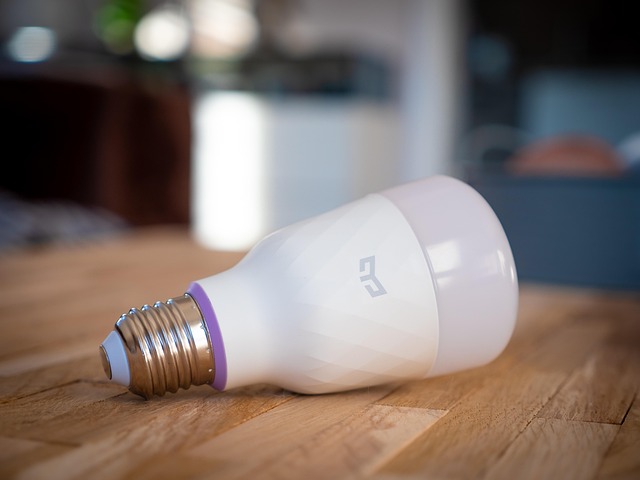
A starter kit for a Queen City house runs about $1,050. This includes one Nest Hub for $99, three Kasa smart plugs at $24 each, a pair of Sengled bulbs at $16 each, a 4-pack of Blink outdoor cams for $280, and a Nest Thermostat for $129.
Add $150 per year for cloud storage of four cameras with Ring Protect Plus. Projected ten percent yearly energy savings on a $1,400 average Duke electric bill equals $140 return. The break-even point comes in 4.6 years before any repair or replacement for Cincinnati homeowners.
Repair Labor Rates
Geek Squad charges you $99 just for coming out, a Clifton handyman charges sixty-five an hour, and the smart-home guys in Oakley want $85. Most shops waive the trip fee if you book at least two hours.
Swap your own camera batteries and tap update in the app—no labor. Stack three quick jobs: door-sensor swap, bulb reset, leak-sensor test—into one visit and the per-device cost drops under $20.
Replacement Device Costs
|
Device |
Entry |
Premium |
|---|---|---|
|
Smart plug |
$12 |
$35 |
|
Wi-Fi bulb |
$9 |
$28 |
|
Video doorbell |
$59 |
$229 |
|
Thermostat |
$99 |
$249 |
Prime Day and Black Friday cut 30 percent off best-selling chargers. A 4-pack of Wyze bulbs dropped to $29 last year, which is $7.25 a piece.
Duke’s rebate page quotes Emerson Sensi for $0 after a $100 instant credit and a $25 bonus for enrolling in their rush-hour program.
Long-Term Value
One clever plug with energy readout saves 40 kWh annually, returning $6 at Cincinnati’s 15-cent rate. A $20 leak sensor under the laundry tray can avoid a traditional $3,000 flood deductible.
Realtors declare that properties with connected cameras and thermostats sell 5 days sooner, and appraisers increase about 5 percent in price if you pass them a one-page improvement history.
Record serial numbers and install dates. Purchasers love paper as much as they love cheaper Duke bills.
Protecting Your Smart Home Investment

A complete smart home system overhaul can cost between $5,000 and $50,000. That much smart money deserves a plan that keeps your smart devices working and your data safe.
Firmware Updates
Switch on the “auto-update” toggle in each brand’s app before you hit the sack. Since most vendors deploy patches within 48 hours of a leak, nightly probes help close holes quickly. If the log shows the patch just adds ads or kills a feature you like, skip it and stay on the last stable build. You can always flash it later.
After any manual update, unplug it for ten seconds. Cheap bulbs and smart switches require that reboot to actually load new code. Configure your phone to ping you if an update doesn’t quite stick and the device rolls back, so you’ll know to try again before the legacy firmware becomes a menace.
Data Privacy
Stop eavesdropping on Alexa, Google, etc. Use the mic mute button. First setup, refuse “analytics sharing.” It keeps cloud clips off marketing servers. Once a quarter, open up the app and pull camera permissions from ancient skills you don’t use anymore.
Dedicated local-storage cameras like Eufy or Reolink keep clips on the SD card in your laundry room, not in some data center you can’t name. Two-factor authentication is enabled by default in many new apps. Keep it on.
Physical Maintenance
Dust the thermostat once a month. A fuzzy sensor can read 3 degrees Fahrenheit high and run your bill up. Vacuum outdoor cams as you water plants. Spider legs set false alerts at 2 a.m.
When the rains come, tighten the tiny Torx screws on your Ring doorbell every fall. Los Angeles winter rains swell the frame and tilt the lens. Change the 3-volt coin battery in the smart garage opener every two years or so. A dead backup locks you out as soon as the grid goes down. A five-minute checklist saves a Saturday service call.
Turn on guest Wi-Fi and tag every MAC address in the router app. This makes troubleshooting faster when the dryer ceases to text you. Save receipts in a Google Drive folder called “Smart home 2024.” Warranties fail without evidence.
Conclusion
You now have a road map. Test every device semiannually, replace the mule battery before it dies, and keep the Reds game alive. If the repair bill exceeds half the cost of a new one, swing by Beechmont Mall’s Best Buy and pick up the upgrade. Lock down your network with WPA-3 and a new 12-digit password, then back up the configuration to an inexpensive thumb drive. Need some help? Send me an email and I’ll send over a quick list of trusted Cincy techs who arrive quickly and invoice honestly.
Frequently Asked Questions
Will my smart thermostat still work if Cincinnati Bell or Duke Energy has an outage?
Yes. The smart home system’s thermostat stores your schedule on its own chip, ensuring heating and cooling operate as usual until Wi-Fi returns.
Do I need a city permit to install smart switches or video doorbells in Cincinnati?
Like-for-like swaps of smart home devices do not require a permit. A permit is only necessary if you add new circuits or hard wire outdoor security cameras.
Which smart hub works best with Duke Energy’s bridge rebates?
SmartThings and Hubitat both integrate seamlessly with Duke’s Zigbee bridge, allowing homeowners to utilize smart home devices and capture the $25 to $50 rebate without any additional hardware.
How long do smart leak sensors last in Ohio basements?
Anticipate three to four years on the stock battery of your smart home devices. The humid summers reduce its lifespan, so exchange them when you switch out home automation system batteries every spring.
Is it cheaper to replace or repair a broken smart deadbolt?
If the motor burns out after two Ohio winters, a $40 motor kit is better than a $220 new smart lock. If the circuit board is fried, replacement is the smarter choice for smart home systems.