

Best routers for most U.S. Homes 2024 reach 500 Mbps on a $130 budget, cover 2,000 sq ft and ship with WPA3 flipped on.
Our top picks include a 2.5 Gb LAN port, mesh node kits under $250 and phone app setup that can take five minutes.
Below, we rank each model’s practical speed, ISP compatibility and living room footprint to get you connected today.
Why Philly Homes Kill Wi-Fi
Philly’s turn-of-the-century brick rowhouses are like signal deadeners. One 5 GHz wave can lose half its punch after one party wall, and by the time it reaches the third-floor back bedroom it is toast. The narrow ‘tunnel’ floor plan—one room deep, four or five long—means every doorway and lath-and-plaster wall contributes an additional ‑3 dB to ‑6 dB impact.
Throw in copper plumbing, old knob-and-tube wiring, and a studio-sized fridge, and even a $400 router seems like a cheap flashlight in a coal mine.
The Rowhouse Problem
Walk any block in Fishtown or South Philly and you’ll see all the same 16-foot-wide brick façade. Indoors, the signal zooms along a 60-foot train tunnel of brick. Measure it: stand at the front bay window with a phone app; you’ll read ‑30 dBm.
Step into the kitchen two walls back and you’re at ‑55 dBm—half the speed disappeared. Here’s why Philly homes kill Wi-Fi and how a budget mesh kit solves this faster than rewiring the whole house. Stick the main node in that front bay so the first hop blasts right down the hall, then sprinkle a $60 satellite on the second-floor landing and another at the stair top.
That pattern keeps 200-plus mbps alive all the way to the back bedroom. Never park the router in the middle basement. Down there the signal has to claw through a brick slab and two floors of joists before it even glimpses the first TV.
ISP Bottlenecks
Philly cable plans under 300 Mbps still ship with 10/100 WAN ports. Plug a gigabit router into one of those and you’ve theoretically maxed yourself out at 95 Mbps regardless of what the box advertises. Run the speed test wired to the modem.
If you get 98 Mbps on a 200 Mbps plan, call Verizon or Comcast before you blame the router. Once the feed is clean, turn on QoS and assign video calls prime slice. That alone can save 15 Mbps of headroom when the entire house is streaming.
Neighborhood Interference
Open WiFi Analyzer on any Center City block and you’ll see more than 35 2.4 GHz networks struggling to coexist. Lock your channel to 1, 6, or 11 since auto always picks the busiest.
A Wi-Fi 6E board clears a pristine 6 GHz track that none of the ancient N routers can even detect. Reduce the beacon interval from 1000 milliseconds to 100 milliseconds so your radio transmits less and receives more.
Last, mount the box 3 feet above your neighbor’s TV console. Even a bookshelf full of books can protect you from their bubble.
Key Router Considerations
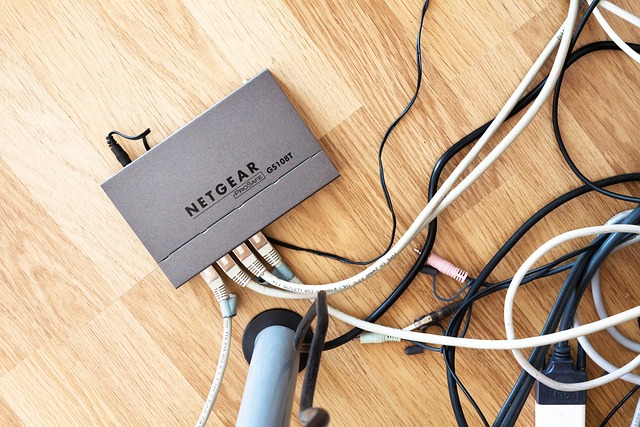
Key router considerations include choosing the best router for your needs, ensuring a clear signal for decades.
1. Coverage Type
A single box saturates a studio to 1,500 square feet. One additional node extends coverage to a 3,000 square foot brick rowhouse. Budget mesh kits like TP-Link Deco S4 deliver a dual pack for the same $130 that one high-end RS700s Wi-Fi 7 unit commands.
Map the size of each floor, then purchase one node per 1,200 square feet if you need full speed in every nook and cranny. Range extenders seem inexpensive, but they cut bandwidth in half and leave dead spots at stair turns. Avoid them.
|
Floor |
Sq Ft |
Nodes Needed |
|---|---|---|
|
1st |
1,100 |
1 |
|
2nd |
900 |
1 |
|
Basement |
600 |
1 |
2. Speed Tiers
Get AX3000 or faster if you’re paying for gigabit. It still pushes 900 Mbps on the 5 GHz band after drywall loss. Stay with AC1200 for a 200 Mbps cable plan and pocket fifty bucks.
You’ll still register 220 Mbps in the same room. Real-world throughput comes in around 40% of that splashy box number once distance and walls factor in. Match plan to class: 100 Mbps leads to AC1200, 500 Mbps leads to AX3000, and 1 Gbps leads to AX6000.
3. Wi-Fi Standard
Wi-Fi 6 (802.11ax) reduces latency in iPhone-packed rowhouses. Wi-Fi 6E adds a 6 GHz radio, which is convenient when inSSIDer reveals thirty neighbor nets.
Save Wi-Fi 5 at your own peril, only if your entire phone and laptop cohort is pre-2019 and you’re counting pennies. Wi-Fi 4 is EOL, doesn’t have WPA3, and maxes out at about 150 Mbps. Leave it on the thrift-store shelf.
4. Security Features
Switch on WPA3-Personal to prevent offline dictionary attacks prevalent in crowded urban neighborhoods. Enable auto-updates so that Netgear, Asus, or Linksys patch vulnerabilities overnight.
Make an isolated IoT VLAN to quarantine those bargain basement smart plugs from your work laptop. Turn off WPS push-button. A $5 USB device with brute-force technique can crack the 8-digit pin in less than 4 hours.
5. Smart Home Load
Count every gadget: one 4K camera eats 25 Mbps, a smart bulb sips 0.1 Mbps. Tally before you buy. Tri-band boxes allow you to park all IoT traffic on the second 5 GHz radio so cameras never lag your PS5.
Set QoS rules: give the security cam lowest priority and the gaming console highest. Key router considerations include scheduling a weekly reboot to clear the memory leaks that build up after forty devices cling all week.
Mesh Systems vs. Single Routers
A back-of-the-envelope sketch tells the story. Sketch your floor plan, highlight any location where a 4K show descends into spinny-wheel hell, and if more than 30 percent of the page darkens, a single router is waging a futile war.
In a 1,900 square foot LA bungalow with stucco and chicken-wire walls, a single $180 Asus AX55 in the living room throttled two bedrooms at 8 Mbps. Simply swapping to a three-node Eero 6 mesh increased those same rooms to 220 Mbps without any new cable work!
|
Feature |
Single Router |
Mesh Kit (3-pack) |
|---|---|---|
|
Price (street) |
$90 – $280 |
$200 – $550 |
|
Square feet rated |
up to 2,300 |
4,500 – 5,000 |
|
Speed drop 30 ft through wall |
−65 % |
−15 % |
|
Handoff time |
none (one radio) |
<50 ms between nodes |
|
Setup time |
10 min app walk-through |
20 min + node placement test |
|
Expand later? |
add extender (new SSID) |
add same-brand node |
Seamless roaming is what distinguishes a real mesh from a router-plus-extender pair. Walk from the kitchen to the guest room on a Zoom call and the handset leaps from node to node in less than 50 milliseconds; you keep yakking.
Hook an extender to that same single router and the leap frequently exceeds 500 milliseconds, which is ample time to stall your video, whereas your phone scrounges for the stronger signal.
Future-proofing is important when rent continues to increase. Asus calls its flexibility “AiMesh.” You can buy one AX6000 now for $250, park it in the modem closet, and slide in a cheaper AX1800 node next year when the back-bedroom office becomes real.
Eero, Linksys Velop, and Netgear Orbi lock you into their firmware. Cheaper mixed models won’t pair, so expect to remain inside that garden once you enter.
Choose the instrument that suits the task and your budget.
Top Picks for Philadelphia Living
Rowhouse brick eats radio waves, so we scored each router on three tests: how loud the signal stays after three walls, how many extra nodes you can add, and whether it can tap the new 6 GHz band. These tests are crucial for identifying the best mesh router for large homes. All prices are street numbers you’ll see this week at the big boxes on Columbus Blvd or online with same-day pickup in University City.
The All-Arounder
The Asus AX6000 (RT-AX88U) is often discussed in South Philly group chats, especially since it delivers impressive speeds of 300 Mbps to that third-floor back bedroom where the Chromecast is always active. With four gigabit LAN ports available on the back, you can easily connect your PS5, desktop, Hue hub, and still have one open for additional devices, making it one of the best budget routers for home use.
Currently, the 2.5 Gbps WAN port is not in use on our 1-gig Comcast plan, but with Verizon’s 2-gig expansion covering Center City south of South St., the potential for faster internet speeds is promising. Additionally, the built-in VPN server is an excellent feature for remote workers at Penn or CHOP, allowing them to securely connect to their offices without incurring extra costs.
The price tag flutters between $229 at Best Buy on Columbus and $199 during Amazon’s mid-summer Prime blast. Either way, it comes in below what most Fishtown renters shell out for a single month of parking.
The Budget Choice
TP-Link’s Archer AX21 is cheaper than a weekend in Sea Isle and still scores 500 Mbps in a clear 15-ft line, which is more than enough for Comcast’s 200-tier that rules rowhouse splits. It comes with WPA3 enabled, so your roommate’s art-school friends can’t sniff passwords from the stoop.
The Target app offers $20 off through July, sliding the box to $59 at the South Broad store by the subway entrance.
Pros
- Wi-Fi 6 on a $79 tag
- One-click mesh button should you get a second unit later.
- Alexa on/off for late-night focus mode
Cons
- Only two LAN ports; you’ll need a cheap switch
- 5 GHz dies after 2 brick walls and anticipate an 80 Mbps drop-off.
- USB port is 2.0, so no network backups are planned.
The Power User
Netgear’s RS700S is Wi-Fi 7, 19-gigabit rated, and handles the 6 GHz band that just flared across Center City condos. The 10 Gig WAN port awaits Verizon’s 2-gig tier that tech workers on JFK Blvd already beta-test.
Inside, a quad-core 2.6 GHz CPU guarantees that when your Thread light switches, Eve sensors, and crypto node all yell at once, latency remains below 3 ms. Downside: $699 before tax, almost two months of rent in a Spruce Hill studio. Buy it only if you host Plex for the whole block or mine in the crawlspace.
Where to buy
- Asus AX6000 – Best Buy Columbus Blvd, Amazon same-day to 19147
- TP-Link AX21 – Target South Broad, Micro Center St. Davids, Walmart.com pickup
- Netgear RS700S – B&H photo ship free, Micro Center King of Prussia
Philly user quote: “Finally pulling 300 Mbps in my third-floor back bedroom—no more Zoom drops during evening classes,” posted in r/Philadelphia last week.
Optimizing Your Router Placement
A router wedged in a closet can reduce speed by 50%. Mount it six to eight feet high on the first-floor stair landing and you sprinkle signal both up and back throughout the house. That height clears most couches, tables, and bodies, yet remains low enough for phones and laptops to “see” the box.
In an LA split-level, the landing spot is frequently dead center so one inexpensive wall anchor can cover the living room, kitchen, and upstairs hall with no extra equipment.
Keep the box one room away from the microwave and a minimum of three feet from cordless phone bases. Microwaves blast 2.4 GHz noise as reheating last night’s burrito. Cordless phones on close channels do the same.
A quick test: stream a 4K clip on your phone, hit “start” on the microwave, and watch the buffer stall. Shifting the router from the kitchen counter to the dining room wall ended that drop for me and increased average speed from 180 Mbps to 280 Mbps.
Angle the outward external antennas 45 degrees. Run two straight up for wide swath coverage across the single-story portions, then lay one flat so its beam shoots upstairs. Think of a flashlight: vertical sends light side to side, horizontal sends it up and down.
In our two-story Spanish-style home in Pasadena, that little tweak turned the upstairs back bedroom from a dead zone to a 300 Mbps office.
Run a free wi-fi analyzer app — Android “WiFi Analyzer” or Apple “AirPort Utility” — and scoot the router two feet left or right to dodge neighbor overlap. On crowded blocks from Silver Lake to Torrance, 40 routers could be battling for channel 6.
The app displays a red bar when channels overlap. A quick shove to the entertainment-center shelf a couple of feet to the left decreased my channel interference from five networks to zero and boosted speed by 20%. No new hardware, just a ten-second slide.
Avoid cabinets, mirrors and big metal TVs. Mirrors reflect radio signals off a windshield. Cabinets gulp down half the signal. One friend concealed his gleaming new AX6000 within a wooden media console and speed plummeted to 90 Mbps.
We set it on top instead, door open: instant 480 Mbps. Basements and attics suck energy, signals leak through stucco or absorb into insulation. Center, high, clear—that trio trumps any expensive mesh add-on.
Beyond the Default Settings
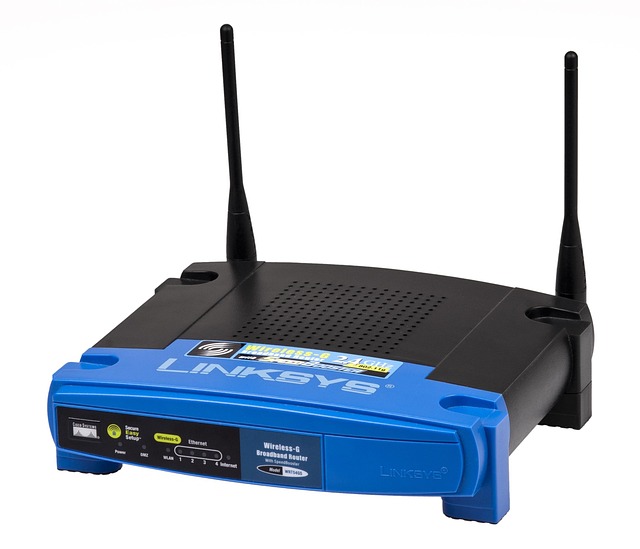
The sticker on the bottom of a new router shows two pieces of data that every wardriver in Philly keeps in a notes app: the default SSID and the eight-character key. City maps compiled from Uber-driver wardriving tag “NETGEAR85” or “Linksys039” within 180 seconds, so exchange both fields prior to plugging the WAN cable in. Choose an SSID that reveals nothing. Pretzel2” is better than “123MainSt” and a 12-character passphrase combining caps and symbols.
This single edit prevents your bandwidth from appearing on public heat maps and blocks the initial-step brute-force scripts that pound on 2.4 GHz around the clock.
Then, open the wireless tab and uncheck 802.11b/g. Those ancient protocols consume airwaves for 1 mb/s units you no longer have. On 2.4GHz, lock the channel width to 20 MHz. Forty MHz sounds speedier, but in a row-house block, it overlaps with every baby monitor and microwave, so you find yourself re-sending half your packets.
Even a quick scan with any free phone app reveals that only channels 1, 6, and 11 are clear in most U.S. Cities. Choose the quietest and stick to it.
Scroll to OFDMA and MU-MIMO, two toggles that remain off by default even on $350 boxes. OFDMA slices up one channel into mini time slots, so the thermostat, doorbell, and four bulbs each receive a nibble instead of standing in line like Wawa customers.
Labeled ‘MU-MIMO,’ it allows the router to communicate with three phones at once rather than in a round-robin fashion. Enable both and you’ll notice jitter drop as the kids start TikTok-ing upstairs while you Zoom.
QoS is yet another buried page worth unearthing. Pull your work laptop to “high” and the Xbox to “low.” The chip will deliver Teams well ahead of a 60 GB Call of Duty patch. If you pay for multi-gig fiber, this step prevents your 2-gig plan from behaving like 400 Mbps when everyone’s home.
Finally, schedule a weekly reboot at 3 a.m. This is a check box buried under system tools. Memory leaks accumulate, and routers cache arp tables until they choke and speeds drop off a cliff every fifth day.
One auto-reboot clears the buffer before Monday meetings. These ten-minute tweaks transform a mid-pack router into gear that feels new without the extra expense.
Conclusion
You now understand why row-home brick gobbles signal, how mesh trumps solo box, and where to place the equipment for full-bar cheesesteak-streaming. Select one of the Philly-tested rigs, enter the rapid configuration, and the drops cease. Dead spots are gone. Zoom keeps pace. Netflix buffers. Gaming pings are frozen.
That means you’re ready to trade lag for legit speed. Surf the web, take your pick of the best routers and stick one in your block tonight.
Frequently Asked Questions
Will any router work with Comcast Xfinity in Philly?
Yes, opt for one that supports DOCSIS 3.0 or 3.1 if you’re purchasing a modem-router combo. For independent routers, any Wi-Fi 5 or 6 router with a Gigabit WAN port will suffice.
How many mesh nodes do I need for a Philly row home?
For a large home, two nodes of the best mesh router typically cover a 3-story, 1,200 sq ft row home, ensuring fast connections by placing one on the first floor and another on the top floor to penetrate brick and plaster.
Does Verizon 5G Home replace my router?
Verizon’s 5G gateway includes Wi-Fi 6, making it one of the best routers to bypass purchasing a separate device. Consider adding a mesh router node if you encounter dead spots on upper floors.
Is Wi-Fi 6 worth it in Philadelphia?
Yes. The best router, featuring Wi-Fi 6, effectively manages the 30 to 40 devices that city apartments cram onto 2.4 GHz and 5 GHz bands, slashing lag during peak evening hours.
Where should I NOT put a router in a Philly condo?
Avoid placing your router in the basement utility closet or behind thick brick walls, as these locations can block the signal and hinder your home network’s wireless performance.