

Home alarm systems are wired or wireless setups that ring sirens, flash lights, and ping your phone when a door opens, glass breaks, or motion stirs inside.
Most LA crews combine door contacts, yard signs, and 24-hour call centers so cops roll in under eight minutes. Choosing the proper combination reduces false alarms, keeps tenants satisfied, and decreases insurance costs by up to 20%.
Below, we chart equipment, price, and installation paths.
Wired vs. Wireless Systems
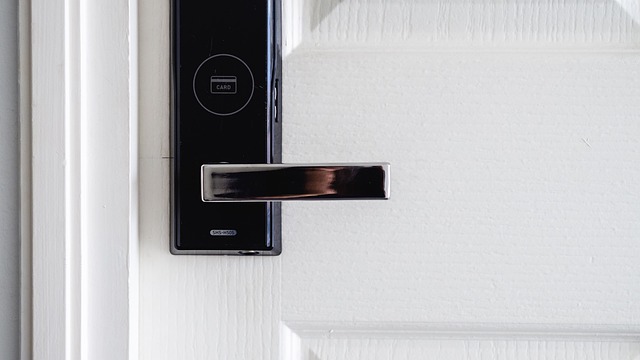
Hardwired alarm panels transmit via copper lines, ensuring notifications reach the monitoring center in under 3 seconds. In contrast, Wi-Fi wireless alarms operate on 2.4 GHz or 5 GHz frequencies, introducing a slight delay of 1-2 seconds but eliminating the need for drilling. The Ring Alarm Pro combines both technologies: its base station connects via Ethernet while every sensor is peel-and-stick, making it a top choice among smart home security systems. ADT’s new command panel is entirely wireless, allowing tech teams to set up every door contact in ten minutes, while wired motion detectors avoid annoying beeps at 3 a.m.
1. Reliability
Hardwired control panels live inside a metal can in the basement, far from baby monitors or microwaves, so the 12-volt pulse stays clean. Modern wireless rigs carry two radios: Wi-Fi for daily pings and an LTE module that flips on the moment the router dies.
If a Sacramento blackout fries the gateway and you passed on the $70 backup battery, the siren stands silent as the burglar roams free inside.
2. Installation
Installing a wired Video Doorbell Pro involves punching three-quarter-inch holes through fire-rated stucco and fishing 18-gauge wire down two stories. Schedule a whole Saturday.
Snap the Ring glass-break sensor onto a bookshelf. The app auto-tests sound range in 45 seconds.
|
System Type |
Avg Install Time |
Who Does It |
|---|---|---|
|
Wired |
6 hours |
Licensed electrician |
|
Wireless |
45 minutes |
You |
3. Flexibility
Wireless door sensors adhere with 3-M tape. When your lease is up in LA, you just peel, patch and re-stick in the new pad.
Once drywall dries around wired panels, moving them means new cable runs and another invoice. Purchase a modular kit. Buy a flood sensor now, camera next summer, and no additional wires to run.
4. Aesthetics
A hardwired system conceals all of the wiring within the wall. Just the nickel-sized contact heads peek out, painted to match Sherwin-Williams Alabaster trim.
White wireless blocks rest on the sill like a mini-router. Some folks paint them to match the trim, despite the LED continues to blink. Figure out if an afternoon of drywall dust beats looking at a plastic hub for eternity.
5. Cost
Basic wired install starts at $300 for cable, plus $80 an hour for the union electrician who has to sign off within city limits.
A $199 Ring starter kit ships free and comes with month one of self-monitoring included. Beyond year two, anticipate shelling out $3 for a CR123A battery per door sensor.
This is still less than ADT’s $20/month plan, but only if you forego pro monitoring.
Key System Components

Your home security system is only as good as its components, including smart home devices and security sensors. Understand what each one does before you part with a penny.
Control Panel
The white box stashed by the front hall closet is smart. It hears open doors, lost energy, or a smashed keypad, then chooses the quickest route: Wi-Fi, cell, or old-fashioned phone line to yell to the monitoring center.
Select a location dead-center in the home so Zigbee feeds can hit every sensor. A hallway wall between the kitchen and living room does the trick in most L.A. Bungalows. Demand that the tech demonstrate Apple HomeKit and Google Nest screens live.
If you can’t switch a light off with your phone in the demo, reject it and hurry on. Battery life beats color options. Twenty-four hours is the minimum, and dual-path transmission (cell + IP) keeps the signal on when SoCal Edison shuts off electricity for fire-prevention blackouts.
Contact Sensors
Put one on each and every door and window on the ground floor. Burglars check slider glass first since it sneaks in back. Fine examples crack open or close to an inch apart, convenient for double-hung sashes that expand in July heat.
Post-install, fire up the Ring app, crack the window open and hope for the push note. No ding, no zen.
Motion Detectors
Corners provide the broadest cone. Mount at 7 feet high and angle down so a six-foot creep can crawl under. Pet-immune lenses disregard anything under 80 pounds. Your golden retriever can run free as you’re working.
Link each detector to a camera. When motion trips, the cam wakes up and tags five seconds of video that 911 dispatch can view before they roll units.
Cameras
Outdoor cams require an IP65 shell to brush off Santa Ana dust storms and Pacific spritz. Video doorbells come into their own with live guard plans. A real agent greets the courier through the speaker and frightens off porch pirates.
Store clips on Ring Edge ($0 local) or cloud. Standard is $3 per month per device. Premium covers unlimited Ring cams for $10. Pick what matches your block’s package theft stats.
Professional vs. DIY Installation
A full-service truck roll means the tech brings a spectrum analyzer to check each sensor’s radio signal strength, not a screwdriver. He’ll scale the stucco wall, bore holes into the 2 x 4 stud, and point the glass-break mic away from the LA Metro rumble to prevent false alarms at 2 a.m. That same visit wraps up with a signed sheet stating all contact, beam, and smoke zones tested to be under -85 dBm, ensuring your home security system is optimized.
Contrast that with the DIY path: you unbox, scan a QR code, and trust the little blue LED that says ‘paired.’ No ladder truck, no toner probe, no walkie-talkie chatter—just your phone and a Saturday you might or might not have open. With smart home integration, you can easily connect your devices and enhance your home security without the hassle of professional installation.
There’s one catch with the pro route — the three-year monitoring contract stamped on the back of the work order. The crew won’t leave until you initial next to the $49.99 monthly line. Cancel early, and the balance hits your card the next cycle. DIY kits like Ring Alarm allow you to purchase one motion sensor for the back door this month and a flood probe for the garage next month — no trip charge, no contract ink, making it a flexible option in the world of security systems.
The Professional Route
Techs pull out a floor-plan sketch, pencil in camera sight-lines so they don’t catch the glare of the South-facing Hollywood sun, and identify where the 120 V smoke tie-in lives behind the drywall. Same visit, they leave you with a one-page labor warranty plus a direct 800-number that calls an Anaheim office, not some call center in Manila.
Expect two appointments: first to map and drill, second to test signal strength after the stucco cures. The bill runs about $200 pre-gear, but you have industrial reed switches for 120 °F attic heat and a keypad that doesn’t yellow under UV.
The DIY Approach
Open the brown box, pull the base station, scan its belly sticker, and the Ring app lists each sensor in order: door, motion, keypad. Stick the contact on the frame with the pre-cut 3 M strip. Rent it? Skip screws and save your deposit.
Don’t leave the hub more than 30 ft from your Asus router or the Z-Wave mesh drops in the backyard office. When the app says “test sirens,” tap the button and wait for the monitoring center email. If it doesn’t arrive within five minutes, move the hub two shelves closer and repeat.
No need to stop at just one sensor. Stack ten over time. There’s no added fee and no truck roll.
Monitoring Your Home
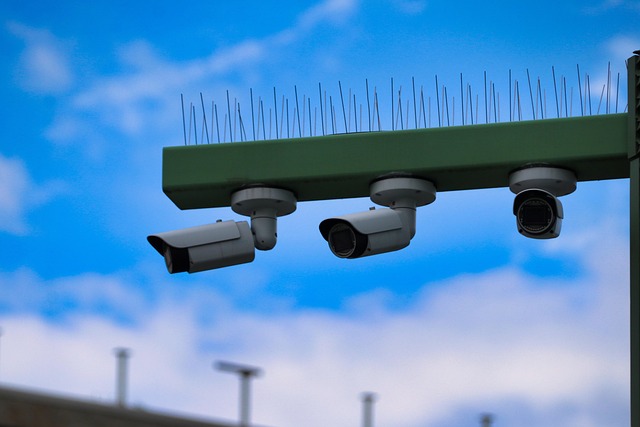
An operation is only as good as the eyes that guard it. Choose who responds when sirens blare: a staffed center or your smartphone with a smart home security system. This decision impacts expense, pace, and tranquility.
Professional Monitoring
If a sensor is triggered, the panel transmits a code to a UL-listed center in less than thirty seconds. Staff patrol the area, then call fire, police or EMS. Dual-path radios can hop on Verizon or AT&T cell bands if Wi-Fi goes down. The signal still hits the tower.
In L.A., where cops charge $170 after the third false run, firms like ADT or Brinks initially dispatch a guard. The sentry walks the grounds, looks through windows, and only dials LAPD if evidence of intrusion exists. Confirmed response eliminates false alarms and leaves cops available for actual crimes.
Monthly rates are $20 for everything. Some locals go as low as $10 if they forego guard patrol and take just plain old dispatch.
Self-Monitoring
$0 plans ping all the phones you list. Push note for front door, for slider, for smoke. Everyone watches the same clip simultaneously. as you
No monthly charge required. You’re the call center. If you silence notifications to catch a red-eye to New York and water floods your living room, nobody else calls 311. A three-day self-watch experiment reveals if your cams nab the mailman or blow him. After that, most everyone flips pro back on.
Guard-approved equipment keeps notifications on the straight and narrow. Purchase pet-safe motion sensors tuned to 80 lbs so the feline doesn’t rouse the neighbors. Glass-break mics need to be within 20 ft of panes.
Stucco walls bounce and reduce range. Replace inexpensive coin batteries each August prior to heat reducing them. Check sirens every month. Chirps at 2 a.m. Irritate neighbors more than burglars.
Beyond Burglary Protection
Today’s panels group break-in notifications with fire, CO, and drip sensors under a single monthly invoice. One smoke trip can send a signal to the monitoring center in under 30 seconds, cutting minutes off 911 response. Add-on leak probes nestle under your kitchen sink and laundry pan. When water comes in contact with the two metal tabs, your panel texts you and closes down the smart valve.
Almost every LA insurer discounts 5–10% on the annual premium when you provide evidence of comprehensive environmental insurance.
Environmental Threats
Combo smoke-and-heat heads wire directly into the same loop as door contacts, so one errant cook-burn sets off the siren, flashes lights, and pings your phone ahead of your nose. Install a $29 freeze disc next to the water-entry pipe in your crawlspace. If temps drop below 37 °F, the hub kills the smart thermostat and pings you to let the faucet drip.
Poke probes hidden behind guest-bath vanities snare slow leaks that lurk until the drywall blackens. Program the rule once. If the probe detects water, the panel shuts off the home’s main Z-Wave water valve and transmits an alert to the central station. You arrive home to a wet cabinet rather than a $7,000 flood claim.
Medical Alerts
Wearable panic buttons don’t resemble hospital tags anymore. The new key-fob style clips to a jeans loop or grandma’s watch band. One two-second press opens two-way voice to the monitoring center through the panel’s speaker.
Range hits 600 ft line-of-sight across most SoCal lots, so the call comes in even as she’s trimming roses near the alley. Users can pre-load blood type, meds, and allergy info into the Alarm.com portal. L.A. Fire paramedics see it immediately on their CAD screen during en route. Certain panels even text close relatives so they can outrun the ambulance by minutes.
Smart Home Control
Ring Alarm Pro lets you bolt smart locks, thermostats, and garage doors onto the same dashboard that arms the motion sensor. Build an “Away” scene: tap it once and deadbolts twist, thermostat drops to 68 °F, and cameras switch on.
Look for Apple HomeKit, Z-Wave, or Zigbee badges before you purchase new bulbs. Mixing protocols still functions but introduces hubs and delay. Geofencing, by comparison, leans on your phone’s GPS. Cross the one-mile radius leaving Echo Park and the system arms itself without another thought.
Navigating Privacy Concerns
Ring’s own app buries the encryption switch three menus deep, so most purchasers never toggle it. Turn it on and every clip is encrypted from the camera lens to your phone. Even Ring employees can’t hit “live view” and stare down your hallway.
To adjust this setting yourself, open the Ring app, tap the gear icon on each camera, select “Video Encryption,” then toggle “End-to-End” on. You’ll have to generate a passphrase. Jot it down and hide it in a drawer, since if you lose it, the footage remains encrypted for all eternity.
One LA couple nabbed their landlord popping in. When they posted the encrypted clip with a tenant board, the visits ceased and no one on the outside ever received the file.
If you’d prefer to sidestep Amazon servers, purchase the $59 Ring Edge micro-SD base. It plugs into the same energy outlet as your router and stores each motion clip on a card you can take with you. Setup takes ten minutes: pop the card in, scan the QR code in the Ring app, and pick “Local Storage.
Clips remain on the card, no upload except you press share. A 256 GB card stores approximately two months of 1080p video for each doorbell and when it fills up, files automatically roll off. Last year a Culver City freelancer swapped to local after news broke that police could ask Ring for cloud video without a warrant; she now hands officers the SD card only when she chooses.
Shared user lists sprout like ivy. Clean them once a month: open the Ring app, choose “Control Center,” then “Shared Users.” If you bump into an ex-roommate, an old dog walker, or a cleaning crew you haven’t hired since spring, left swipe and delete.
One click kicks them off every camera simultaneously. A 2022 survey found that 62% of smart-home owners worry that companies record their habits. Stale logins are the simplest hole to plug.
Use two-factor with an authenticator like Google Authenticator instead of SMS. SIM-swap attacks in California jumped 180% last year. Put recording hours on “away only” if you’re home at night.
These tiny gestures minimize your presence more than any slick privacy campaign ever can.
Conclusion
A solid alarm setup boils down to three quick moves: pick the signal path you trust, add the bits that fit your doors and habits, and lock in a watch plan you will actually pay for. People in LA quakeland add a $25 glass break sensor. People in steamy Tampa replace the $5 motion cam with a $40 pet-immune lens. Both skip the drama, tap the app, and receive alerts before the truck rolls. Get a quote this evening, install one sensor tomorrow, and rest better this weekend.
Frequently Asked Questions
Do I need a permit for a home alarm system in Los Angeles?
Yes. LAPD requires a $31/year alarm permit for any monitored home security system. Register online at the City Clerk’s site pre-activation to avoid a $150 penalty.
Which is better for L.A. renters, wired or wireless?
Wireless and renter-friendly, these peel-and-stick sensors are part of a complete home security system that leaves no holes, moves easily, and functions during random rolling blackouts with added battery backup.
Can quakes trigger false alarms?
Yes. Use flex-motion sensors as part of your complete home security system instead of rigid contacts, place panels on inner walls, and program a 60-second entry delay to avoid false alarms.
Is DIY monitoring enough, or should I pay a pro?
DIY security systems can save you $20–$40 a month on home security. With smart home integration, alerts can be quicker, making it worth it if you’re often on set in Burbank.
Will cameras invade my neighbor’s privacy?
Point lenses in the direction of windows, flip on privacy masks for the initial 10 ft outside your fence, and turn off sound recording to enhance your home security system. California is two-party consent.
How fast do these systems work with spotty Valley Wi-Fi?
Opt for cellular-primary panels in your home security system. Verizon and AT&T both reached 100 Mbps+ in the Valley, ensuring that the monitoring service detects break-ins before your stream buffers.