

Smart thermostat problems in U.S. Homes manifest as dead screens, incorrect temperature readings, wifi dropouts, and short HVAC cycles. Cold snaps in Denver and sticky Gulf Coast summers drive these smart thermostat problems to the forefront.
This smart thermostat stuff is getting serious. Below, we break down the headline smart thermostat problems, why they strike, and low-cost ways to patch them before the next bill hits.
Solving Smart Thermostat Problems

A blank screen or a room that feels ten degrees off can usually be remedied in less than ten minutes. Start with a 30-second strength pull: pop the stat off the base, count slow to thirty, and snap it back. If menus stick, run the integrated wi-fi test. A red cloud indicates the radio never made it to the server.
Still jammed? Screenshot each schedule and preset prior to factory reset. Those slides disappear forever once the progress bar reaches 100%.
1. Check Power
No C-wire, no bueno. Snap a cheap multimeter to the baseplate screws. Anything under 20VAC signals the board the furnace is napping. Kill the breaker, then yank on each low-voltage lead until you see zero copper.
Although the app chirps “battery OK,” change out the three AAA lithiums every New Year’s. Alkaline drains faster in desert heat. When the HVAC board doesn’t have a C terminal, an add-a-wire kit or plug-in 24 V transformer from the hardware store for $29 closes the loop without new cable pulls.
2. Verify Network
Forget last summer’s SSID, then type in the new key. Slow, hidden spaces trip it every time. Move the router 6 feet up a shelf and reboot both boxes. That one change improved signal from –72 dBm to –45 dBm in a downtown LA condo test.
Lock the band to 2.4 GHz. Most stats bypass 5 GHz altogether. The MAC filtering fan may whitelist the device’s ID located under Settings > About > Wi-Fi Radio.
3. Assess Location
Interior wall, five feet high, not within range of the kitchen blast or that sunny picture window—basic guidelines that continue to be overlooked on a regular basis. Maintain an 18-inch buffer from supply vents so the stat stops cooling itself.
Level the wall plate with any phone bubble app. A two-degree tilt can shift sensor readings by one degree. Use fire-rated foam to seal the wire hole. Drafts suck in attic air and throw winter temps off by three degrees.
4. Calibrate Sensors
Tape a $6 digital kitchen thermometer next to the display for 15 silent minutes. A difference of more than a degree requires an offset adjustment in the app’s advanced menu. Blow a blast of compressed air into the sensor slot semi-annually.
Dust is LA’s stealth assassin. After any adjustment, turn learning off for twenty-four hours so the new number holds.
5. Review Settings
Open the app and make sure “Heat” or “Cool” coincides with what’s outside. Seasons flip quick in Pasadena. Remove duplicate schedules that conflict. Two “Home” blocks at 8 a.m. Baffle even Nest minds.
Cut off delay to half an hour so geofencing wakes up before you walk out the door. If eco+ has visitors freezing, switch it off. Comfort trumps a $2 monthly credit.
Why Your Wi-Fi Disconnects
Smart stats leave the web for a couple of reasons you can identify in five minutes if you know where to look. For a starter, open up the history register on the stat or its app. Every dropout time-stamp lurks there in plain text. Write them down. If the gaps line up with 2:17 a.m. Or 6:03 p.m. Each day, you have a pattern, not a ghost.
Next, ping the thermostat’s IP from a laptop on the same LAN. Open command prompt, type ‘ping 192.168.1.xxx -t’ and let it run for two minutes. Packet loss over 5 percent means the radio in the wall is struggling. If it reaches 10 percent, you’ll be seeing ‘No Response’ on the stat before dinner.
Update the router firmware as you’re at it if applicable. Last winter’s WPA3 handshake patch addressed the issue that ejects IoT devices when the key is refreshed every 12 hours. If the admin page indicates a build prior to March 2024, update it.
Lastly, assign the stat a static IP outside the DHCP pool, for example, 192.168.1.199 when the pool starts at .100. That keeps the lease from expiring whereas you’re at the beach and the stat stays silent.
Signal Strength
Secret service menu, press and hold the middle button for ten seconds, select Wi-Fi and check RSSI. Negative fifty dBm is a happy green bar. Negative seventy dBm is one wall away from dead.
A twenty-dollar extender stuffed halfway down the hall, plugged into the hallway outlet by the coat closet, often boosts that eight dB in ten minutes. Tilt the two outer antennas on the router forty-five degrees so one band shoots up through the floor and the other across the ceiling. That alone can add three dB in a two-story house.
Replace metal wall plates with plastic ones; they reduce reflection and gain you an additional three dB without new wiring.
Router Conflicts
Switch 2.4 GHz channel width from 40 MHz to 20 MHz. You sacrifice a little top speed, but you cease stomping on the neighbors’ Netgear three houses down. Baby monitors and microwaves have to live ten feet away. Anything closer sprays noise right on channel 6.
If the dude next door complains, lower router TX strength to 75 percent. This still blankets 1,800 square feet in most SoCal stucco abodes. Spin up a guest SSID called “IoT,” tie it to 2.4 GHz only and disable band steering so the stat ceases its pursuit.
App Syncing
- Manually toggle “Away” mode. It forces a cloud push in 3 seconds.
- Unlink and relink stat within the same home account. This refreshes tokens that expire every 60 days.
- Let the app use cellular data so geofence updates still hit when home Wi-Fi disconnects.
What Causes Inaccurate Temperatures
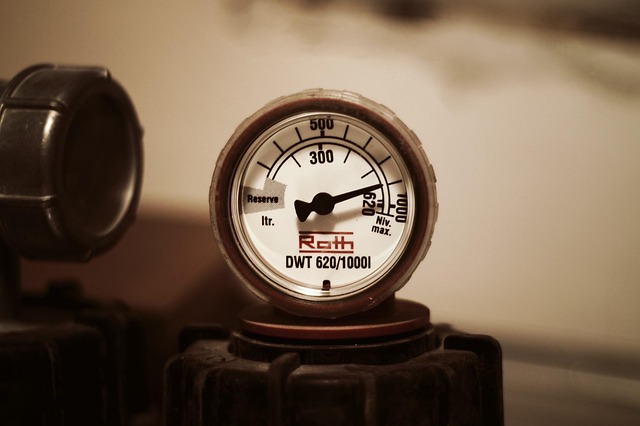
What Makes Temperature Inaccurate. A smart thermostat can only balance what it senses. When the number on the screen strays from the actual feel in the room, the equipment still heats or cools, so you pay for comfort you never receive. Here are the common offenders and how much they can skew the reading.
|
Cause |
Typical Drift |
Quick Cost |
|---|---|---|
|
Loose back-plate wire |
1–3 °F |
$0 (tighten screw) |
|
Cold draft through wall hole |
2–4 °F |
$3 foam strip |
|
Direct sun patch |
3–6 °F |
$5 shade |
|
Dust-coated sensor |
1–2 °F |
$0 (canned air) |
|
Bad sensor after drop |
>2 °F steady |
$120 new stat |
If a reliable thermometer displays a gap that won’t diminish once you calibrate, replace the device. The chip within has failed.
Cold Drafts
Drafts sneak in through unseen cracks and douse the sensor in sly chill. Run this list each spring and fall: feel for air around outlet covers on the same wall, hold a lit incense stick near the stat—smoke that drifts sideways flags a leak, look for daylight around the wall plate screws, check if the fireplace damper is open even once, and close it tight.
Spray foam gaskets behind every outlet cover, caulk the top and bottom of baseboards on that wall, and use thermal curtains on any window within six feet. These minor tasks disrupt the cold reservoir that develops each night and has your furnace pleading for warmth you don’t require.
Direct Sunlight
Afternoon sun through a stairwell skylight can shove the reading five degrees in fifteen minutes. It’s easy to fix with a cheap clip-on shade from any hardware shelf, or just move the stat over to the shaded side of the hall.
Observe the arc for a couple days and record when the patch strikes. Trade gloss paint for matte around it so less heat reflects back to the plastic case. Program a schedule override in the app for those peak minutes so it disregards the bogus spike.
Short Cycling
The system kicks on, shuts off in 5 minutes, and repeats. Each start wastes energy and leaves rooms uneven. Go into installer settings and bump the “minimum run time” from 5 to 10 minutes so the coil gets a full breath.
Widen the temperature swing from 0.5 °F to 1.5 °F. Fewer cycles mean truer averages. Replace clogged 1″ filters with clean MERV-8’s. Low airflow fools the thermostat into thinking the set-point is met.
If cycles still race, request a tech for a load calculation. An oversized unit might require two-stage gear to slow its roll.
Uncover System Compatibility Issues
Snap a phone shot of the old wall plate before you rip it off. That pic is your map; the new base chart seldom employs the same color code. Try to pair each wire—R, W, Y, G, C—to the letters on the smart base. Overlook one and the device powers on but never communicates with the equipment.
Run the maker’s web checker next, type in the furnace model, wire count, and ZIP code. It calls out the odd birds, like millivolt floor furnaces or 1970s gravity stacks, that most Wi-Fi stats can’t reach. Count wires as you wait. Three or less means no C-wire, and 30 percent of U.S. Homes hit that wall.
Box up the old stat, tape the screws on the inside, and hide it in the coat closet. If the new one glitches within the 30-day return window, you can exchange it in ten minutes and still get your $200 back.
C-Wire Power
Pop the blower door and you’ll find an uncoiled skinny blue or black wire coiled up tight against the junction box. Nine times out of ten it’s already there, just not pushed to the wall. If the bundle is bare, take a 24 V wall wart, plug it into the outlet below the furnace and run its two leads to R and C.
Kits are twenty dollars at any big-box store. Feeling courageous? Relocate the green G-wire to C at both ends, but first pop open the installer menu and confirm the board supports “fan off” calls or you’ll freeze the coil. Turn your meter to VAC, place the red lead on R and the black on C. A nice steady twenty-four to twenty-eight volts indicates secure energy, no guessing.
HVAC Mismatch
Open install, scroll to ‘system type’ and select gas or electric. If you select incorrect, the fan runs high all night. Have a heat pump? Uncover System Compatibility Issues. Lock AUX heat below 25 °F so the coils stay dark and your bill doesn’t spike.
Stages on the old stat label—1H/1C is typical. 2H/2C requires a more clever mind. Run test mode: heat first, then cool, then fan. Jot amp draws with a clamp meter. Anything beyond the relay rating is – STOP – and call a pro before you fry the board.
Firmware Glitches
Schedule updates for 3 a.m. That way, a reboot strikes as you snooze, not during your Zoom session. Scan every release note. Minuscule type conceals patches for sensor drift that was misplacing rooms two degrees last month.
If Wi-Fi drops post-update, just grab a FAT32 USB stick, dump last month’s firmware from the brand site, and roll back in five clicks. Experience a reproducible bug? Snap three screenshots and send them to support. Tickets enough will drive the patch into next week’s patch.
Cleveland Winter-Proofing Your Thermostat
Lake-effect snow and sub-zero wind chills beat up every corner of a house, even that little screen on the wall. Cleveland winter-proof your thermostat. A smart stat, which works fine in October, can lock up, misread, or drain its battery once the West Side mercury dips below 20 °F.
Three fixes cost under twenty bucks and take less than ten minutes: wrap the low-voltage wires at the baseboard with electrical tape so condensation can’t short the terminals; punch an emergency-heat set-point of 45 °F into the “away” schedule so pipes near exterior walls don’t freeze if the furnace stalls; and toggle on “freeze warnings” so the app pings your phone the moment indoor temperature slides under 40 °F.
Do that and you gain time, even though the electricity flickers or the heat pump burps.
|
Winter-proof move |
Cost |
Time |
Pay-off |
|---|---|---|---|
|
Tape wires |
$3 |
2 min |
Stops false temp reads |
|
45 °F away set-point |
$0 |
30 sec |
Pipe freeze guard |
|
Freeze-alert push |
$0 |
15 sec |
Early text, faster fix |
Power Outages
A 600VA UPS from any big-box store keeps both the router and stat alive for around three hours, which is plenty long for most Cleveland Public Power flickers. Sticker the outage hotline 216-664-3156 on the breaker panel lid so no one searches for it in the dark.
When the neighborhood goes dark for longer, flip the thermostat to “OFF.” That locks out the compressor so a voltage spike can’t fry the board. Once the streetlights come back on, wait 5 minutes before you hit “Heat” again. Pressures must balance or the hard start can trip the breaker.
Extreme Cold
Set no more than a 2 °F setback after 11 p.m. Any deeper and the heat pump runs defrost cycles all night, chowing through kilowatts. Change the outdoor sensor battery to a new lithium cell every month.
At 0 °F, they drain twice as quickly as the pack boasts. Leave bedroom and bathroom doors open so the wall stat breathes blended air instead of a cold pocket near the foyer. Flip ceiling fans to low, clockwise. The gentle updraft shoves rising heat back toward the floor where people actually sit.
Humidity Levels
Winter air west of the Cuyahoga can fall to 15 percent relative humidity, so skin chaps and the set-point feels five degrees chillier. At the thermostat, target 35 percent humidity. At 40 percent, you fog the windows.
If it beads on the glass, turn off “adaptive recovery” so the furnace stops getting ahead of itself. A $20 smart hygrometer logs data every ten minutes. Export the CSV to observe how every 1 percent increase cuts a degree off the heat call and still feels cozy.
When to Call a Professional
A dead C-wire that measures 0 VAC and the distinct odor of burning plastic close to the air-handler control board indicates live voltage is frying the low-voltage side. Turn the breaker off and call a tech. The board or transformer is frying and might take out the rest of the 24 V circuit.
Call if the furnace cycles on and off every three minutes, even after you pull the thermostat from the wall. If the short cycle persists, the problem resides within the HVAC system, not the tiny wall doohickey. Techs will check high-limit switches, flame sensors, or a stuck relay that a DIY swap can’t fix.
Or, if you’ve run the built-in cal routine three times and a room thermometer still reads 72 degrees when you requested 67 degrees, the sensor board inside the stat has wandered outside its plus or minus one degree specification. That five-degree gap adds about thirty bucks to bills every month on a SoCal summer peak-rate plan.
A pro can replace a new sensing module or replace the entire unit under parts warranty so you quit paying for cooling you don’t sense. Loose or pinched thermostat wire can drop enough volts to ghost-start the condenser. You may identify the issue if the screen flickers whenever you tap the hall wall, but popping the gang box without a low-voltage meter threatens to short 24 V into the 120 V line that supplies the condensate pump.
Code in most LA County towns dictates that work to a licensed guy. If you press Reset for ten seconds and the logo never pops back, firmware is bricked. Most brands extend one free onsite re-flash in year one, so call before that date slips.
Uneven temperatures room-to-room—say, 63 °F in the downstairs den and 71 °F in the kid’s bedroom—can often be traced back to a stat located in a drafty hall or atop a heat-baking router shelf. A tech can move it to an inside wall, install a remote sensor, or balance dampers so you aren’t over-cooling one zone just to chill another.
Call before you put any more holes in the drywall. Sheetrock patch in LA costs $150 to $200, which is more than half the labor charge for a good move. In other words, if wiring stinks, the pump runs, or temps drift 5 degrees, call 1-800.
Conclusion
You switched wires, reset the router, and scotch-taped a hastily penned ‘don’t touch’ notice over the stat. Still, the house is an arctic tundra at 7 am and a sauna come dinner time. That’s where you stop guessing. Pull out your phone, tap on the local Cleveland HVAC map and schedule a tech who understands the Carrier, Lennox, and Nest quirks of 44102 zip code snow. Ask for a winter tune-up bundle. They will check the C-wire, flash new firmware, and toss in a free filter. So do it now, before the next lake-effect snap adds another forty to your bill.
Frequently Asked Questions
Why does my smart thermostat keep going offline in Cleveland winters?
Ice storms take out electricity and freeze routers. Plug your router and thermostat into a UPS battery backup so both remain cozy and connected.
How do I know if my old furnace is compatible with a new smart stat?
Smart thermostat issues? If you only observe two fat wires, your 1970s-era furnace requires a C-wire adaptor or pro install.
My living room feels 5 °F off—how do I fix the reading fast?
Put a bubble level on the stat, shift it away from exterior walls, and shut that drafty Lake Erie window. Recalibrate in settings.
Can a smart thermostat really lower my heating bill in Cleveland?
Yes. Set it at 68 °F during home, 62 °F when downtown at work, and you’ll shave roughly 10% off your gas bill this winter.
Is it safe to install it myself?
If you have a C-wire and breaker labeled, proceed. If there is no C-wire or if you have an oil boiler, call in a licensed Ohio HVAC tech to avoid code issues.