

A smart home connects lights, locks, thermostats, and beyond to a single phone app or voice speaker. You can tap, speak, or schedule and it’s done.
In LA, where summer highs ring in at 95 °F and TOU rates range from 19¢ to 54¢ per kilowatt-hour, a smart thermostat by itself can reduce $150 from an annual bill.
Local rebates via LADWP will take $75 off a bunch of starter hubs.
What Is A Smart Home?
A smart home is one where lights, locks, thermostats, plugs, and more talk to the internet and to each other. From one phone app, owners run the show, although they’re stuck in 405 traffic or jetting off to NY for the week. Early gear just flipped a lamp on at dusk.
Today’s gear figures out when you leave, dims the hall so the dog can see, and texts you if the garage stays open past ten.
- Smart bulbs that transition from cool white to warm amber.
- Video doorbells that store clips free for 30 days.
- Water-leak pods that close the main valve before the basement floods.
- Smart blinds that rise with the sun and fall when the lounge room reaches 78 °F.
- Voice-controlled microwaves that warm your coffee as you’re lacing up your sneakers.
It saves minutes every morning, takes up to ten percent off the energy bill, and allows one pane of glass to protect every lock and camera.
1. Automation
Set the porch light to glow at 7:30 p.m. Pacific, instruct the smart plug to kill the TV standby at 1 a.m., and drop the thermostat to 66 °F as soon as your phone hits the nightstand. One Alexa routine can lock three doors, arm the Ring base, and switch the Hue strip to red so you know it worked.
Movement along the eaves rouses the floodlight cam, records a 30-second snippet, and dumps it in your iCloud before the coyote gets out of the yard. Out back, a $59 orbit valve probes soil moisture and irrigates the fescue only when the probe reads dry, preserving some 6,000 gallons a year in L.A. County.
2. Connectivity
Select a hub like SmartThings or Echo that accommodates Zigbee, Thread, and 2.4 GHz Wi-Fi to ensure that all smart home devices, including bulbs, shades, and leak pods, respond to the same system. Position the router near the smart living room hub for optimal connectivity. Additionally, place an Eero node in the backyard to guarantee that the outdoor security cameras maintain a strong signal.
Transfer each connected device to a guest SSID with its own password to enhance security. This way, if a low-cost plug is compromised, your work laptop remains protected. Clearly label each MAC address in straightforward terms, like ‘Kitchen Sonos’ and ‘Front Yale Lock,’ for quick reboots.
3. Control
Say ‘Hola Google, bedtime’ and see ten devices spring to life at once. A Nest Hub on the counter displays who rang as you dicing onions. Tap once to let the FedEx guy drop that box inside.
From your office in Burbank, swipe left to lock the side door or see if the cat’s on the sofa again. Place a $19 Flic button near the door. One click sets “Goodbye,” powers off all outlets, switches the Ecobee to away, and secures the SimpliSafe.
4. Efficiency
A learning thermostat observes when you’re present and reduces HVAC run time. Most LADWP users experience an $8 to $12 reduction every month. Replace each 60 W incandescent with a dimmable smart bulb and dim empty rooms to 40 percent brightness, which saves approximately $25 per bulb per year.
Smart plugs snip phantom loads from game consoles and coffee makers. Check out last week’s bar chart in the app and pull the plug on the worst vampire.
Smart Home Systems
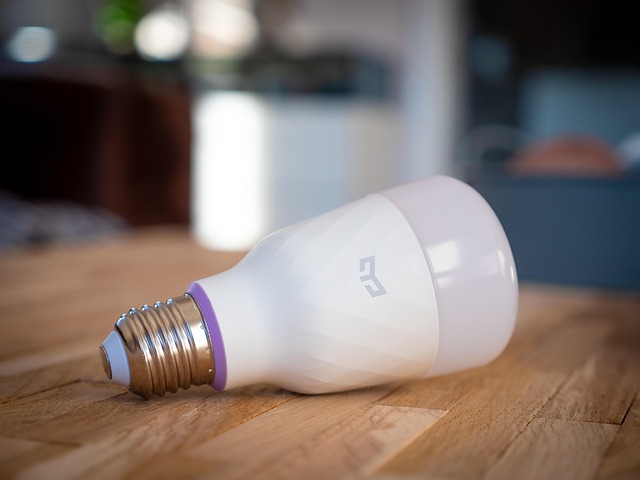
Wireless kits dominate smart home upgrades in the US, allowing both renters and homeowners to easily install smart home devices like sensors on walls for a functional setup in just ten minutes. For new construction, hardwired builds remain preferable, while hybrid systems combine a cable spine for heavy-duty devices with radio nodes for fun extras, enhancing the overall home automation system.
|
Setup Type |
Install Speed |
Reliability |
Best For |
|---|---|---|---|
|
Wireless |
15 min/room |
Good |
Rentals, quick adds |
|
Hardwired |
2 days/room |
Excellent |
New builds, heavy AV |
|
Hybrid |
1 hr/room |
Very good |
Mixed-age homes |
Wireless
Choose a hub that communicates in both Zigbee and Z-Wave, such as SmartThings V3 or Hubitat Elevation, so you’re not locked into one manufacturer. Screw the tiny door-window sensor to the frame, not the trim, so winter shrinkage doesn’t nudge it offline. Before you remove the adhesive, tour with your phone’s Wi-Fi analyzer.
If any bars drop below -70 dBm, throw in a $25 plug-in repeater in the hallway. Motion sensors devour AA cells at lightning speed in cold garages. Put a phone reminder on your calendar once a year and keep a four pack in the junk drawer.
Voice control operates here as well. Utter “Alexa, bedtime” and each Hue bulb dims without a wire.
Hardwired
Run two Cat-6 drops to each room, one behind the TV and one by the bed. Future buyers will want hard ports as much as they want outlets. In a kitchen remodel, replace boring switches with Lutron Caseta dimmers that ride the same 120 V line and never need a battery change.
Land all thermostat, sprinkler, and panel wires in the utility closet on a Qolsys or Elk M1 gold board so one keypad arms the entire house. Snap in a whole-house surge protector adjacent to the main breaker. A 200-amp model runs about $250 and prevents lightning from torpedoing your $2 k smart panel.
AI picks up the wire-firm data first, so the thermostat already knows you’re home when you flip the doorknob.
Hybrid
Wire the smoke-co listener and smart water valve to the panel for code compliance, then place wireless Hue bulbs in the lamps for color Friday movies. The UPS on the hub keeps Zigbee motion sensors alive when the grid drops.
You’ll still get phone alerts notwithstanding the neighborhood is dark. One app — Apple Home, Hubitat, or Home Assistant — tiles hardwired cameras and a wireless puppy cam on the same screen. The scrubbing timeline is the same regardless of how the bits flow.
When Matter 2.0 gadgets arrive next year, just scan the code and extend the room — no new wire, no drywall dust. Energy reports merge too. The hardwired thermostat and the smart plug share data so the AI trims both heat and humidifier run time, shaving about 8% off the electric bill.
Portland-Proof Your Home
Portland’s weather shifts from rainy winters to 90 °F heat, along with wildfire smoke that slides down the Columbia Gorge and pollen that covers cars every spring. Homeowners can Portland-Proof their houses with smart home devices designed for these quirks, ensuring a dry, cool, and breathable environment while optimizing energy use.
Winter Rains
Slap a $19 leak puck under the water heater pan and another behind the washer. Both ping your phone if rain runoff sneaks in or a hose splits.
Pair smart plugs with roof heat tape so they toggle when the forecast hits 32 degrees Fahrenheit, nipping ice dams that bleed into attic beams. A $25 Zigbee humidity sensor in the crawl space talks to the bath-fan relay.
Once it tops 65 percent, the fan kicks on until the number drops, cutting mold risk in 1920s Alberta bungalows. Set a “storm” scene in the Hue app. If the outdoor lux sensor drops below 200 at 4 p.m., foyer and kitchen lights fade on at 40 percent so it looks like you’re home even as you’re still downtown at Powell’s.
Summer Heat
At 11:30 a.m. Every June–August weekday, the living-room blind motor tilts slats horizontal, bouncing sun off cedar siding so a Nest doesn’t have to fight 8 °F of extra load.
A Rachio zone associated with a soil stake irrigates the roses at 5 AM and evaporation is down 30% compared to runs at noon. A motion puck on the stair landing flips to “away” after 20 minutes of stillness.
The Ecobee setpoint jumps from 72 °F to 76 °F, shaving 12 kWh on peak PGE hours. During the night, an attic bedroom, a smart tower fan kicks on only if the sensor taped to the skylight reaches 72 °F, forcing hot air out before slumber.
Wildfire Smoke
Wire your Coway to AirNow’s API: when PM2.5 tops 100 AQI, the purifier auto-shifts to turbo so kids can still play Mario in the den without tasting campfire.
Flair smart vents slam closed on the same signal, preventing hallway air from back-drafting through the basement return. An indoor Wyze cam streams to the Echo Show 8.
Peek at the feed before you open the front door for the cat. If First Alert detects CO or smoke, push alerts pummel every phone and the Apple Watch you snagged for the trek to the MAX platform.
Allergy Season
The thermostat queries Oregon Allergy Associates’ feed. On 9 cedar-pollen days, it switches the fan to “on” and loads an MERV-13 filter, slashing bedroom particles by 40%.
Window sensors lock at 6 a.m. If the grass pollen index hits 8 gr/m³, rescuing you from that throat scratch. A quiet-mode Levoit in the kid’s room hums at 24 dB after 10 p.m. Then ramps up at 6 a.m. When pollen rears its head again.
Record daily sneeze ratings to the HomeKit journal. After a year, you’ll know which automations really trim Benadryl bills.
Smart Home Energy Savings

Smart tech, such as smart home devices, can cut a typical US home’s electric bill by 5 to 15 percent annually, translating to $120 to $350 back in your pocket while reducing CO₂ emissions by roughly one ton. Local rebates enhance the appeal, with most states offering up to $100 for an approved Wi-Fi thermostat and many co-ops providing $25 for smart home products like bulbs or plugs.
Smart Thermostats
Trade out the ancient wall dial for an ENERGY STAR version and most families pocket $50 on heating and cooling just like that. Let it precool to 74 °F at 2 pm when California’s TOU rate is 18 ¢ per kWh, then coast through the 6 pm peak at 45 ¢, all without you lifting a finger.
Add a $29 remote sensor to keep the guest room at 60 °F until visitors actually arrive. The app emails you a monthly graph demonstrating that you saved 1.8 kWh per day. Real-world data from Sacramento shows combined savings of 8 to 15 percent, right in line with the 12.78 percent carbon-cut study.
Smart Lighting
Swap each 60 W incandescent for a 9 W smart LED and you bank about seven dollars per bulb annually. LEDs use 75 percent less energy.
A nine p.m. Automation that dims the entire house to 70 percent saves another 4 percent without feeling gloomy. Motion sensors in the hallway closet cause the light to turn on for ten seconds as you grab a towel, then turn off—no switch required.
Going out of town, tap “Vacation” and the bulbs randomly cycle so it looks lived-in but uses only 0.6 kWh for the week.
Smart Plugs
Plug the TV, soundbar, and Xbox into a smart strip and set it to kill electricity at 11:30 p.m. Standby waste drops from 18 W to zero overnight. Schedule the coffee maker to shut off at 8:05 a.m., right after you leave for work, saving roughly 11 kWh per month.
Open the plug’s kWh graph and you’ll see your garage fridge guzzling 3.2 kWh a day. Replace it with a new one and the plug pays for itself in half a year. Group living-room plugs under a single moniker.
Say “Alexa, kill living room plugs” as you turn in at night and phantom load goes poof in two seconds.
Energy Monitoring
Clip a $199 whole-home monitor to the breaker panel and live wattage appears on your phone. Users’ bills drop 5 to 22 percent. Make it 30 kWh per day.
Any higher and you’ll be flagging a stuck heat strip or pool pump long before it spikes your bill. Export a CSV every month. Some Midwest utilities tack on an additional $50 rebate when you provide them evidence of a 10 percent year-over-year decline.
Privacy In Your Smart Home
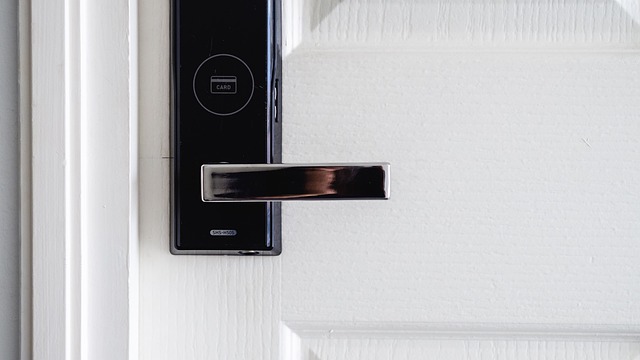
Every smart home device, whether it’s a bulb, speaker, or thermostat, that connects to the wifi can inadvertently spill data on default settings. For instance, indoor home security cameras have shipped feeds to overseas servers, while smart doorbells have shared motion logs with police departments—often without a prominent heads-up to the homeowner. Closing these security gaps begins with tiny, consistent behaviors.
- Enable end-to-end encryption on every camera and doorbell.
- Put each IoT device on its own guest VLAN, and disable UPnP.
- Exchange default router and device passwords for 16 character strings.
- Read the privacy note that ships with firmware updates.
- Review the smart home device list on your router weekly.
Data Encryption
End-to-end encryption scrambles the video doorbell feed all the way from the lens to the phone. Most brands bury the toggle in ‘advanced’ or ‘storage’ menus. Turn it on before you mount the unit.
Choose a hub that specifies AES-256 in its spec sheet. Eero Pro 6E, Hubitat, and Apple TV 4K all do so communication between sensors is secure even though your internet goes out. Cloud clips seem convenient until you remember a data-center breach can flood the internet with months of footage.
If the camera accepts a micro-SD card, disable cloud upload and let the card loop every 48 hours. Firmware two months old can ship with broken cipher keys. Patch the same week the alert pops up, not when the weekend is free.
Secure Passwords
Giving each app a 16-character phrase like ‘taco!Rain7Clover#gate’ keeps credential-stuffing bots guessing. Save the list in Bitwarden or 1Password so you’re not tempted to recycle “Riley2020.
Having two-factor codes sent back to the same phone seems weird, but it still blocks 99% of drive-by log-ins. Activate it in Nest, Ring, SmartThings, and on your router’s admin page. Defaults like “admin” or “root” are at the top of every bad actor’s cheat sheet.
during the device is still in the box. Mark your calendar every six months. When a breach makes the headlines, change sooner.
Network Security
Segregate all smart plugs and bulbs on a guest VLAN. The setting is present in most $90 Asus or Netgear routers as “IoT network.” One click means a hacked light switch sees no laptops or NAS drives.
Disable UPnP. Otherwise, the thermostat opens port 32100 all by itself and neglects to close it. Auto-update the router and hub so you don’t miss the April patch that fixed a WPA3 hole.
Once a week, open the attached-device list. If you see a mystery MAC like “b4:2e:99:08:12:ab,” pause it and change the Wi-Fi password. For additional armor, route DNS via Cloudflare’s 1.1.1.1 with DoH enabled. Queries remain encrypted so the ISP cannot sell the list of every sweet bulb you ping at 2am.
The Cost Of A Smart Home
Smart home price tags vary widely, ranging from ‘one fun splurge’ to ‘small renovation.’ Most U.S. shoppers begin their journey into smart living rooms by starting small and gradually adding smart home devices room by room. Here’s a transparent view of the costs at each level, what you can expect, and where the money goes.
-
Entry DIY kit, $250–$1,500. Get a $70 Echo Dot, two $15 Wyze bulbs, a $25 smart plug and a $99 Nest Thermostat. Total is about $225 before tax. Toss in a $199 video doorbell and a $30 motion sensor and you’re still under $500. Renters love this route since nothing is hard-wired; everything leaves in a box on lease day.
-
Mid-range DIY setup, $800–$1,200. Replace all locks with $130 Yale or Schlage devices. For three doors, this equals $390. Swap out six ceiling fixtures with $35 Philips Hue bulbs, which totals $210. Add a $130 Echo Show 8 as the primary speaker. A $199 robot vacuum here, a $99 garage-door opener there, and you’re pushing the cart to around $1,050. No sheetrock cuts, no permit, but the house feels “smart” the minute you say, “Alexa, good night.
-
Premium DIY whole-home, $2,500 to $7,000. You pursue complete lighting scenes so 30 Zigbee switches at $45 each consume $1,350. A Unifi Wi-Fi 6 mesh trio tacks on $400. Smart blinds cost $200 a window, so eight windows and you’re $1,600 in. A DIY security stack—Hubitat hub ($150), eight door sensors ($20 each), four cameras ($80 each), and a year of cloud storage ($100)—lands near $750. You mount and code it yourself on Saturdays.
-
Branded-installed midrange package, $2,000–$6,000. Vivint, ADT, or a local dealer quote a leased panel, six door sensors, two cameras, a smart deadbolt, and a thermostat. Install labor is ‘free’ but bundled into a 42-month service plan at $60 a month. You cease writing checks if you move, or you can purchase the equipment outright for around $4,200.
-
Premium hard-wired install, $5,000–$18,000+. Crestron brain runs close to a grand. Cat-6 runs to every room add $2,000–$4,000. In-wall touch screens cost $900 each and surround the kitchen, master bed, and hallway. Smart dimmers spike to $180 a switch. Forty of those set you back a whopping $7,200. A wi-fi Sub-Zero fridge starts at $9,000. Add labor at $100 an hour for three days and the invoice crosses $18,000 without a blink.
Hidden expenses can surprise homeowners as well. For instance, rewiring a 1950’s Los Angeles bungalow for neutral wires costs around $3,500. A fully automated kitchen featuring smart appliances like a voice-activated exhaust, smart oven, fridge, and faucet can exceed $25,000. Fortunately, rebates can help ease the financial burden.
LADWP offers $125 back on a qualified smart thermostat, while State Farm provides a 10 percent discount on home insurance for those with monitored water-leak sensors. Additionally, pairing time-of-use rates with smart home automation systems for EV charging can save homeowners $300 annually. Most owners can recover 10 to 30 percent of their upfront costs within three years through reduced energy bills and rate discounts.
Conclusion
Smart home just means a house that listens and helps. You choose one device, such as an inexpensive smart plug or a $29 leak sensor, and the trail becomes simple. Portland’s soggy winters, steep energy rates and tech-savvy shops combine to make the city a cool place to give things a spin. Begin small, lock the wi-fi, and witness the bill drop. If it feels weird, pull the plug—nothing lost.
Ready? Snag one of the above, install it tonight and test out life with an extra hand.
Frequently Asked Questions
Do smart homes work during Portland’s ice-storm outages?
Yes, choose smart home devices with battery backup or local control. A UPS on your router keeps Wi-Fi alive for hours.
Will a smart thermostat really cut my PGE bill?
Anticipate 8 to 12 percent savings in a typical Portland winter with smart home devices. Program your smart thermostat for 68 degrees Fahrenheit at home and 60 degrees Fahrenheit at night, allowing the algorithms to learn.
Are smart locks safe against Portland’s damp winters?
We’re hoping to see IP65-rated keypads and silicone covers for smart home devices. Wipe every half year to prevent moss from clogging the buttons.
Can I add smart gadgets to a 1920s Irvington house?
Definitely. Employ retrofit switches, wireless sensors, and smart home devices like Thread or Z-Wave mesh for seamless home automation, avoiding prying open lath and plaster walls.
Who sees my camera footage in Oregon?
Prefer brands that store clips locally or provide end-to-end cloud encryption for smart home devices. Oregon is two-party consent for audio recording, so turn it off or post a sign.