

The simplest of home network security measures involves locking down your Wi-Fi gear and smart gadgets so hackers stay out of your business.
In the vast majority of US apartments and houses, the ISP-provided router comes with the same admin password for every customer, and neighbors can spy on shared drives in moments.
The next few chapters guide you through fast fixes that require less than ten minutes each and halt ninety percent of break-ins in their tracks.
Common Colorado Cyber-Risks

Front-range IP blocks experience continuous botnet sweeps. Inexpensive scripts guess ‘admin123’ on Comcast routers in Boulder condos and Loveland cabins alike. Once inside, crooks turn to game consoles, smart fridges, and work laptops.
The five local headaches:
-
Default credential bots – strike 10,000 Colorado IPs each night and record hits in plaintext.
-
Ski-country rental wi-fi – Visitors punch banking passcodes on the same routers the landlord last touched in.
-
Xcel smart-meter links – Old firmware allows attackers to hop to home Wi-Fi.
-
Mining-rig trojans – commandeering idle GPU cycles in Aurora basement gaming rigs.
-
Fake “CDOT” hotspots – pop up around I-25 rest stops and serve malware PDFs.
Botnets target the 24.x and 75.x ranges CenturyLink assigns Denver to Grand Junction. They rap on TCP 554, 2323, and 9000 hunting for Hikvision cams still configured as “12345.” One infected doorbell can add the house to a rental list sold on Telegram for $3 access.
|
Threat |
Level |
Doorway |
Quick Fix |
|---|---|---|---|
|
Default bots |
High |
WAN port |
Change password, close port 2323 |
|
Rental Wi-Fi |
Med |
Guest SSID |
Separate VLAN, yearly firmware |
|
Smart meter |
Med |
ZigBee bridge |
Ask utility for 2023 patch |
|
Mining trojan |
Low |
8333/8444 |
Block outbound 8333 at router |
|
Fake hotspot |
High |
Free Wi-Fi |
Verify SSID spelling, use VPN |
Unsecured Devices
Your new Ecobee comes with “ecobee123” as the secret root password. Fort Collins, a scanner located 1,400 feet away, can be used in a single weekend. Change the password, disable UPnP, and sticky note all your devices in the utility closet.
If the gizmo can’t update, ditch it on the guest network labeled “IoT-quarantine.” This way, the thermostat can’t communicate with the primary laptop that stores your tax returns.
Weak Passwords
‘Mountains-Sun-14ers!’ trumps ‘guest123’ any day. Four Colorado nouns, add in a symbol, 14 characters. Save the string in Bitwarden or 1Password, browsers leak.
WPA3-Personal is on the majority of Netgear boxes now. If the option is grayed, go with WPA2-AES at minimum. Put a phone reminder to HG on Groundhog Day and exchange keys after pals fly back from that Breckenridge weekend.
Outdated Routers
Turn on the web browser to 192.168.0.1. If your firmware stamp says “2022,” flash it tonight. Asus and Netgear force auto-update; enable it.
If the vendor page says “end of life,” spend 90 bucks on a new unit rather than taking your chances. Once updated, select a new admin password and turn WPA3 back on as the digital door is double-bolted.
Public Wi-Fi Dangers
DenverAirport_Free” seems authentic, but the actual SSID is “DEN-Free-WiFi.” Have the barista spell it for you before you sign up.
Turn on a VPN, such as WireGuard in the Nord or Mullvad app, then toggle off auto-join and AirDrop. Once you’re back on I-70, remove the network so the phone doesn’t silently connect again at a phony repeater in Silverthorne.
Your Denver Home’s Digital Front Door
Every bit that escapes your Capitol Hill condo or your Highlands bungalow travels through your router, making home network security essential. Address it like the deadbolt on your front porch; securing your home Wi-Fi network is crucial. A quick scan at shieldsup.com will display which ports respond to the open internet, helping you block most drive-by knocks.
1. Router Placement
Position the box centrally on the main floor, ensuring the signal from your home network is contained and doesn’t reach the alley where war-drivers might be lurking. Maintain a distance of three feet from the microwave used for heating late-night green-chile burritos, and document the cables. This will be invaluable the next time you’re behind the TV, ensuring your home network security is intact.
2. Password Strength
Choose a 16 character phrase like “MileHigh!77ColdRain$” and bypass pet names like “bella2020” that anyone can grab from Instagram. Write it on a sticky note as you commit to memory, then shred it. For better home network security, assign separate log-ins for admin, home Wi-Fi network, and guest to ensure one hack doesn’t compromise your entire system.
3. Network Name
Change your SSID from ‘NETGEAR85’ to something bland like ‘CO_Home_5G’ to enhance your home network security. Additionally, ensure you eliminate any old WPA2-TKIP aliases. If the firmware allows, block the transmission to protect your home Wi-Fi network from unauthorized access and potential cyber threats.
4. Encryption Method
Make the switch to WPA3-Personal now. If an older Roku complains, run mixed mode for a week, then drop WPA2-only as soon as everything updates. Disable WPS pin-entry—those 8 digits succumb to brute-force in hours—and restrict AES as the sole cipher.
Run a speed test: you will still pull 300 Mbps down on CenturyLink fiber, same as before.
5. Guest Access
Fire up a guest net named “DenGuest” with its own 16-character key that you roll on every first of the month. Isolate it so visitors can’t dig around your NAS filled with tax files. Limit visitors to 10 Mbps so your Zoom remains silky and have the router shut down the SSID at 11 p.m.
The brewery squad can do without TikTok overnight.
- Unplug WPS
- Change defaults
- Update firmware
- Kill unused ports
- WPA3 on
- Guest net isolated
- Auto-reboot weekly
Complete those stages and cursory glances ricochet like hail off a tin shingle.
Beyond Basic Router Settings
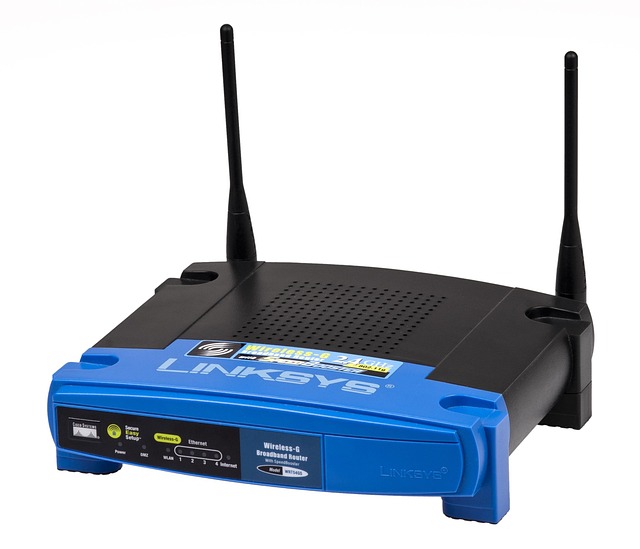
Lock the admin page to https. Type 192.168.1.1 or 192.168.0.1 in the bar, then add the “s” if the router doesn’t auto-send you there. Plain http sends your user name and pass in the clear. Anyone on the same coffee-shop WiFi can capture them with free sniff tools.
If you operate the ISP’s phone app, toggle ‘only local https’ in its settings. except When they’re done, turn it back off.
Before you fiddle with anything else, press Export Config, save the resulting file to a USB stick, and tuck the stick away in a drawer. One click later you can roll back if a tweak locks you out.
Firmware Updates
Look for new code by the first Monday of each month. Most brands will have it posted by then. Sign in at 192.168.x.x, select Firmware and patch within 24 hours of upload. Zero-day bugs heart day two.
After the flash finishes, walk through every tab: WPA3 still on, firewall rules still there, parental controls still pointing to OpenDNS? Updates silently toggle switches back to wide open. A reboot once a week during you make coffee clears memory leaks and even pulls minor hot-fixes vendors never list.
DNS Filtering
Trade the auto-DNS your ISP pushes for Quad9 (9.9.9.9), Cloudflare (1.1.1.1), or OpenDNS (208.67.222.123). All three sinkhole known-bad sites before your browser even sees them. Just open the CISA test page.
If a red stop sign appears, the filter is live. In the router dashboard, enter the two new numbers under LAN DHCP, save, reboot, and every phone, TV, or fridge inherits the shield. Glance at the stats page once a month. Repeated hits from one device can indicate covert malware calling home.
Network Segmentation
Spin up a second SSID called “IoT” and hard it to 802.11g on channel 13. The slower speed and high channel make the bubble shrink so it just barely leaks out of the house. Add a VLAN if the router lets you.
Many ASUS, Netgear, and TP-Link models hide it under “bridge” settings. Then write two firewall rules: allow port 123 for time sync and port 443 for firmware checks. Drop everything else.
- Guest phones
- Work laptop
- Kid console
- Security cam
- Smart fridge
Ping test from the cam to the laptop will show 100% loss. When friends go, remove their MAC from the list so their phone drops your pass.
The “Set It and Forget It” Myth
Security decays, threats change every day. A router that was “safe” last quarter is a trap today. Consider it the 9-volt in your smoke alarm—avoid the change and the ‘beep’ stops right when you’re depending on it most.
Schedule thirty minutes on a quiet Sunday once a month, open the admin page, scan the logs, mute any alerts, and you purchase yourself a year’s worth of breach headaches.
Regular Audits
Start up a free wi-fi scanner—Fing on your phone or Acrylic on a laptop—and peruse the list. Whatever says ‘Generic’ or a string you don’t own gets the side-eye.
Export the entire client table from your router, paste it into Google Sheets, and color any MAC you can’t identify red. If the count jumps beyond your actual gadget count, you’ve got squatters.
During you’re inside the GUI, click NAT/Port Forward. If you spot TCP 3389 open to an IP you never set, close it fast. That’s a welcome mat for ransomware crews scanning Comcast ranges all night.
Schedule a recurring calendar entry called “Audit Home Network” for the first Sunday at 8 p.m., and when the pop-up arrives, just do it—no excuses.
Device Management
Old phones hold on to DHCP like spirits. Deleting them shrinks the attack surface.
Rename “android-4eea22bb9” to “Mom Pixel 7” so next month’s scan takes five minutes, not fifty.
If Samsung TV has an RJ-45 jack, turn off its radios and plug in Cat-6. Ethernet won’t answer random de-auth packets from the parking lot. Same for printers—nobody needs HP cloud print when USB is okay.
Surge strips help: flip off gaming rigs and smart speakers before bed. Dark NICs can’t beacon rogue firmware.
Software Patches
Auto-patch is step one: toggle it in Windows Update, macOS App Store, iOS Settings, and Google Play Protect.
TVs are lazier—LG webOS still makes you click ‘agree’. Mark fiscal quarter ends on the calendar, check out the OEM site, load up the bin file to a thumb drive, and let the TV consume it.
See an app that hasn’t been touched since 2021? Ditch it; sideloaded APKs become back doors when CVEs drop.
Following any big OS bump, hold energy and volume down on Android or force-restart iPhone. Half of Stagefright patches can patch only once the radio firmware cold boots.
Securing Your Smart Home Ecosystem
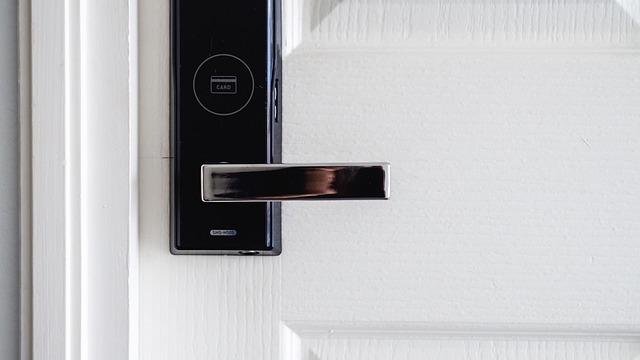
Start with a paper map: list every bulb, plug, speaker, and thermostat. Add brand, model, and last date it requested an update. One page keeps the sprawl in check.
Second, disable Alexa’s voice purchasing and drop-in on Echo. Both have resulted in $400 diaper orders and broadcasted private conversations. Assign each device its own lengthy password and connect it to a disposable Gmail alias like iotjunk@. If the list leaks, your primary inbox remains pristine.
Enable 2FA everywhere. It blocks half the credential stuffing noise that hits U.S. Routers daily.
Smart Speakers
Flip the hard mute switch when you leave the room. Software “mute” still sends clips to the cloud. Once a month, open the Alexa or Google app, tap Settings, then Privacy, then Review Voice History and bulk-delete.
Disable “Use messages to improve Alexa” and flip personalized ads off. Both prevent Beverly Hills ad agencies from purchasing your child’s bedtime questions. If your router allows, label the speaker’s MAC address and place it on a VLAN that can access the internet but not your laptop or cameras.
An $80 Firewalla box makes this drag-and-drop easy.
Security Cameras
Default passwords like “admin” fuel the Shodan map. Switch it to 16 random characters before you install the cam. Download firmware exclusively from the vendor’s U.S. Site; fake update emails sow Mirai variants.
Turn off UPnP so the camera can’t hole punch its own hole in the AT&T gateway. Watch clips via the vendor’s SSL portal or your own WireGuard tunnel home. When the family is in, slap a Post-it over indoor lenses.
Even Ring has leaked ‘home mode’ feeds.
Smart Appliances
Your LG fridge comes with ‘LG ThinQ Remote’ enabled and phoning Seoul on an hourly basis. Crack open the manual’s secret page, turn that off, and kill diagnostic uploads as you’re at it!
Spin up a guest SSID called “IoT-Only,” WPA3-only, 12-character key, and park the washer, dryer, and robo-vac there. They can’t see your banking laptop although one comes down with a virus.
Ditch the apps you never open. Remote start for a dishwasher scores low and shares cycle information. Register the model on the US site so the push notice for CVE-2024-1234 arrives before cyber criminals script it.
Balancing Security and Convenience
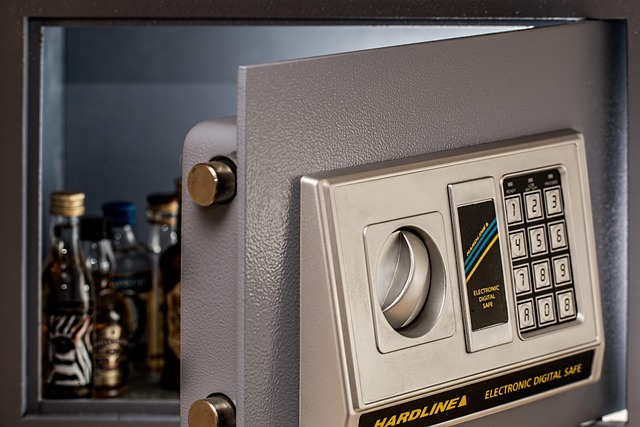
Choose two high-impact jobs a month and label it your “security budget.” In January, enable WPA3 on the router and configure phones and laptops to auto-update. Boom, no more clicks after that initial five minutes. In February, rebrand your default Wi-Fi, change it to a long passphrase, and spin up a guest Wi-Fi network for visitors and smart televisions. This approach enhances your home network security significantly.
Come March, you’ve still got zero daily friction, but the attack surface is half what it was. If the list ever starts to feel long, just skip a month; two fixes beat twenty promises.
This guest network keeps the Roku, robo-vac, and cousin’s tablet off the same pipe that holds your tax files. Once configured, these three amenities operate quietly. You still tap once to join your home Wi-Fi network, just like before, but the danger meter dips significantly due to better network security.
Full-tunnel VPNs can reduce speed by 30% on a 300 Mbps plan, so avoid them for fast chores. A browser add-on from a trusted vendor activates AES-256 only within the tab that contains banking or health records. Streaming 4K baseball in another tab allows you to maintain full bandwidth while keeping sensitive information secure.
Full-tunnel VPNs can reduce speed by 30% on a 300 Mbps plan, so avoid them for fast chores. A browser add-on from a trusted vendor activates AES-256 only within the tab that contains banking or health records. Streaming 4K baseball in another tab allows you to maintain full bandwidth.
The add-on recalls the sites you select, so after a couple of visits it seems like part of the browser, not hassle. If you’re recovering from ID theft in California, it now requires an average of six weeks, three mailed forms and a $23 credit-freeze fee per bureau.
Place each new smart plug on the guest network prior to its being named in the app, one additional screen complete. Guys who handle these clicks like closing the front door forget about them but remain safer than buddies who pursue ideal installations and abandon their home network security.
Incorporating these simple steps can greatly enhance your home network security while ensuring a seamless user experience.
Conclusion
Lock the front door, flip the porch light, and add one more bolt on the equipment you already have. Change the router password, disconnect the cloud cam peeping on the sofa, and have the fridge order milk on a guest net, not the main one. Do it tonight as the Rockies game loads. Five clicks is better than five hours of cleanup later. Denver tech shops carry $20 auto-patching smart plugs. Xfinity stores are giving away free WPA3 cheat sheets. Stop by Saturday. You maintain the heat in the house, feed the dog, and tune the bike. Stick the Wi-Fi list into that mix. Secure it one time, then head out for a craft brew on S. Broadway.
Frequently Asked Questions
Do I need a new router for better security in Denver?
Most Denver residences could benefit from improved home network security by upgrading to WPA3 encryption and enabling automatic firmware updates to protect against common home WiFi security vulnerabilities.
How often should I change my Wi-Fi password?
Change your home wifi network password every 90 days or after hosting guests to enhance home network security, using memorable Denver-themed phrases.
Are smart home devices safe to use?
Yes, isolate them on a guest network to enhance home network security. Change default passwords now and update firmware monthly to protect your home Wi-Fi network.
Should I use a VPN on my home network?
Certainly. Colorado ISPs track data, but a no-log VPN enhances home network security by providing encryption for five to ten dollars monthly.
What’s the biggest mistake Denverites make?
Maintaining factory router passwords, such as ‘Admin/admin’, can expose your home network security, allowing unauthorized access within minutes of setup.